RETRIEVING TEST RESULTS - 7
VerifyNow System User Manual Page 60 14340.J
to the Password prompt to enter the password number. Press the Retrieve Results
key. See Section 7.1.3 for a description of the assay results log.
7.1.2 Patient Information Stored by Patient ID
If the instrument is configured to use patient identification, then the instrument
retrieves all assay results for a particular patient.
1.
From the main menu, enter Operator ID and Password, if required. Use
the keypad to enter the Operator ID number at the prompt. Press the Tab key to
advance to the Password prompt to enter the password number.
2.
Press the Retrieve Results key.
3.
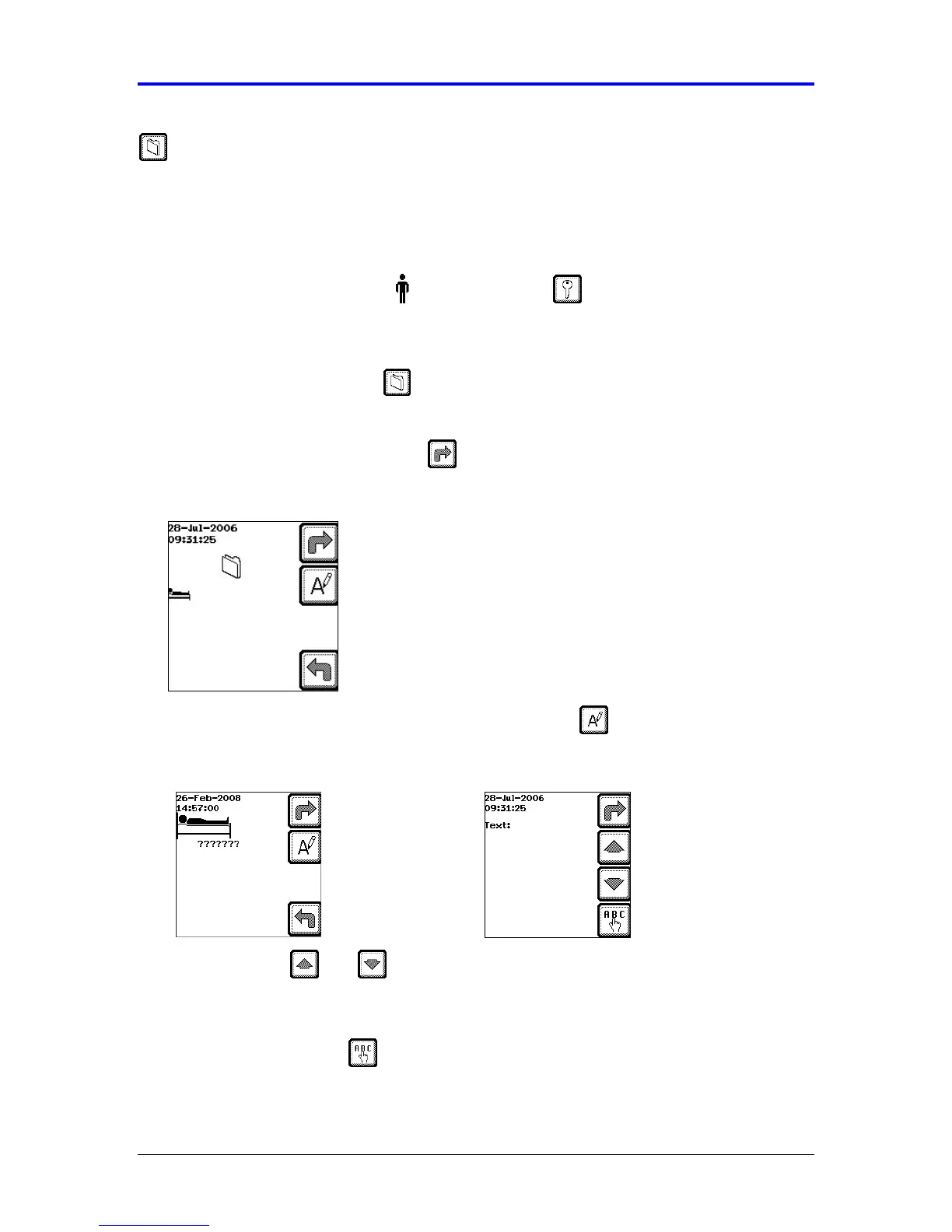
When the following screen displays (Figure 7-1), enter the numerical Patient
Identification and press the Next key.
Figure 7-1 Patient Identification
To enter an alphanumeric patient ID, press the Text key (Figure 7-2).
Figure 7-2 Alphanumeric Patient ID
• Use the and arrows to scroll through the text option screens.
• At the desired screen, press the (←
←←
←) or (→
→→
→) to move to the desired
character.
• Press the Text key to select the character. It will then show up at the
Text: ___ prompt.



 To Next Page