CLEANING AND MAINTENANCE - 9
VerifyNow System User Manual Page 88 14340.J
2.
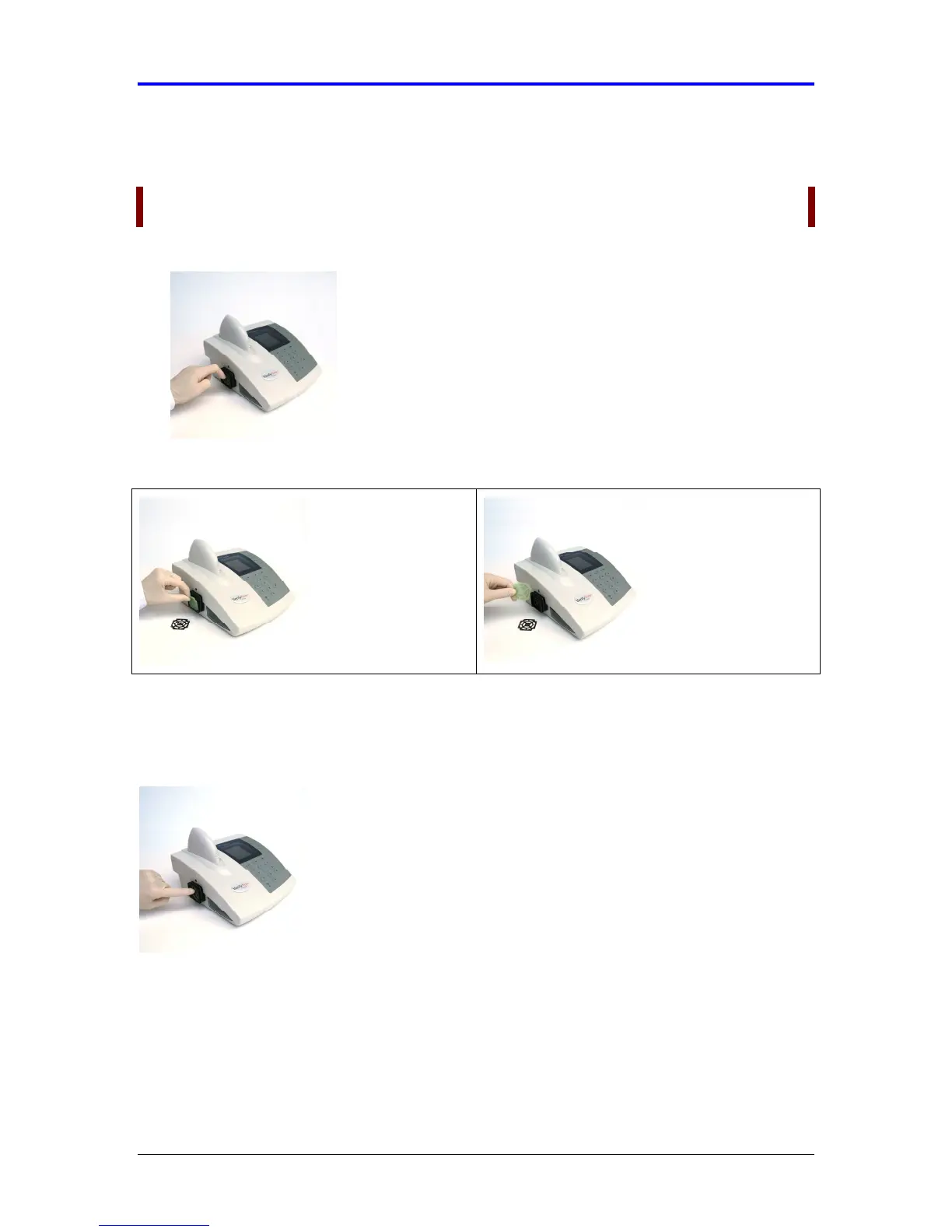
The fan filter is held in place by a press fit retainer. Using your fingernail or a
small tool (e.g. paperclip), gently pull from the center of the filter retainer (Figure
9-4).
NOTE: There are no screws to be removed.
Figure 9-4 Remove Fan Filter
3.
Remove the fan filter and inspect it for dust accumulation.
4.
If necessary, replace it with a new filter.
5.
Gently replace the fan filter and plastic filter retainer. Do not position the
instrument so that airflow to the fan is obstructed.
6.
Power on the instrument (“I” designates on).



 To Next Page