EVO 150 Controller
19
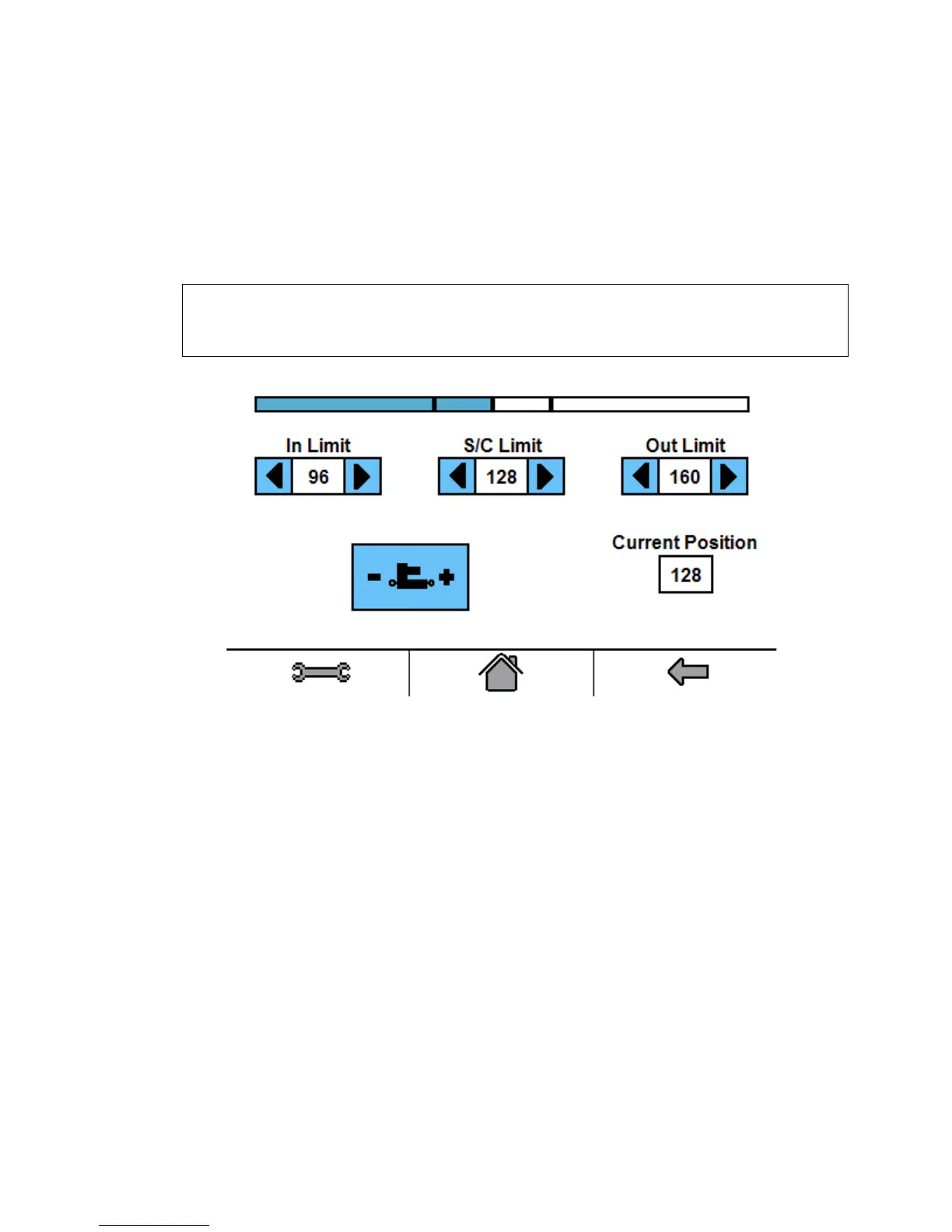
3. The Actuator Settings button allows access to the: In Limit, S/C Limit, and Out Limit. The In
Limit sets the maximum distance that the actuator can move IN, retract. The S/C Limit
parameter sets the position for the actuator when Servo-Center mode is selected, typically the
center of stroke of the linear actuator. The Out Limit sets the maximum distance that the
actuator can move OUT, extend. The Current Position box displays the current position of the
actuator.
The Actuator Settings Screen only functions with actuators that have potentiometer feedback
(TA, MTB, SFB, MT, SF, HF and MA).
Note: Changes to the limits settings affects Parameters: 9, 10 and 11.
The Actuator Settings screen does not have any function when actuators with limit switches
are used.



 To Next Page