1-14 Hardware Specifications and Configurations
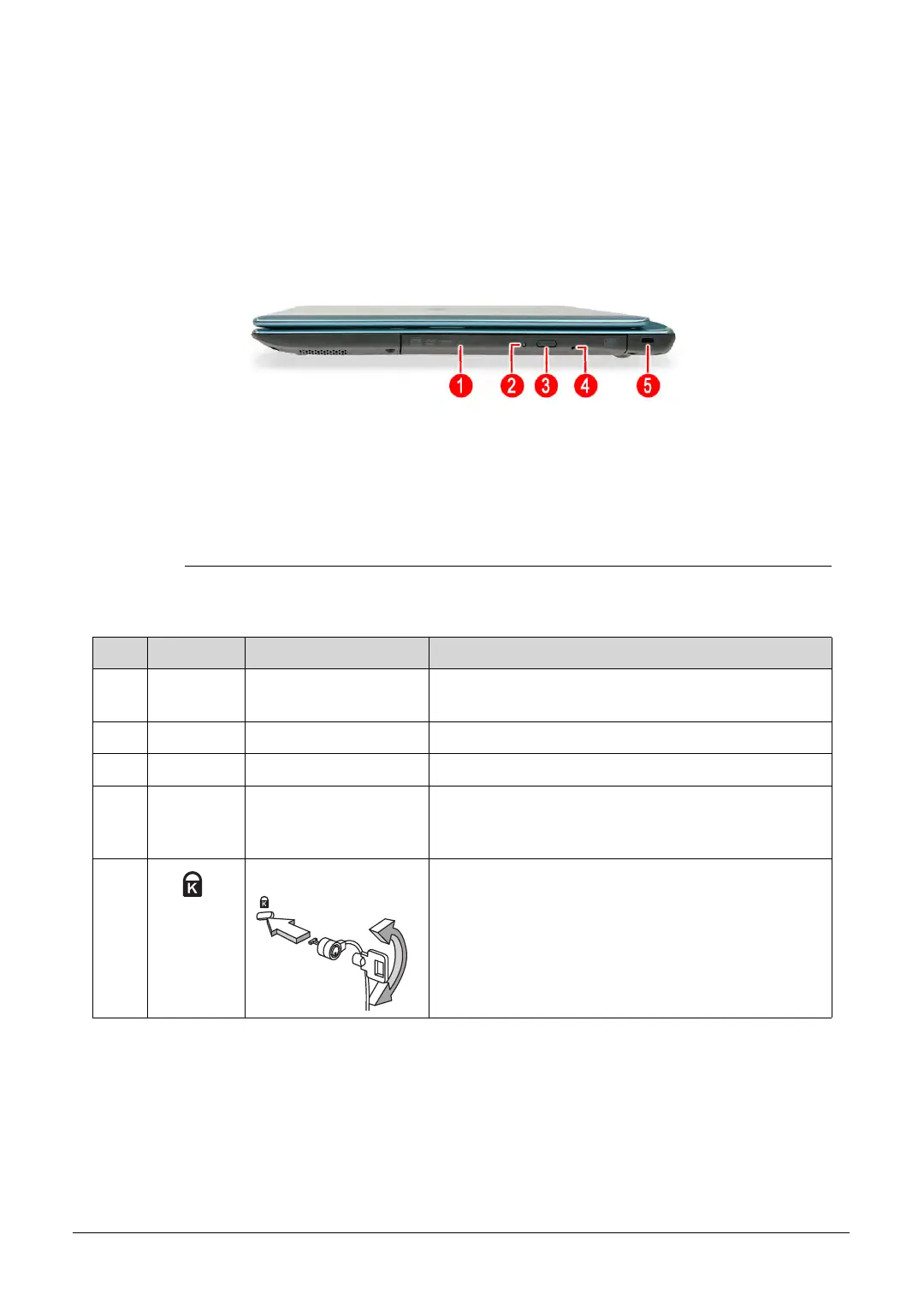
Right View 0
Figure 1-4. Right View
Table 1-4. Right View
No. Icon Item Description
1 Optical disc drive
(ODD)
Internal optical disc drive; accepts CDs or DVDs.
2 ODD access indicator Lights up when the optical drive is active.
3 ODD eject button Ejects the optical disc from the drive.
4 ODD emergency
eject hole
Insert a paper clip to the emergency eject hole to
eject the optical drive tray when the computer is
off.
5 Kensington lock slot Connects to a Kensington-compatible computer
security lock.
Note: Wrap the computer security lock cable
around an immovable object such as a table or the
handle of a locked drawer. Insert the lock into the
notch and turn the key to secure the lock. Some
keyless models are also available.
http://mycomp.su/ - Maintenance and Service Guide,Service Manual,Motherboard Schematics for Laptop/notebook
РЕМОНТ НОУТБУКОВ. Запчасти и комплектующие для ноутбука. Схемы, сервис мануалы, инструкции по разборке ноутбука.
ВОССТАНОВЛЕНИЕ ДАННЫХ. г. Санкт-Петербург, Тел.(812)951-37-99, Тел.8-921-951-37-99,ICQ:573812745, service@it-lux.ru



 To Next Page