1-18 Hardware Specifications and Configurations
Windows Keys 0
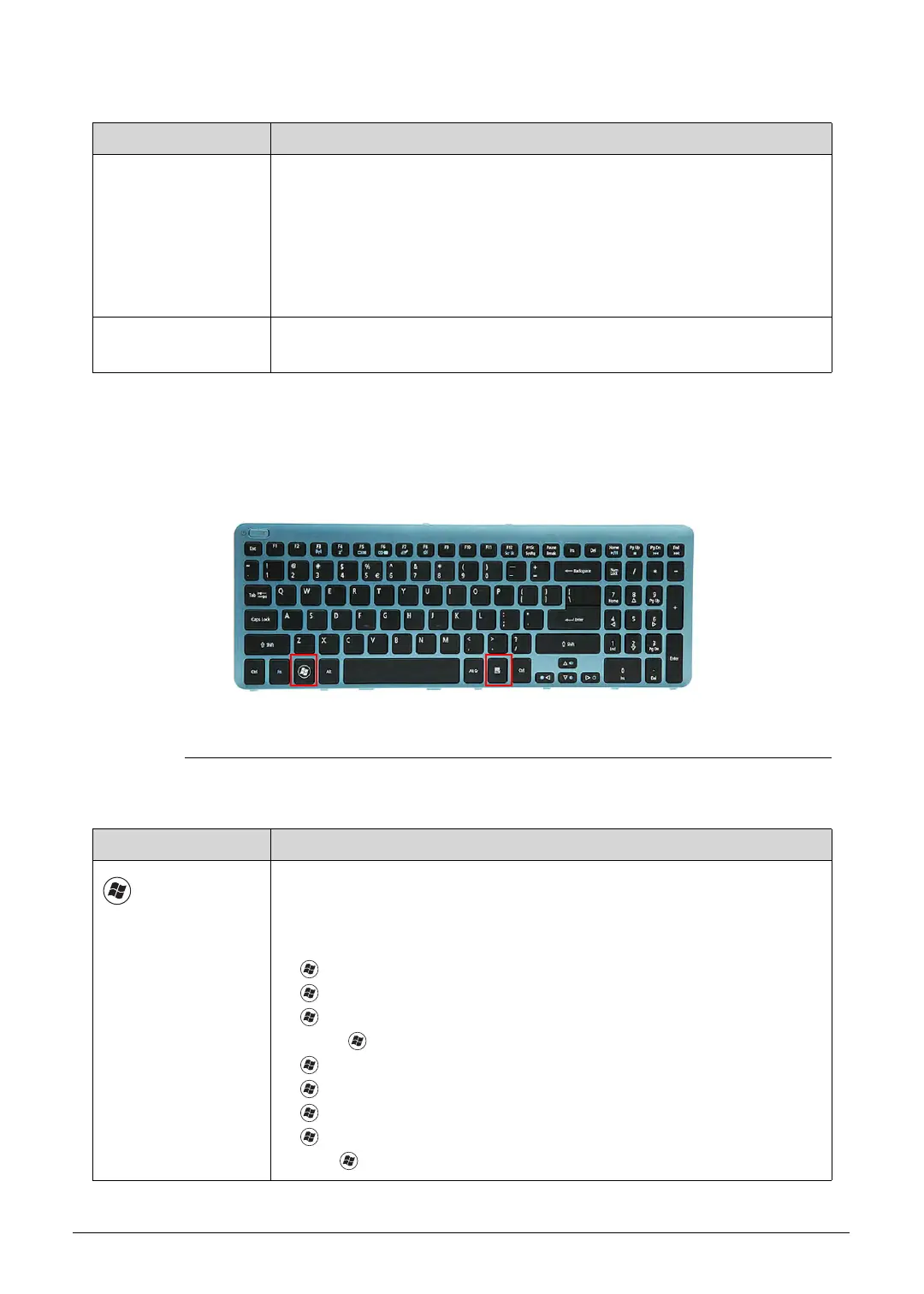
The keyboard has two keys that perform Windows-specific functions.
Figure 1-9. Windows-specific Keys
Num Lock
The key can be turned on/off via the internal keyboard (Fn+F11) or the
external keyboard/keypad. Num Lock affects the external
keyboard/keypad only.
Shift state is NOT required for the cursor movement by the numeric
keys.
The state of the Num Lock is not changed by the attachment/removal
(hot plug) of the external keyboard/keypad.
Scroll Lock
Fn+F12
When On, the screen moves one line up or down when pressing the up
or down cursor keys. Scroll Lock is not applicable for all applications.
Table 1-9. Windows-specific Keys
Key Description
Windows
Logo key
Pressed alone, this key has the same effect as clicking on the Windows
Start button; it launches the Start menu. It can also be used with other
keys to provide a variety of functions.
Functions supported by Windows XP, Windows Vista, and Windows 7:
: Open or close the Start menu
+R: Open the Run dialog box
+M: Minimizes all windows
Shift++M: Restore minimized windows to the desktop
+F1: Show the Help window
+ E: Open Windows Explorer
+F: Search for a file or folder
+ D: Display the desktop
Ctrl++F: Search for computers (if you are on a network)
Table 1-8. Keyboard Lock Keys
Lock Key Description
http://mycomp.su/ - Maintenance and Service Guide,Service Manual,Motherboard Schematics for Laptop/notebook
РЕМОНТ НОУТБУКОВ. Запчасти и комплектующие для ноутбука. Схемы, сервис мануалы, инструкции по разборке ноутбука.
ВОССТАНОВЛЕНИЕ ДАННЫХ. г. Санкт-Петербург, Тел.(812)951-37-99, Тел.8-921-951-37-99,ICQ:573812745, service@it-lux.ru



 To Next Page