1-16 Hardware Specifications and Configurations
Touchpad Basics 0
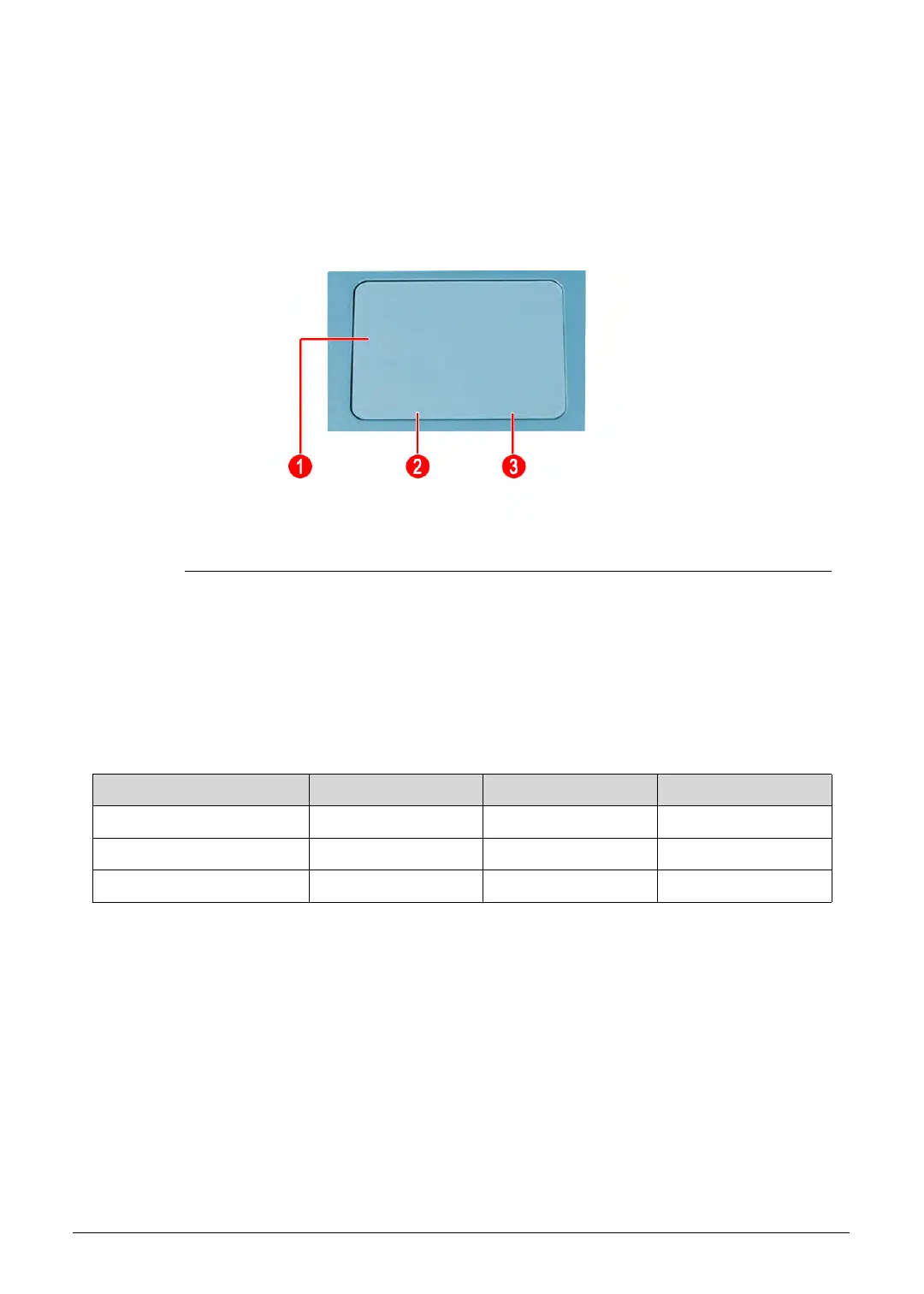
Figure 1-6. Touchpad
Move finger across the touchpad (1) to move the cursor. Tapping on the touchpad is the
same as clicking the left button of a mouse.
Press the left (2) and right (3) buttons located beneath the touchpad to perform
selection and execution functions. These two buttons are the equivalent of the left and
right buttons on a mouse.
Table 1-6. Touchpad
Function Touchpad (1) Left Button (2) Right Button (3)
Execute Rapidly tap twice. Quickly click twice.
Select Tap once. Click once.
Access context menu Click once.
http://mycomp.su/ - Maintenance and Service Guide,Service Manual,Motherboard Schematics for Laptop/notebook
РЕМОНТ НОУТБУКОВ. Запчасти и комплектующие для ноутбука. Схемы, сервис мануалы, инструкции по разборке ноутбука.
ВОССТАНОВЛЕНИЕ ДАННЫХ. г. Санкт-Петербург, Тел.(812)951-37-99, Тел.8-921-951-37-99,ICQ:573812745, service@it-lux.ru



 To Next Page