98
uuIndicatorsu
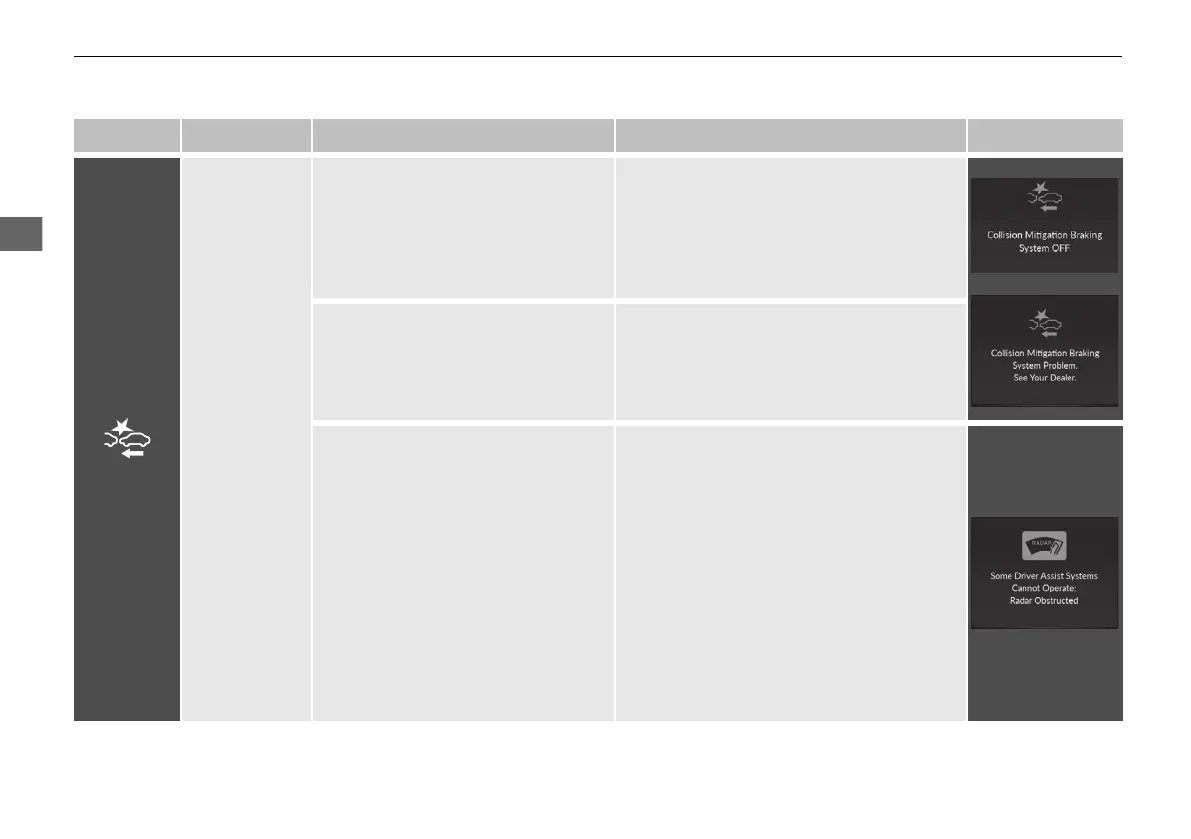
Indicator Name On/Blinking Explanation Message
Collision
Mitigation
Braking
System
TM
(CMBS
TM
)
Indicator
●
Comes on when you deactivate the
CMBS
TM
. A multi-information
display message appears for five
seconds.
●
Comes on if there is a problem with
CMBS
TM
.
●
Stays on constantly without the
CMBS
TM
OFF - Have your vehicle checked
by a dealer.
●
Indicator may come on temporarily
when the Maximum Load Limit is
exceeded.
●
Make sure the total load is within the
Maximum Load Limit.
2 Maximum Load Limit P. 409
●
Stays on constantly - Have your vehicle
checked by a dealer.
●
Comes on when CMBS
TM
shuts itself
off.
●
Indicator may come on temporarily when
passing through an enclosed space, such
as a tunnel.
●
The area around the radar sensor is
blocked by dirt, mud, etc. Stop your
vehicle in a safe place and wipe the debris
off with a soft cloth. Indicator may take
some time to go off after the radar sensor
is cleaned.
●
Have your vehicle checked by a dealer if
the indicator does not go off even after
you have cleaned the radar sensor.
2 Radar Sensor P. 497
21 ACURA RDX-31TJB6210.book 98 ページ 2020年6月16日 火曜日 午後12時39分



 To Next Page