262
uuAudio System Basic OperationuAudio/Information Screen
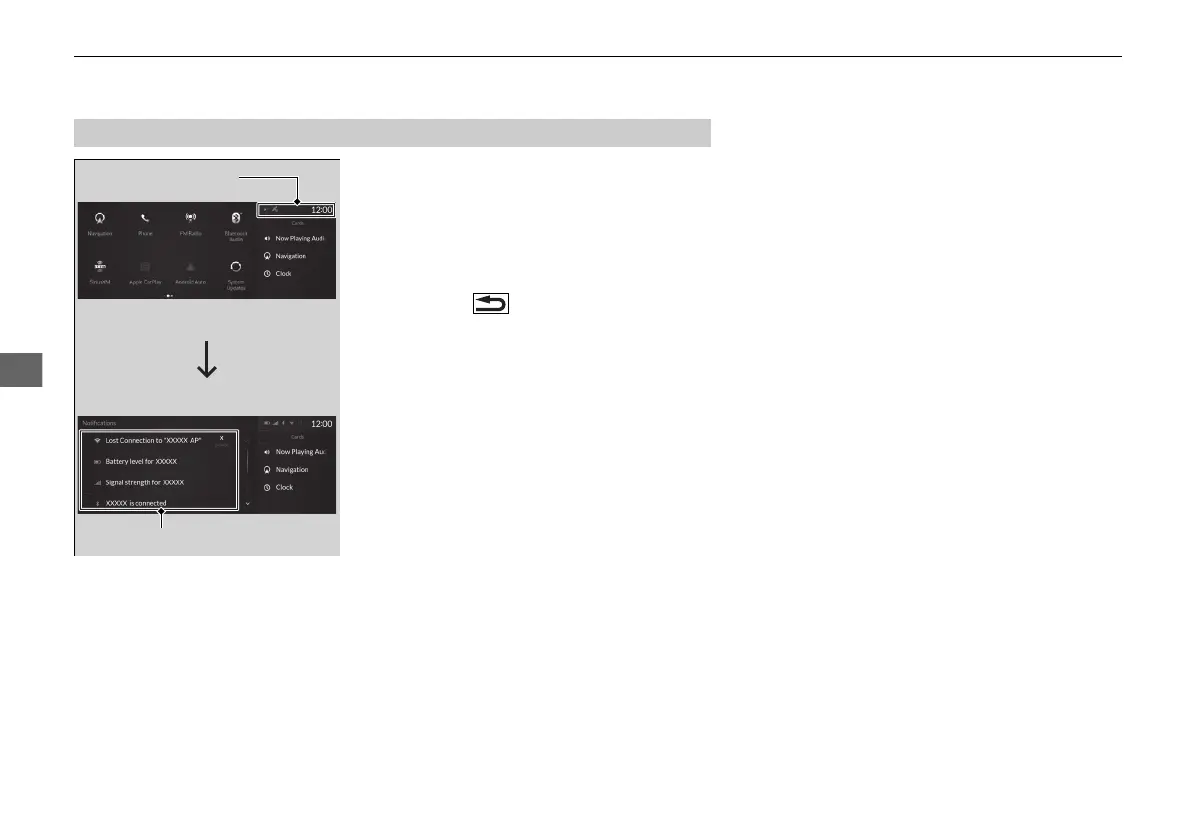
1. Select the system status area, then press
true touchpad B.
u The status items will appear in the
primary information area.
2. Select an item to see the details.
u Select Dismiss to delete the detail.
u Press the (back) button or select
status area again to close the status list.
■
Status Area
System Status Area
Status Items
21 ACURA RDX-31TJB6210.book 262 ページ 2020年6月16日 火曜日 午後12時39分



 To Next Page