uuBluetooth® HandsFreeLink®uHFL Menus
382
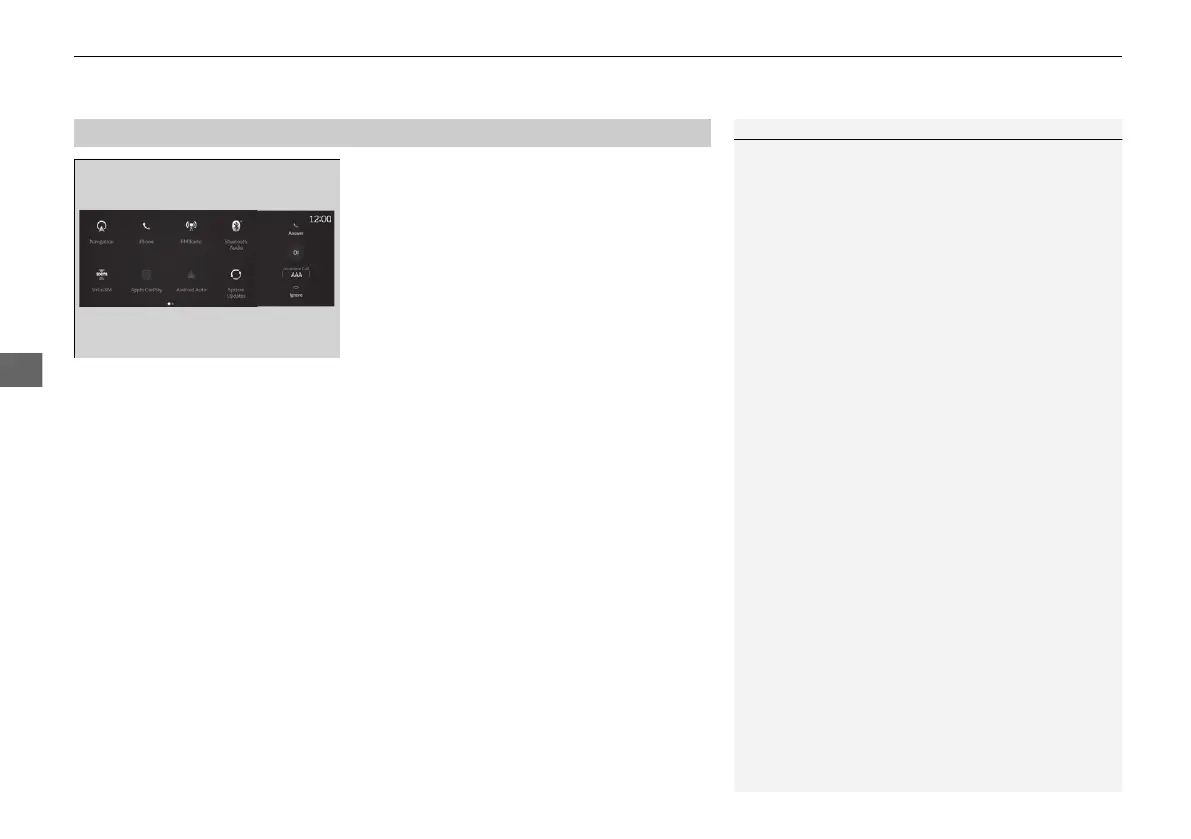
When there is an incoming call, an audible
notification sounds (if activated) and the
Incoming Call... screen appears.
Move the left selector wheel to the right to
answer the call. Move it to the left to decline
or end the call.
u You can also select Answer or Ignore
on the audio/information screen to use
hands-free calling.
■
Receiving a Call
1Receiving a Call
Call Waiting
To put a call on hold so that you can answer an
incoming call, move the left selector wheel to the
right.
Move the left selector wheel to the right to resume
the call.
Select Ignore to ignore the incoming call if you do
not want to answer it.
Move the left selector wheel to the left to end a call.
Instead of using the selector wheel, you can use the
icons on the audio/information screen to perform the
above mentioned functions.
When a screen other than the phone screen is
displayed in the primary information area, the
incoming call screen is displayed in the secondary
information area.
21 ACURA RDX-31TJB6210.book 382 ページ 2020年6月16日 火曜日 午後12時39分



 To Next Page