Continued
389
uuBluetooth® HandsFreeLink® uText Message
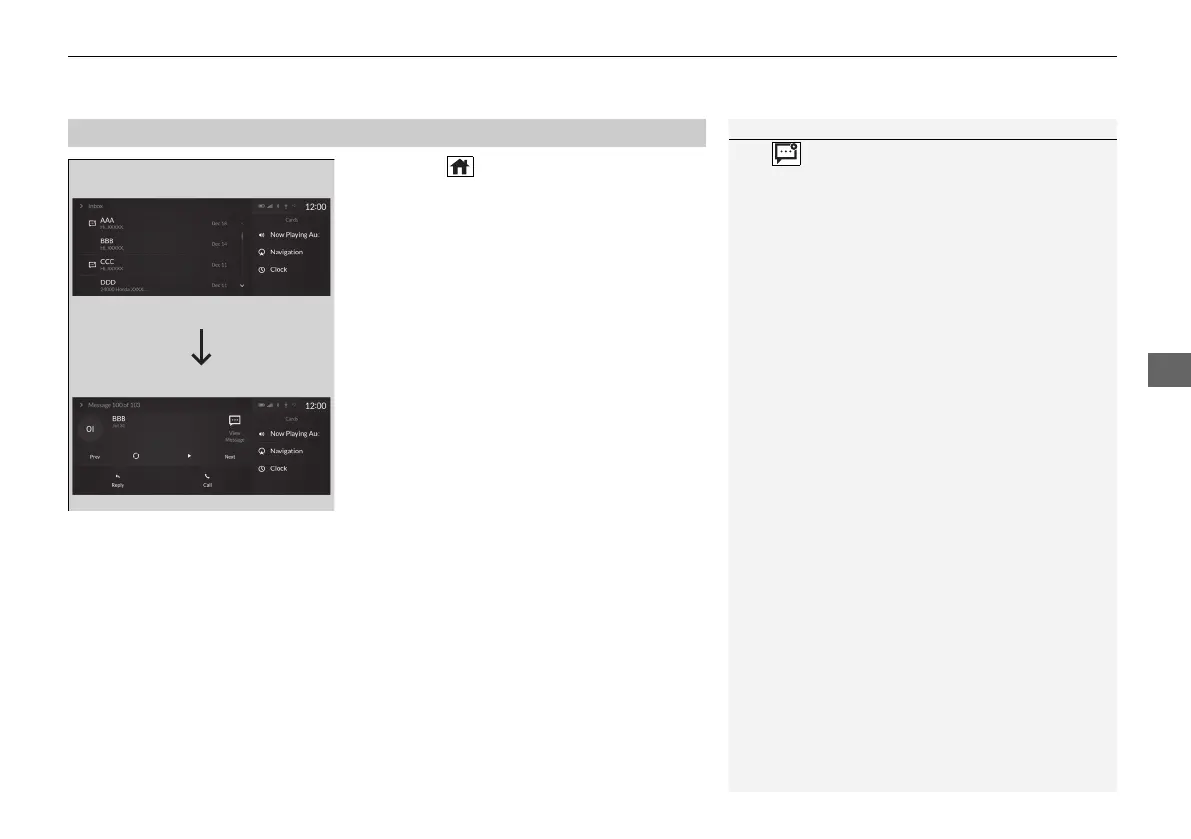
1. Press the (home) button.
2. Select Messages.
3. Select Inbox.
4. Select a message.
u The message information is displayed.
5. Select View Message.
u The text message is displayed.
■
Displaying Messages
1Displaying Messages
The icon appears next to an unread message.
If you delete a message on the phone, the message
will also be deleted from the system. If you send a
message from the system, the message goes to your
phone’s outbox.
To see the previous or next message, select Prev or
Next on the message screen.
Message List
Message
Information
21 ACURA RDX-31TJB6210.book 389 ページ 2020年6月16日 火曜日 午後12時39分



 To Next Page