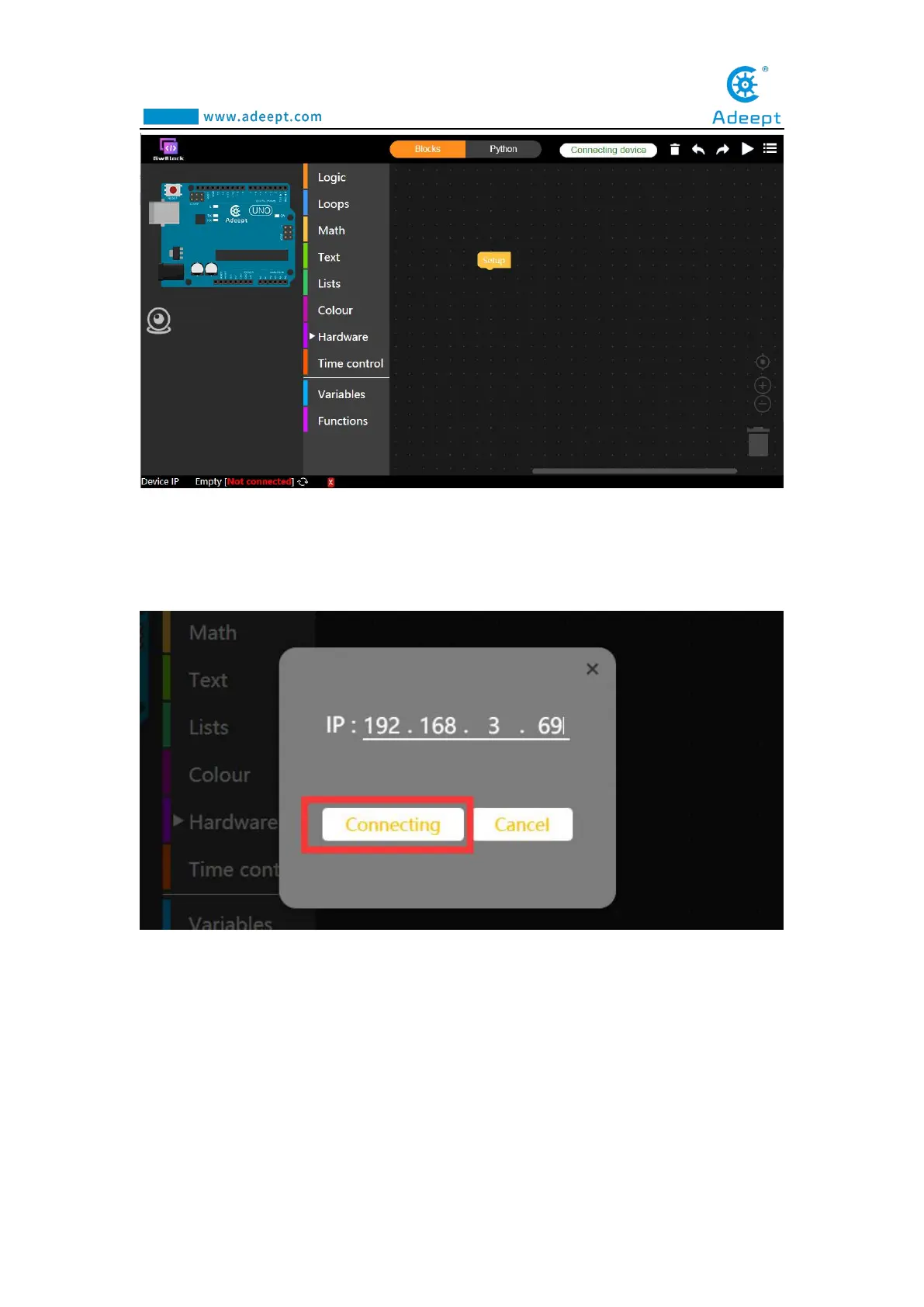
(19) Click the "Connecting device" button in the upper right corner. In the
pop-up box, enter the IP address we recorded in step (16), as shown below, and then
click the Connecting button.
(20) After the connection is successful, a green "connected" will appear in the
lower left corner of the interface, indicating that the connection with the Adeept Arm
Drive Board is successful.



 To Next Page