Version 15.0 AF-5000 Series Pilot Guide 101
Wi-Fi Adaptor
The Wi-Fi Adapter for AF-5000 allows supported devices and third-party applications to interface with an AF-
5000 EFIS. The Wi-Fi Adapter supports ForeFlight Mobile connectivity to AF-5000 on both iPads and
iPhones. The Wi-Fi Adapter plugs into a USB port and must be plugged into the EFIS display before power
on and remain plugged in for the full flight. Only one Wi-Fi Adapter is required in the aircraft.
Configuring the Wi-Fi Adapter
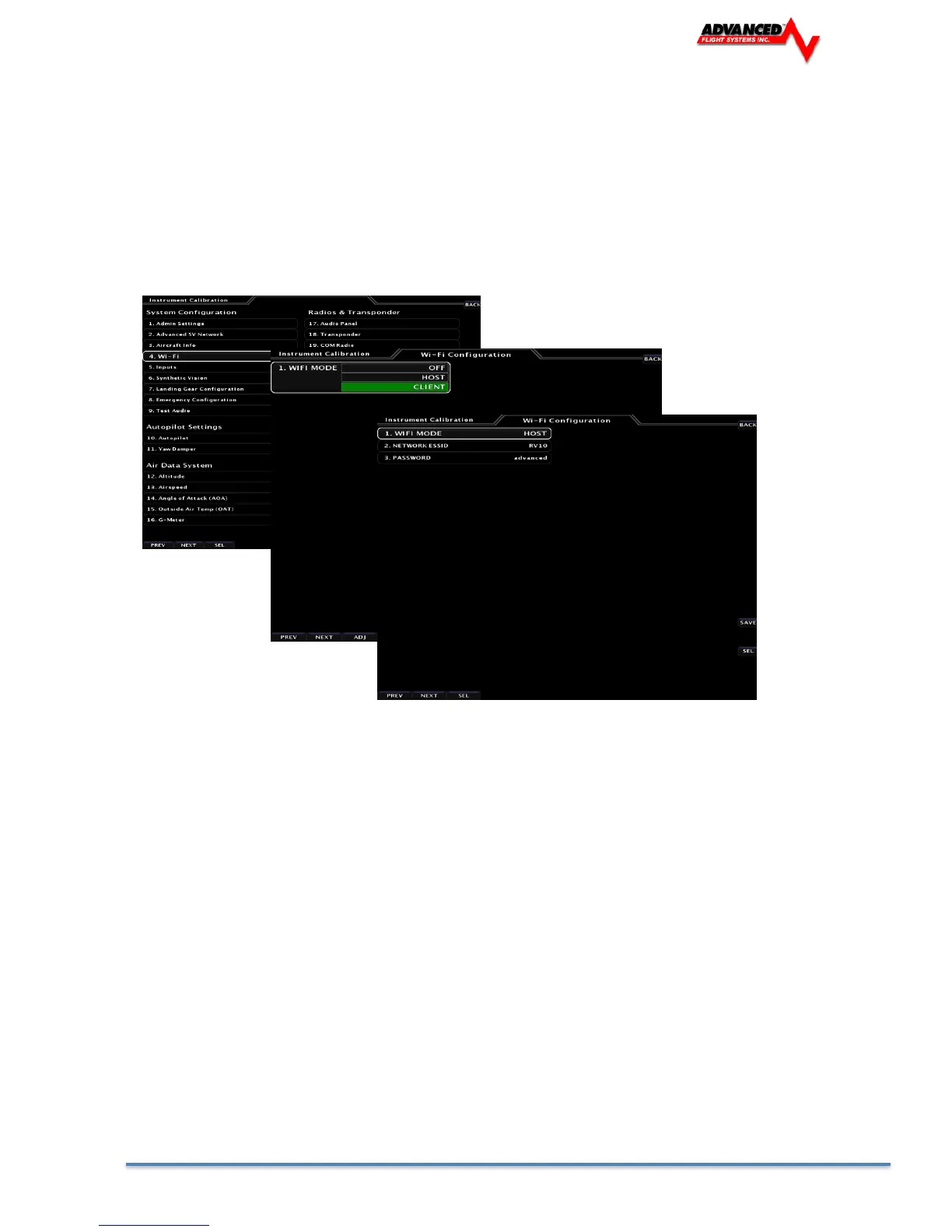
Configuration of the AF-5000 Wi-Fi system only needs to be done on one EFIS display that has the Wi-Fi module
connected. To configure the Wi-Fi Adapter access the [SET] -> [CAL] MENU
The AF-5000 system supports both HOST and CLIENT Modes:
HOST Mode
Use Host mode if you want the EFIS to connect to an iPad or iPhone running a flight planning App
(ForeFlight, FlyQ, FltPlanGo)
NETWORK ESSID: Displays the Wi-Fi Network name that will be displayed on a connected device; this
name can be changed by the installer.
PASSWORD: User changeable password.
WI-FI PASSWORD (WPA2):
• Minimum of 8 characters
• Maximum of 12 characters
• Valid characters are A-Z, 0-9
• Uppercase and lowercase is significant – the password typed in on the device must match the
uppercase.
• After entering the password, push the ENTER button. When in the WI-FI SETUP menu the
password will be displayed.
• Write down the password for future reference and easy recall, such as in the plane’s logbook.



 To Next Page