Version 15.0 AF-5000 Series Pilot Guide 86
Airport Info
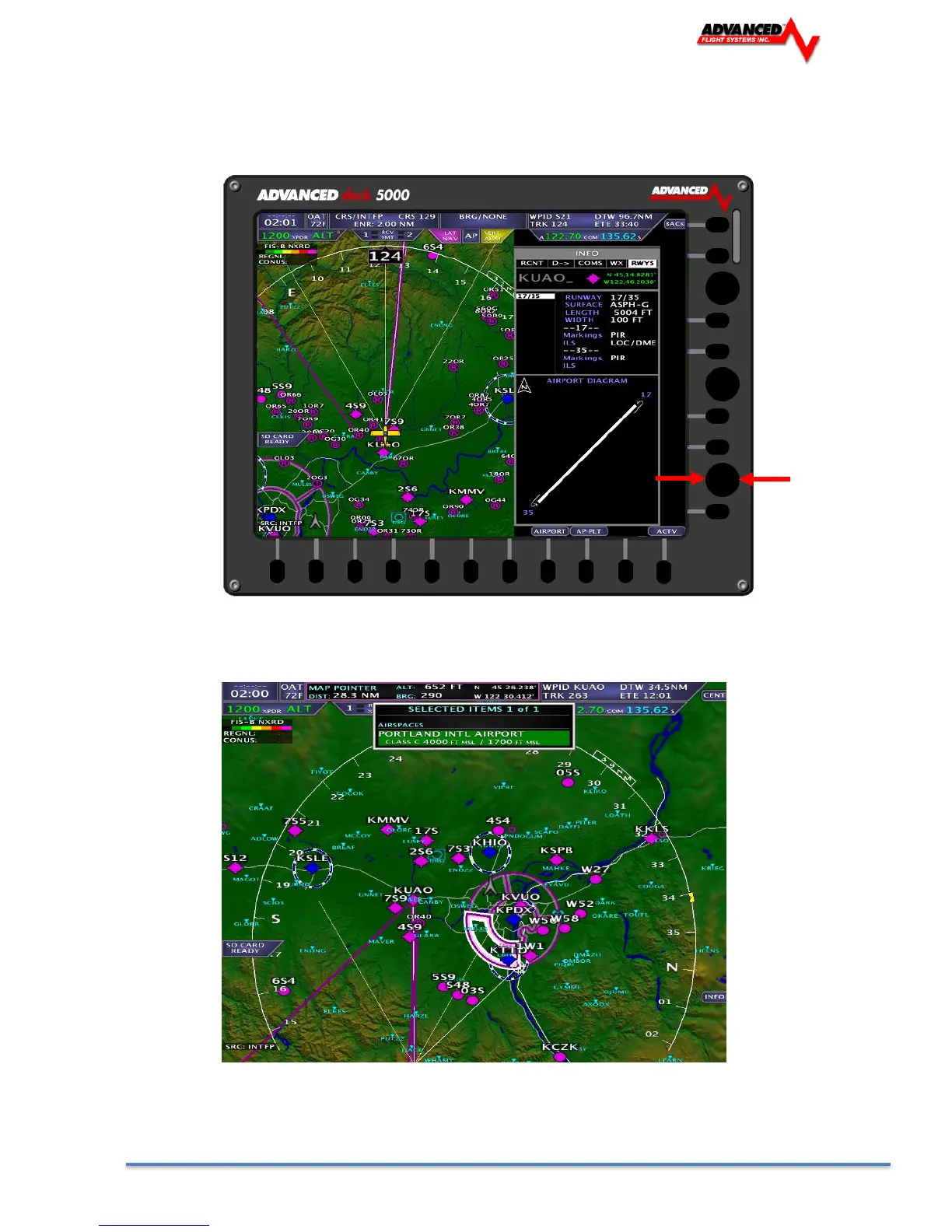
Pressing the [-D->] button from the menu will bring up multiple pages of airport info, including runways,
frequencies and airport information. The pages are selected by dragging the joystick in the direction of the
desired page.
Airspace
Airspace is displayed on the moving map. Airspace Information, including the vertical boundaries, is
selectable through the Map Pointer.
North Up/Track Up Mode
The map can be configured for North Up or Track Up mode by pressing [MAP] -> [TRK UP] or [NTH UP]



 To Next Page