Version 15.0 AF-5000 Series Pilot Guide 91
Map Weather Data Display
You can display weather data on the map and sectional from our XM Weather receiver or ADS-B receiver.
The EFIS can also display ADS-B weather from a portable Wi-Fi enabled weather receiver that transmits
using standard GDL90 data.
CAUTION: NEXRAD weather data should only be used for long-range planning purposes.
Inherent delays and relative age of the WX data can be experienced. NEXRAD weather
cannot be used for short-term weather avoidance.
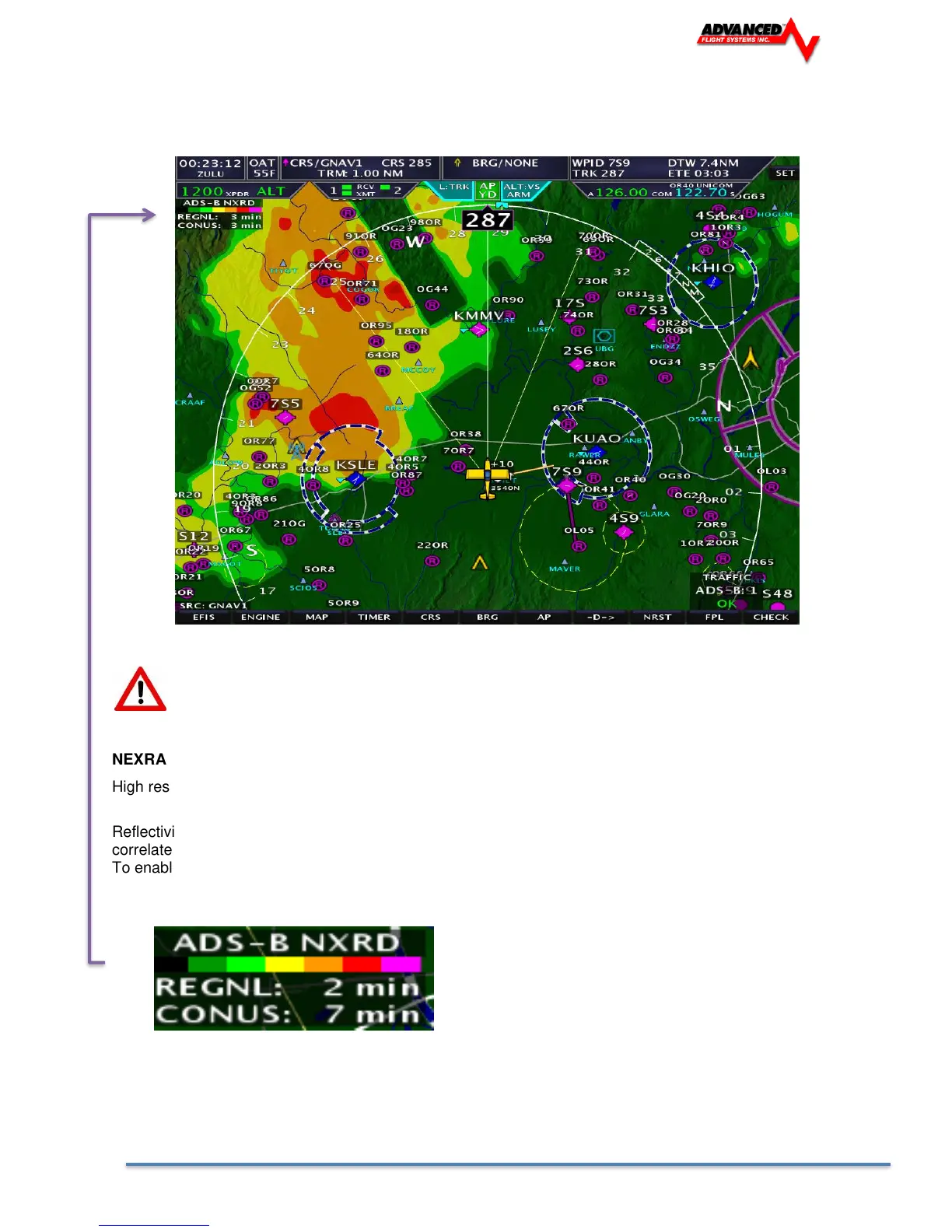
NEXRAD
High resolution radar image of radar reflectivity and lighting strikes.
Reflectivity is the amount of transmitted power returned to the radar receiver. The NEXRAD colors directly
correlate to the level of detected reflectivity from the radar.
To enable/disable NEXRAD press [MAP] -> [WX] -> [NXRD ON/OFF]
NEXRAD DATA AGE
The current age of the NEXRAD data is shown in the upper left corner of the map. In the screenshot above,
the NEXRAD data is 5 minutes old.



 To Next Page