Version 15.0 AF-5000 Series Pilot Guide 72
Com Radio Control
The Com radio remote interface supports the Dynon Com Radio, IFD540, GNC255, SL30, SL40. The
radio page has three tabs (RCNT, COM, FREQ) You move between the tabs using the joystick or
touching the tab.
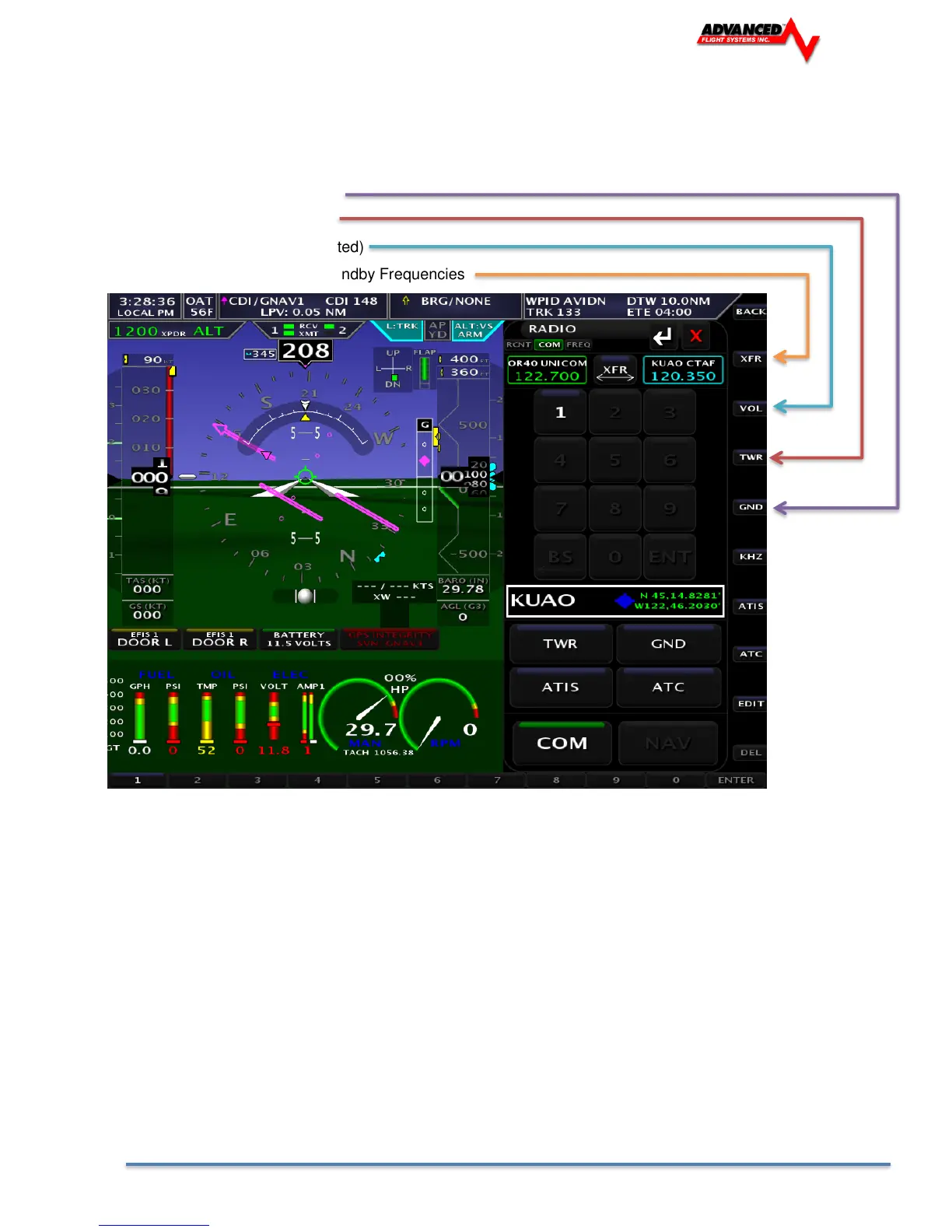
COM Tab
GND Selects the Ground Freq
TWR Selects the Tower Freq
VOL Adjust Volume (if supported)
XFR Transfer Primary and Standby Frequencies
Keyboard Type frequency number using the keyboard or screen buttons.
After selecting the new frequency press ENTER to transfer the frequency to Standby or XFR to transfer
the new frequency to the Active frequency (the current active frequency will be moved to Standby).



 To Next Page