Version 15.0 AF-5000 Series Pilot Guide 42
Traffic Display
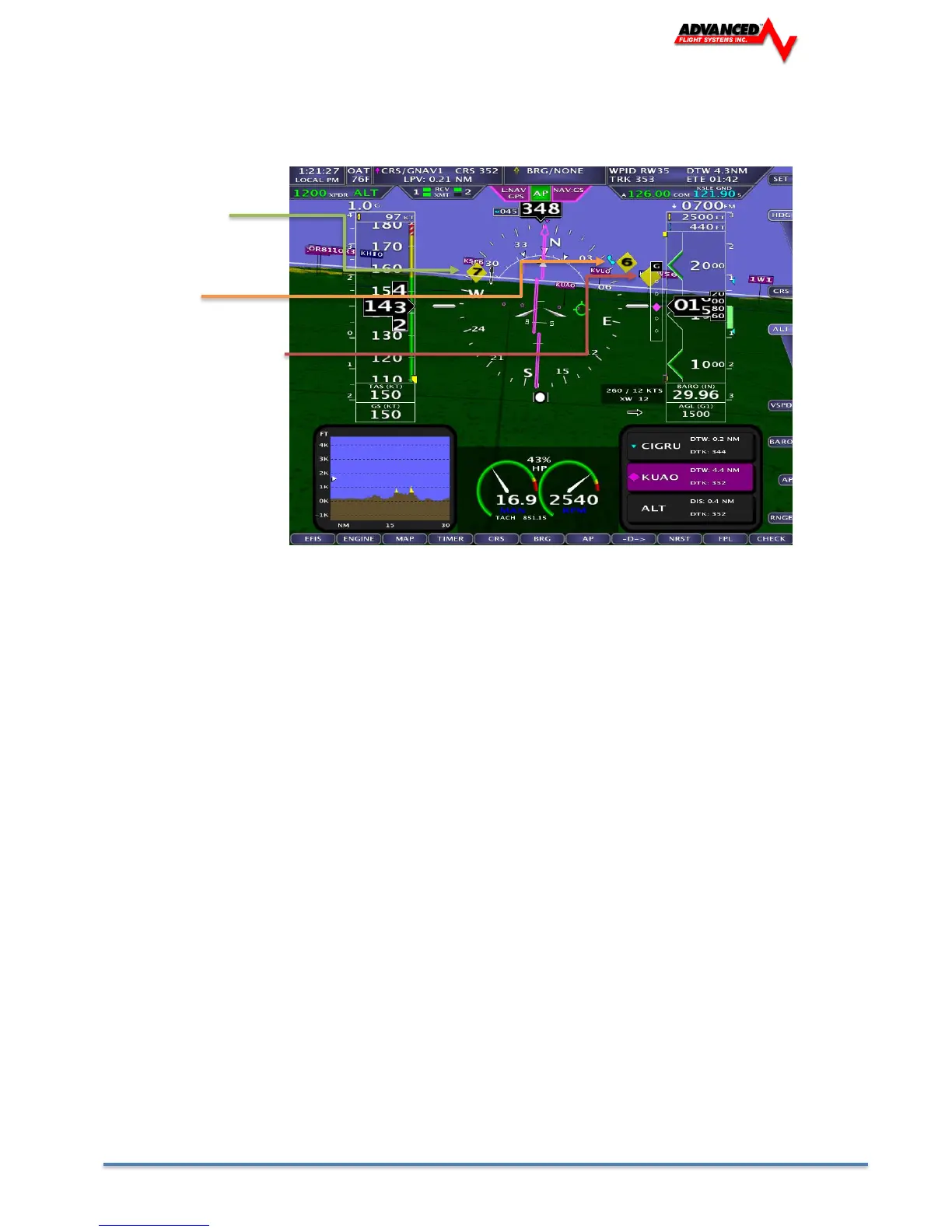
When a device capable of receiving traffic information is installed and configured, traffic can be
displayed within the Synthetic Vision display to improve situational awareness.
Traffic 7 NM and
Climbing
Traffic 6 NM
Traffic more than 9 NM
• Traffic information is informational only, and does not relieve you-in-command of his or her
responsibility to see and avoid traffic.
• Traffic is displayed as reported by the device sending it to AF-5000. The precision and accuracy of the location
of traffic targets may vary from device to device, and this may impact how accurately the position is
represented on the AF-5000 display. For example: TIS traffic updates, such as those received by the SV-XPNDR-
261/262, may be anywhere from 2-12 seconds old due to radar latency and other technical factors. Be sure to
understand the traffic-detection capabilities of your traffic device thoroughly so you understand how to best
interpret the position of the traffic displayed on the EFIS.
Traffic targets are displayed using the same symbols that are used on the Map Page display of traffic. See the
Traffic section in the MAP and VFR GPS Navigator Operation section for complete descriptions of the types of
targets that may be shown. Unlike the Map Page display, however, relative altitude is not provided numerically
on Synthetic Vision. Instead, relative altitude is depicted by having the traffic symbols appear either above or
below the zero-pitch line, just like they would be if you were looking at traffic out the window. For example, in
the figure above, a non-threat airborne traffic target is being displayed above the aircraft’s current altitude.
Similarly, traffic targets that are shown to the left or right of the center of the attitude indicator are not directly
ahead of you.
Note that traffic is not visually scaled for distance. In other words, targets always appear the same size on the
Synthetic Vision depiction, no matter how far away they are. However, yellow Traffic Advisory Targets (threats)
are displayed larger than the diamond shaped Proximity Advisory Targets and Non-Threat Targets to
accentuate their increased importance.
• Note that Traffic Advisory targets behind your aircraft will generate alerts. They can be seen on the
Map Page, but will not be visible on the Synthetic Vision display as Synthetic Vision only shows the
view in front of the aircraft.



 To Next Page