Version 15.0 AF-5000 Series Pilot Guide 63
EFIS Flight Director
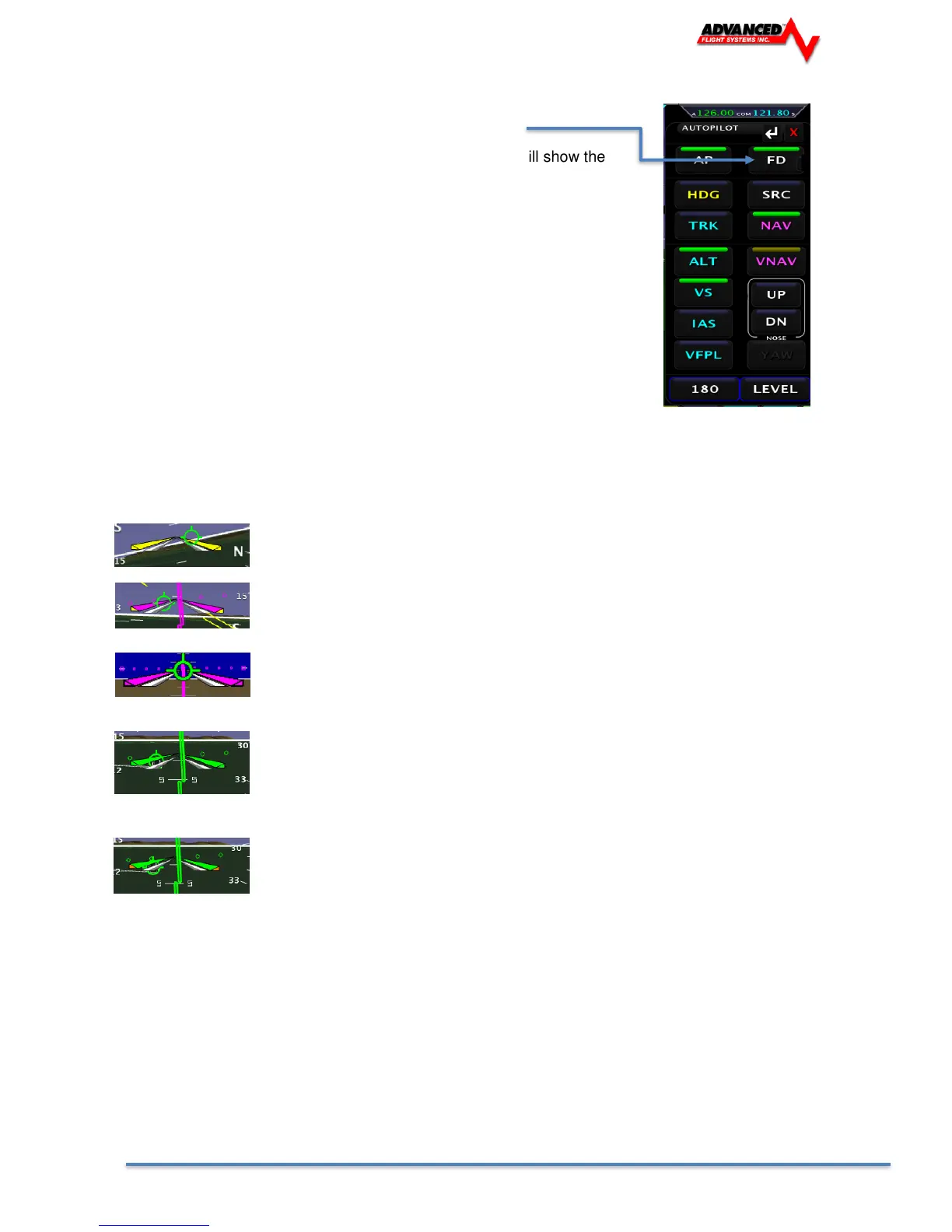
The flight director is turned on and off using the FD button.
The wings that come up when the flight director is enabled will show the
aircraft positioning to follow. All the pilot has to do is keep the triangle in the
wings as they move to follow the commanded source. A change in heading or
track will command the wings to bank in the direction to acquire the new
heading or track. A command to climb or descend to a new altitude will cause
the wings to move up or down.
The Flight Director Wings are color coded based on the command source.
The wing bar color will show the horizontal steering source and the triangle tip
color shows the vertical steering source.
Gray No Source
Red Source Flagged
Yellow Heading / Altitude Bug
Cyan GPS Track Bug
Magenta GPS
Green VOR / ILS
Teal LEVEL
Autopilot and Flight Director controlled by Heading and Altitude Bugs
Horizontal = GPS and Vertical = Altitude Bug
Autopilot and Flight Director controlled by CDI source = GPS
Autopilot and Flight Director controlled by CDI source = NAV (VOR or ILS)
Vertical = Minimums Bug
The Autopilot and Flight Director will level the aircraft at the Minimums Bug and not fly below it. 200 feet
above the Minimums Bug the FD tips will turn Orange and a MINIMUMS warning on the EFIS screen will
display.



 To Next Page