Version 15.0 AF-5000 Series Pilot Guide 71
Radio / Transponder / Audio Panel Controls
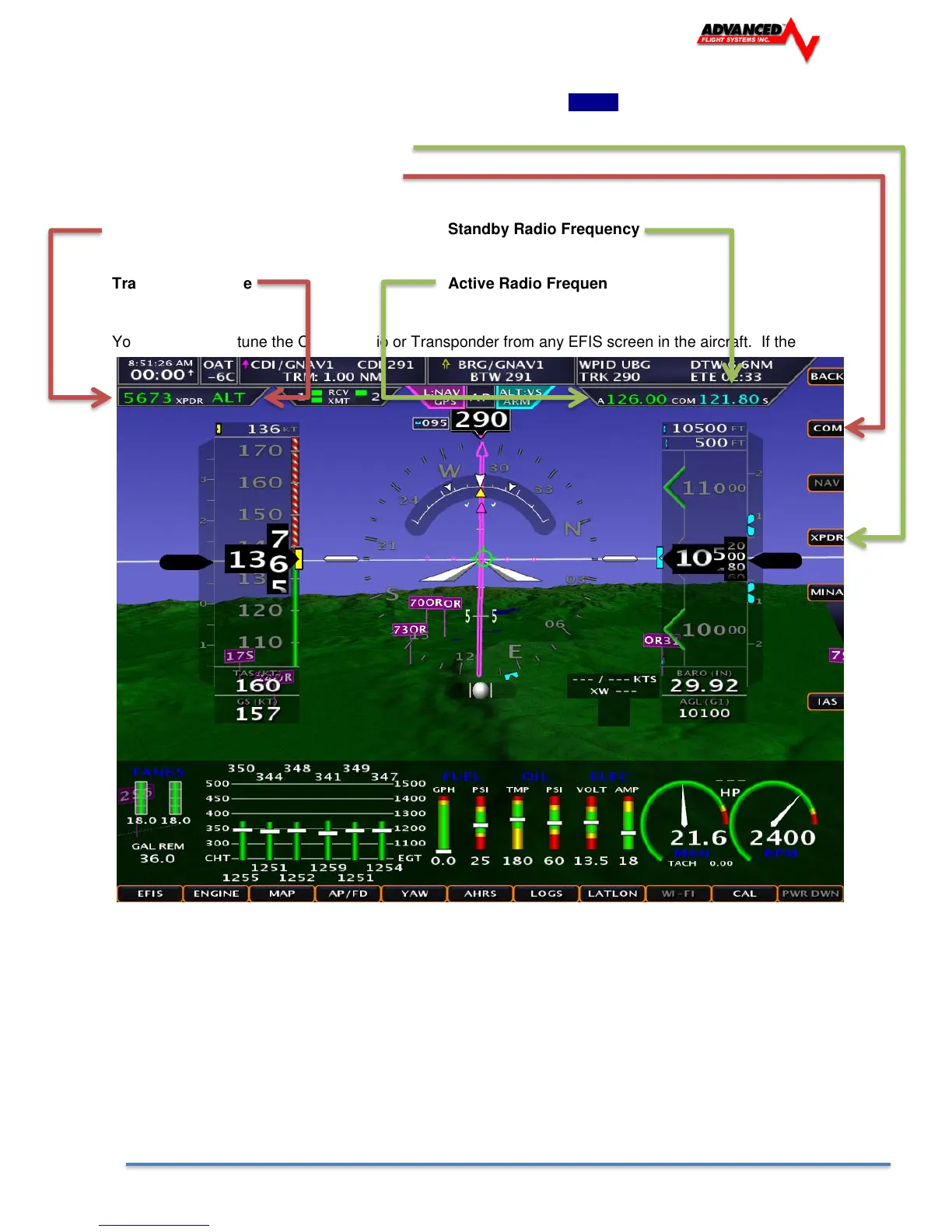
The Radio and Transponder controls are selected by pressing the [SET] button in the upper right hand
corner of the screen.
Press XPDR for the Transponder controls
Press COM for the Comm radio controls
Transponder Code Standby Radio Frequency
Transponder Mode Active Radio Frequen
You can remotely tune the Comm Radio or Transponder from any EFIS screen in the aircraft. If the
Radio or Transponder box is not displayed you need to verify that an EFIS serial port is configured and all
screens in the aircraft are configured for the Transponder and Communications Radio type.



 To Next Page