Version 15.0 AF-5000 Series Pilot Guide 47
CDI/BRG Source Selection
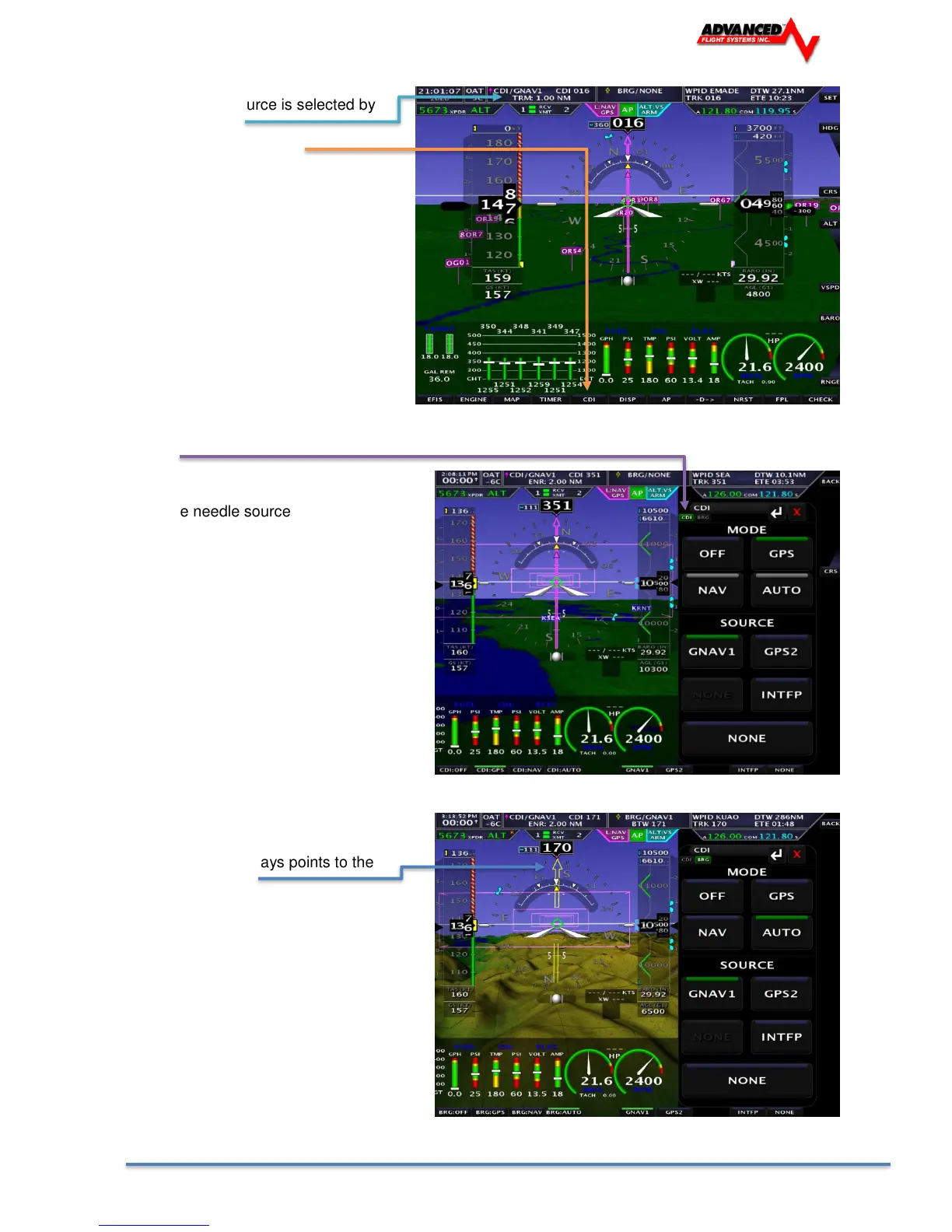
The CDI or BRG source is selected by
touching the label
Or pressing the CDI button
You can switch between the CDI and BRG Tab by touching the Tab or using the Joystick (LEFT <>
RIGHT)
SOURCE
Selects the needle source
GNAV1 GPS Navigator
GPS2 Backup GPS
INTFP Internal Flight Plan
MODE
The normal setting should be AUTO and let
the IFD or GTN select the CDI source. This
will enable the CDI to auto switch from a
GPS flight plan to an ILS approach.
OFF Turns off the CDI
GPS GPS side of the Navigator
NAV NAV side of the Navigator
AUTO Needle will follow the VLOC on the Navigator
The BRG Needle always points to the
Station or Waypoint



 To Next Page