Version 15.0 AF-5000 Series Pilot Guide 124
AF-5000 CHART DATA
For US customers, chart data subscriptions, including
sectionals, IFR low and high en-route charts, procedure
charts, airport diagrams. Unlike other databases that are
stored in display’s internal drive, charts and airport
diagrams, because of their large size, must be stored on
a USB memory stick that remains connected to the
display during use.
For Australia and New Zealand customers, visit AvPlan Digital Carts
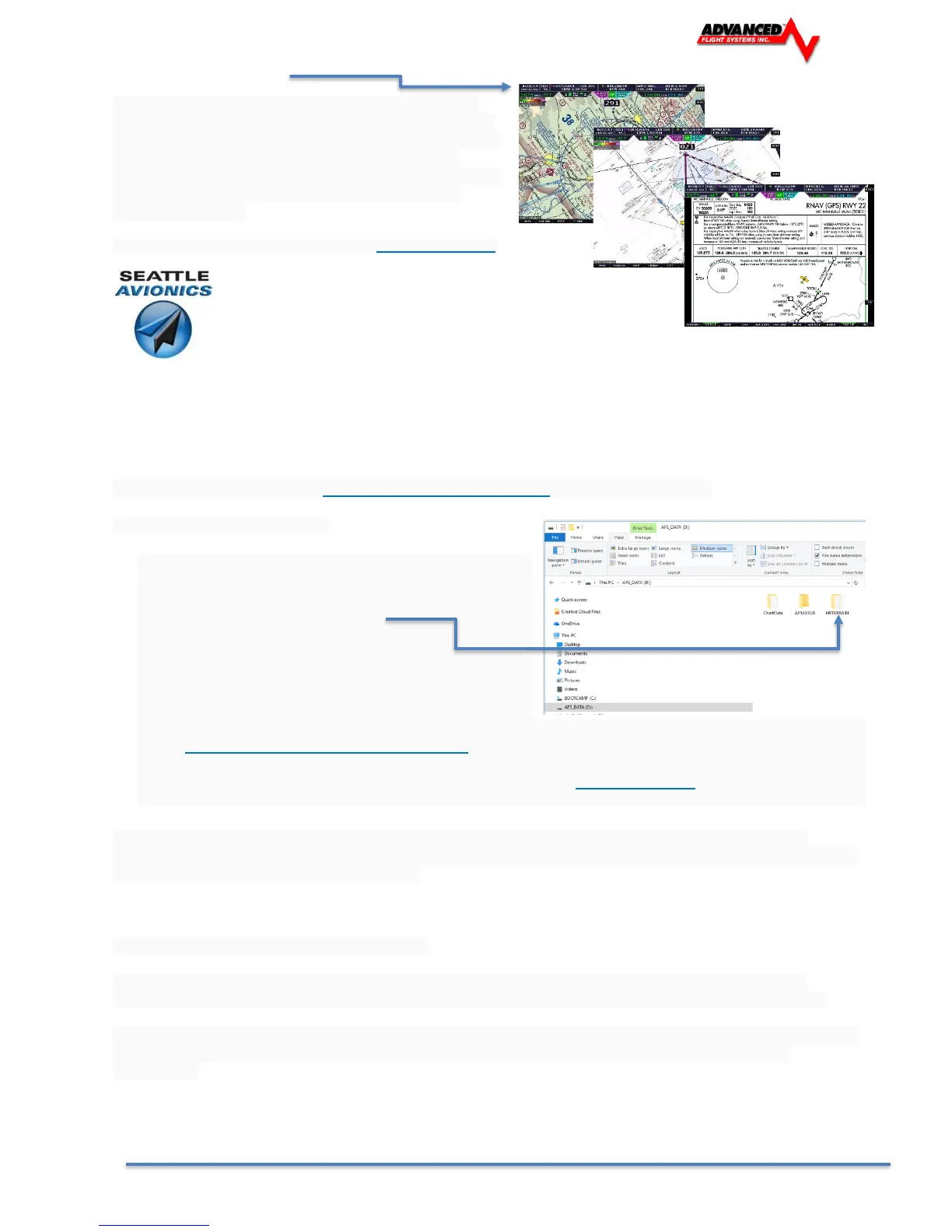
Through a Dynon subsidized program, we are excited to offer
Seattle Avionics' geo-referenced Sectionals, IFR Low and High en-route, Approach / Departure Procedure
Charts and Airport Diagrams (including thousands of Flight Guide diagrams) at unprecedented pricing of $99
per year. This includes both VFR and IFR data in one flat rate. Only one subscription is needed per airplane.
Most charts and diagrams are geo-referenced, which allows us to display the aircraft's location
superimposed on each chart.
You will need to download the Seattle Avionics Data Manager and setup an account.
To purchase and use charts:
• You will need to use the USB memory stick from
each display in your aircraft. This memory stick also
contains the Synthetic Vision high resolution data
files in the /HRTERRAIN folder.
• ChartData subscriptions, along with the download
manager needed to obtain charts/airport diagrams
and put them on your USB memory sticks are
available directly from Seattle Avionics. To purchase ChartData, go
to http://www.seattleavionics.com/dynon and follow the instructions on the Seattle Avionics
website to purchase and install AF-5000 ChartData on your USB memory stick(s). If you encounter
any technical problems during this process, please contact Seattle Avionics at (425) 806-0249 for
technical support.
After you have installed ChartData to your USB memory sticks, simply connect them to your AF-5000
display(s) to enable charting capabilities. The USB memory stick(s) must be left connected to your display(s)
during normal use for charts to be available.
Using Seattle Avionics ChartData Manager
Seattle Avionics ChartData Manager will require about 8 GB worth of data to be downloaded for a full
download. Seattle Avionics recommends having 32 GB of free space available on your PC's hard drive.
A full download will be about 8 GB and will take at least 17 hours on a 1 Mbps connection or 2 hours on a 10
Mbps connection. Then the data can be loaded to the USB flash drive which takes more time. Plan
accordingly.



 To Next Page