Touch Screen
Touch Screen equipped displays provide a multitude of interface control and input options for nearly every display function. User
interface gains simplicity and ease of use through taps, swipes, drags and pinches.
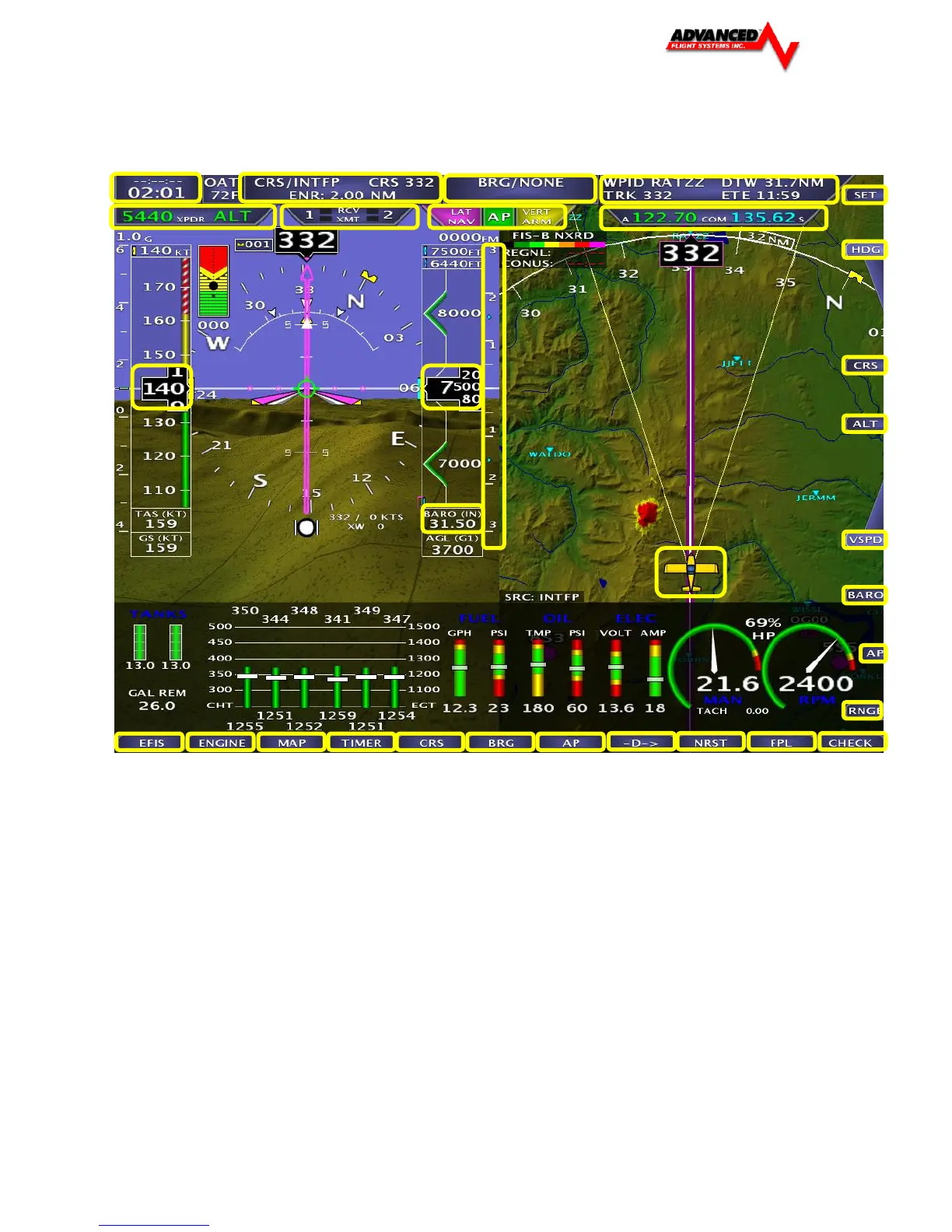
Areas boxed in yellow recognize a tap input to adjust parameters and as a shortcut to menus. For instance, a tap of the Transponder
Status tab in the top left will bring up the transponder control page. Further descriptions of touch screen interface can be found in the
section relative to their task (i.e. Map Panning / Pointer Control will be in the Map Panning / Pointer section of the manual).



 To Next Page