Version 15.0 AF-5000 Series Pilot Guide 29
G-Meter
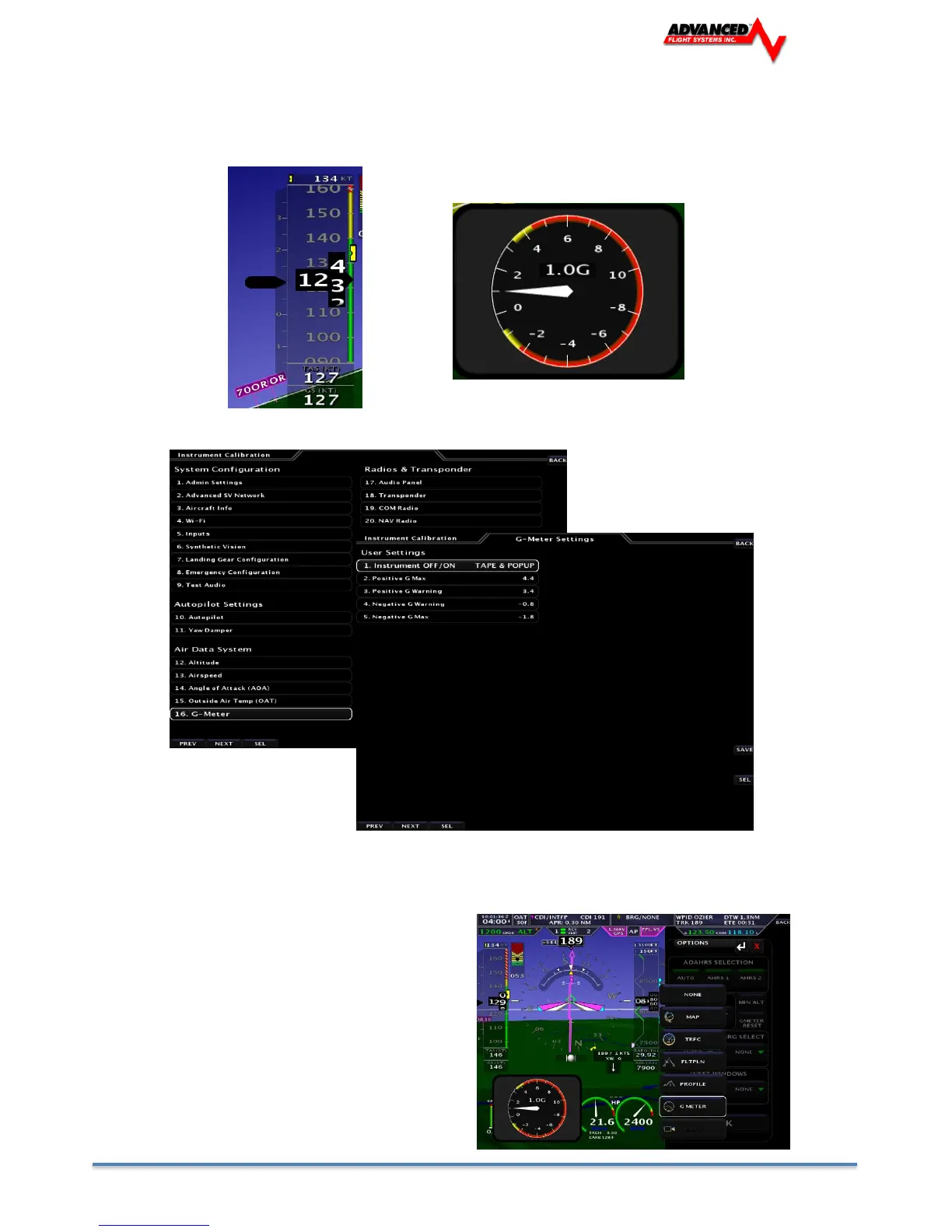
The AF-5000 has two G Meter options, one on the left side of the airspeed tape or a round G-Meter
that can be configured to pop up at G Warning. You can also select a G Meter for the left or right
inset window.
[SET] -> [EFIS] -> [G METER]
The Dynon ADAHRS G Meter is limited to +10/- 8 G’s and will record the maximum and
minimum G’s that the aircraft has seen since the last time the [G RESET] button was
pressed: SET > EFIS > G RESET
Selecting the G-Meter left or right inset
window:
1. Touch the center of the pitch pointer
to bring up the menu.
2. Select G Meter for the left or right
inset window.
3. Swipe the G-Meter left or right to
remove it from the screen.



 To Next Page