Version 15.0 AF-5000 Series Pilot Guide 74
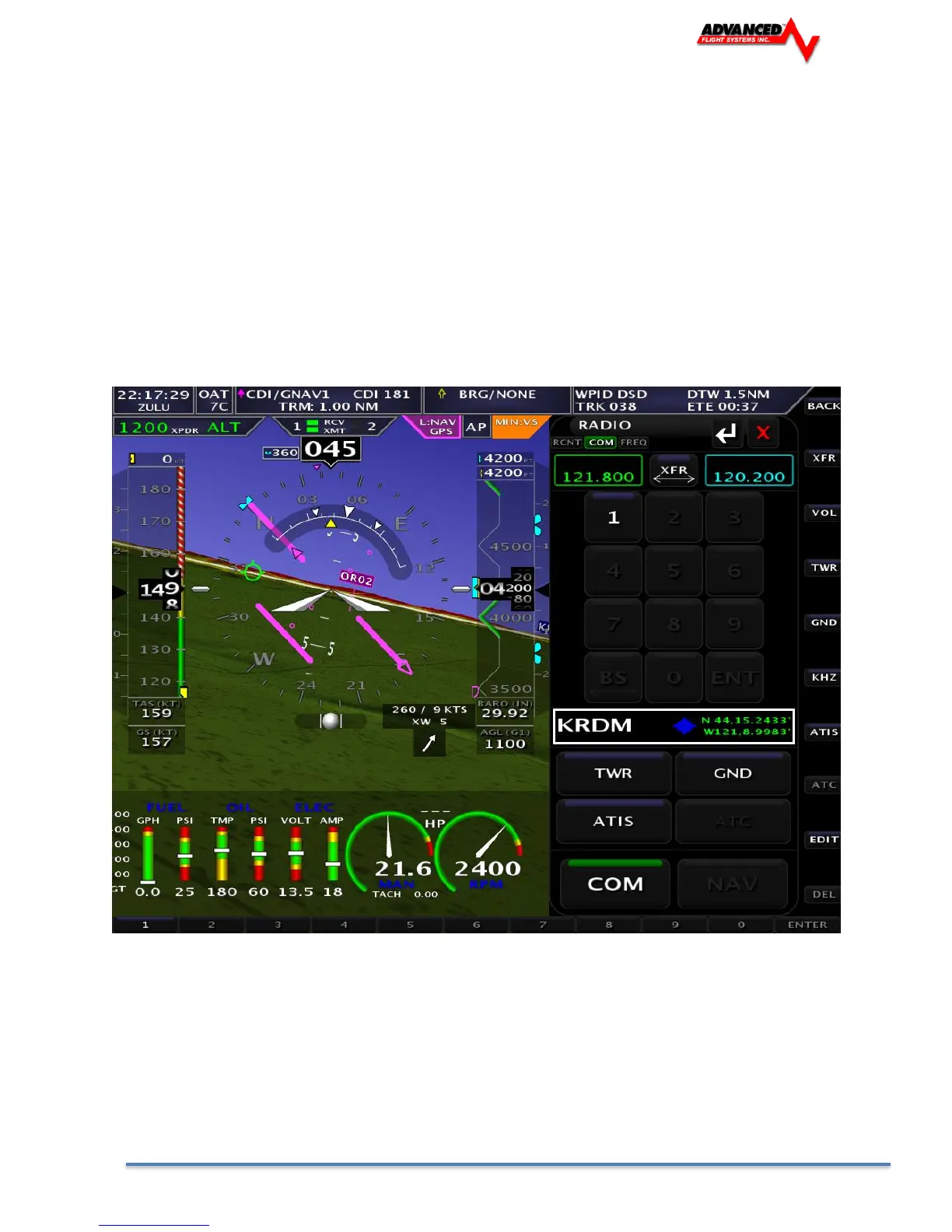
Using the TWR, ATIS, GND, and ATC Buttons
When an airport is loaded on the radio, press the TWR, ATIS, GND, and ATC buttons to send
frequencies associated with that airport to the standby frequency. Repeated presses of these
buttons will cycle through all available frequencies of that type (for example busy airports may have
multiple tower frequencies):
TWR: Tunes tower, Unicom, and Multicom frequencies.
ATIS: Tunes ATIS and other weather/information frequencies, including AWOS, ASOS, AWIB, and
AWIS frequencies.
GND: Tunes ground control frequencies. Com Radio Operation
9-12 SkyView HDX Pilot’s User Guide – Revision A
ATC: When on the ground: Tunes pre-taxi, clearance, and departure frequencies associated with an
airport. When in the air: Tunes departure, center, and approach frequencies when associated with
an airport.



 To Next Page