13 AIMB-276 User Manual
Chapter 1 General Information
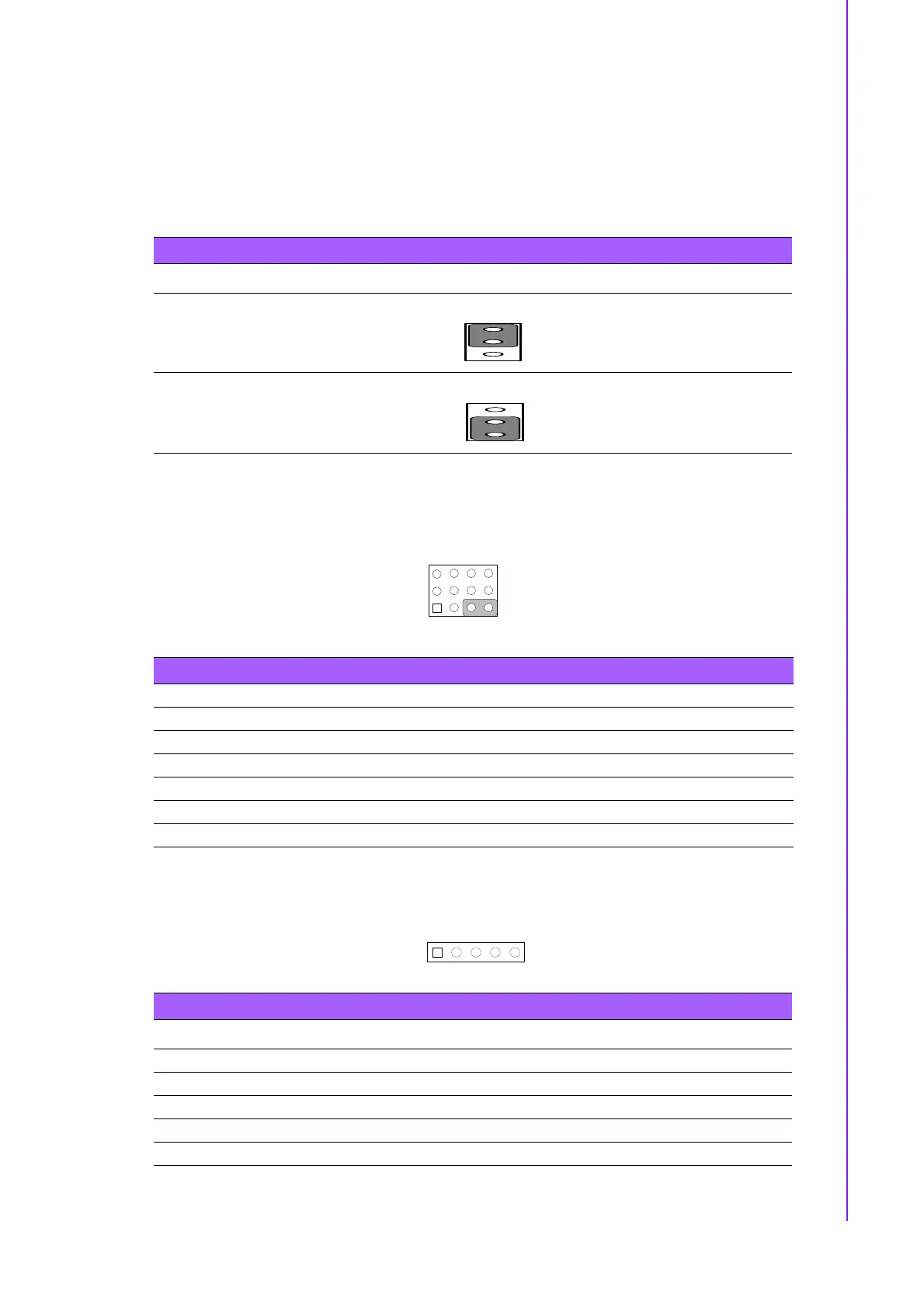
1.8.2 CMOS Clear (CMOS1)
The AIMB-276 motherboard contains a jumper that can erase CMOS data and reset
the system BIOS information. Normally this jumper should be set with pins 1-2
closed. If you want to reset the CMOS data, set CMOS1 to 2-3 closed for just a few
seconds, and then move the jumper back to 1-2 closed. This procedure will reset the
CMOS to its default setting.
* Default
1.8.3 Power Switch/HDD LED/SMBUS/Speaker Pin Header (JFP1)
1.8.4 Power LED and Keyboard Lock Pin Header (JFP2)
Table 1.3: CMOS1
Function Jumper Setting
*Keep CMOS data
1 2 3
Clear CMOS data
1 2 3
Table 1.4: Power Switch/HDD LED/SMBUS/Speaker Pin Header (JFP1)
Pin Signal Pin Signal
1 +5V 2 HDDLED+
3 Power Button+ 4 NC
5 HDDLED- 6 Power Button-
7 SPK_P3 8 SMB_DATA
9 System Reset+ 10 SPK_P4
11 SMB_CLK 12 System Reset-
Table 1.5: Power LED and Keyboard Lock Pin Header (JFP2)
Pin Signal
1 LED Power
2NC
3GND
4 Keyboard LOCK#
5GND














 To Next Page