43 AIMB-276 User Manual
Chapter 3 BIOS Operation
3.2.1 Main Menu
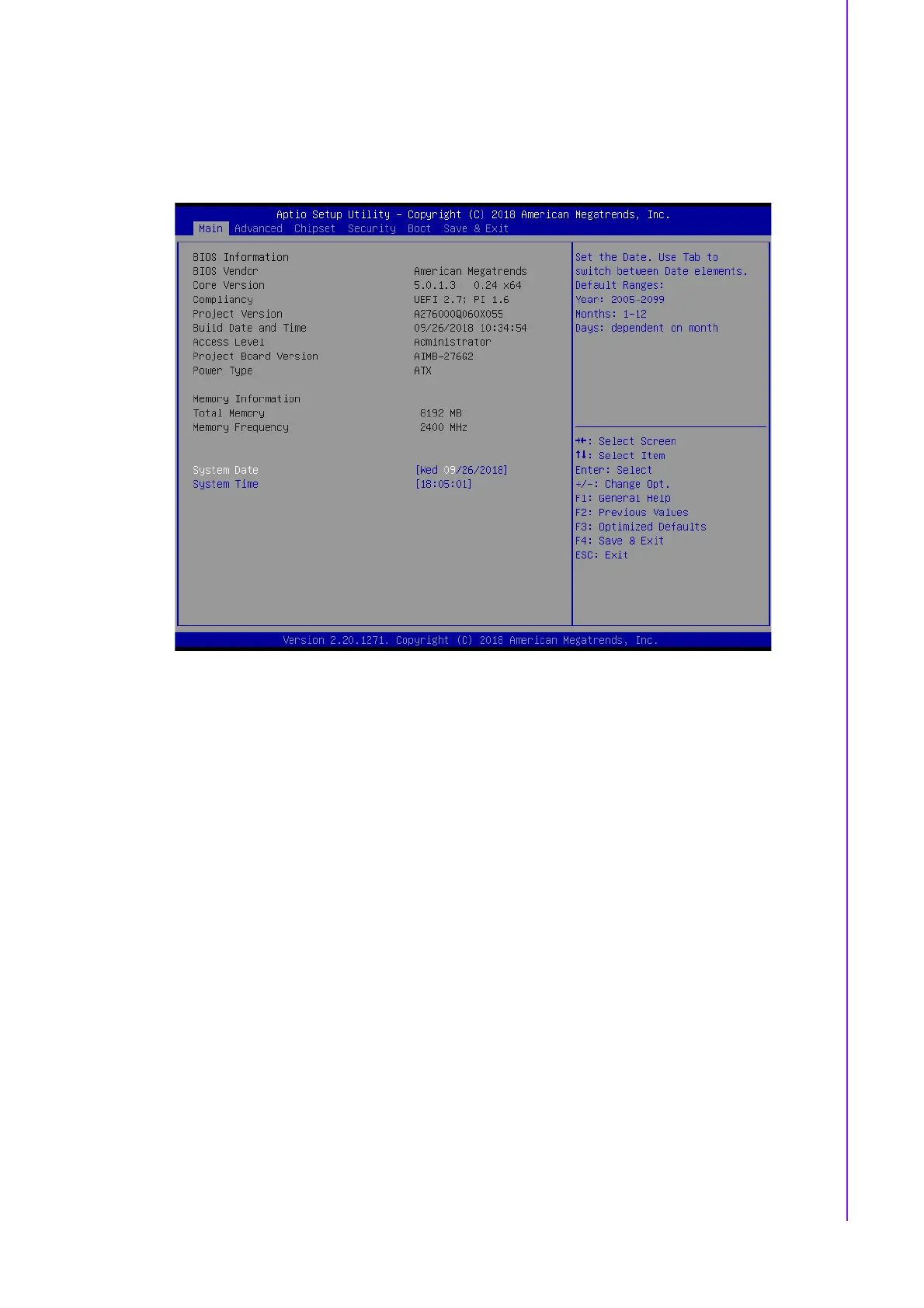
Press <Del> to enter AMI BIOS CMOS Setup Utility, the Main Menu will appear on
the screen. Use arrow keys to select among the items and press <Enter> to accept or
enter the sub-menu.
The Main BIOS setup screen has two main frames. The left frame displays all the
options that can be configured. Grayed-out options cannot be configured; options in
blue can. The right frame displays the key legend.
Above the key legend is an area reserved for a text message. When an option is
selected in the left frame, it is highlighted in white. Often a text message will accom-
pany it.
System time / System date
Use this option to change the system time and date. Highlight System Time or
System Date using the <Arrow> keys. Enter new values through the keyboard.
Press the <Tab> key or the <Arrow> keys to move between fields. The date
must be entered in MM/DD/YY format. The time must be entered in HH:MM:SS
format.
3.2.2 Advanced BIOS Features
Select the Advanced tab from the AIMB-276 setup screen to enter the Advanced
BIOS Setup screen. You can select any of the items in the left frame of the screen,
such as CPU Configuration, to go to the sub menu for that item. You can display an
Advanced BIOS Setup option by highlighting it using the <Arrow> keys. All Advanced
BIOS Setup options are described in this section. The Advanced BIOS Setup screen
is shown below. The sub menus are described on the following pages.














 To Next Page