AIMB-276 User Manual 68
Administrator Password
Select this option and press <ENTER> to access the sub menu, and then type
in the password. Set the Administrator password.
User Password
Select this option and press <ENTER> to access the sub menu, and then type
in the password. Set the User Password.
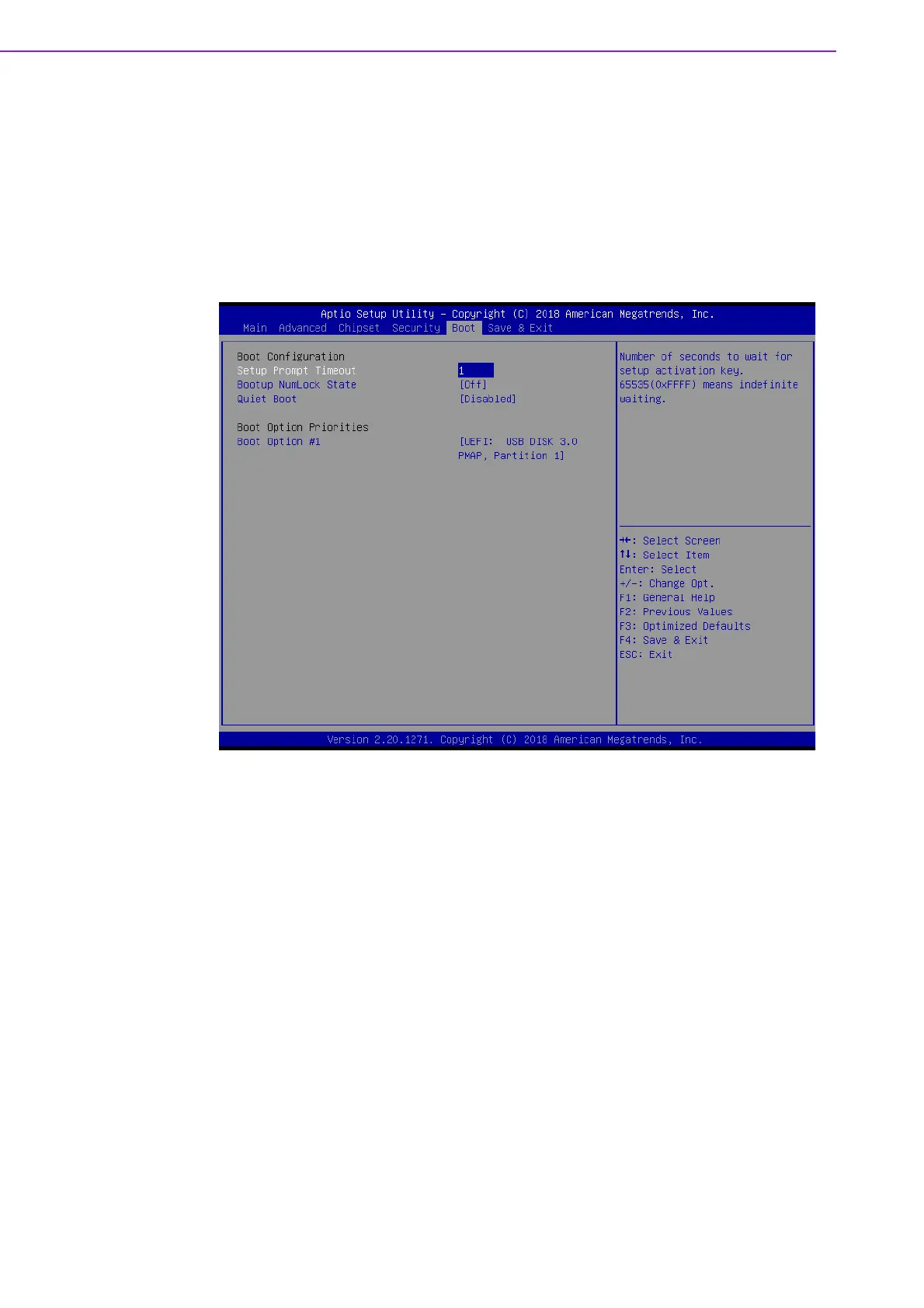
3.5 Boot Setting
Setup Prompt Timeout
User the <+> and <-> keys to adjust the number of seconds to wait for setup
activation key.
Bootup NumLock State [ On ]
On or Off power on state for the NumLock
Quiet Boot [ Disabled ]
If this option is set to disabled, the BIOS displays normal POST messages. If
enabled, an OEM logo is shown instead of POST messages.
Boot Option #1/#2
Choose boot priority from boot device














 To Next Page