AIMB-276 User Manual 18
2.1 Introduction
You can access most of the connectors from the top of the board as it is being
installed in the chassis. If you have a number of cards installed or have a packed
chassis, you may need to partially remove the card to make all the connections.
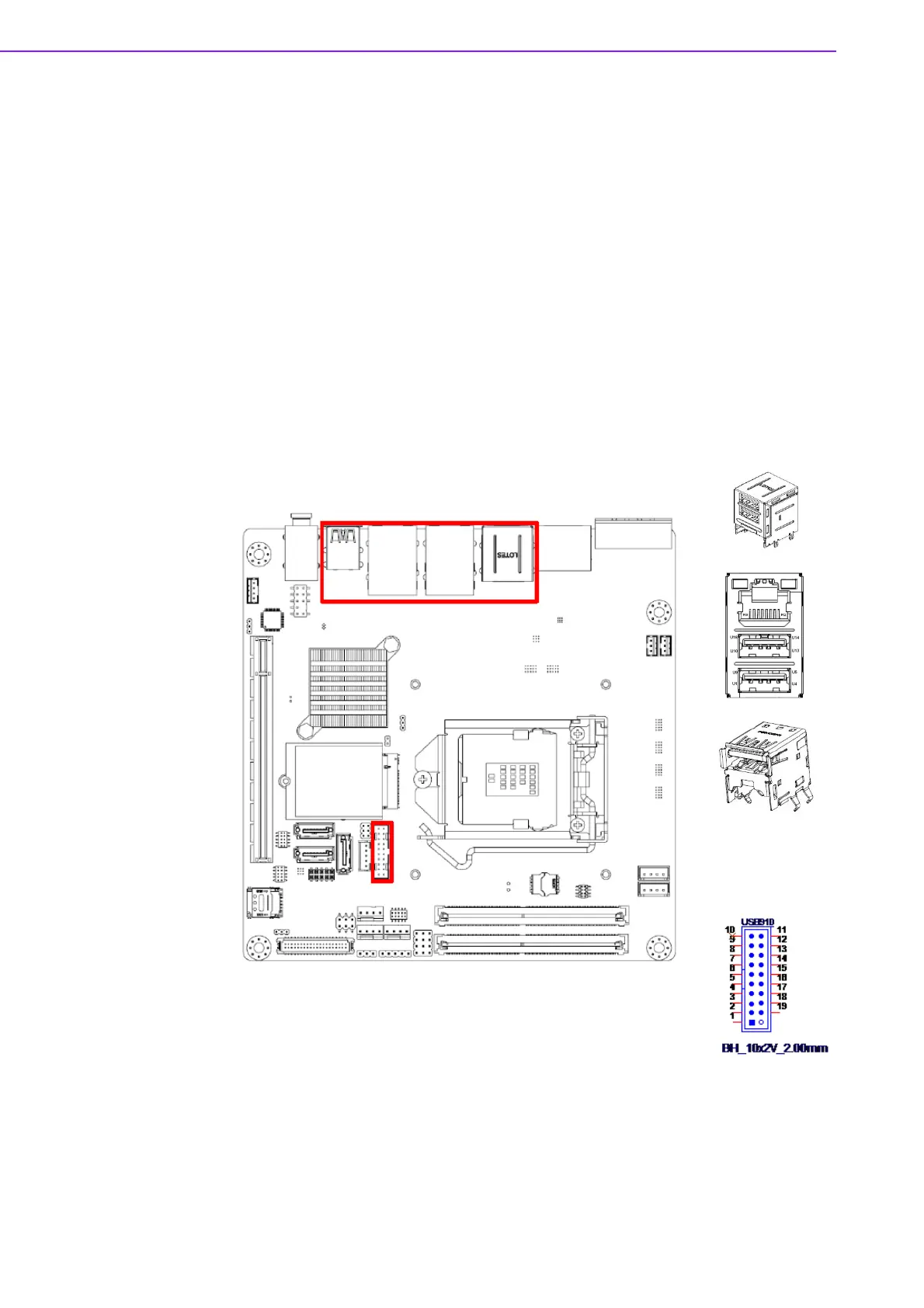
2.2 USB Ports (LAN1_USB12/LAN2_USB34/USB56/
USB78/USB910)
The AIMB-276 provides up to ten USB ports. Eight USB3.1 on the rear side and two
pin header on the board. The USB interface complies with USB Specification Rev.
3.1 supporting transmission rates up to 10 Gbps. The USB interface can be disabled
in the system BIOS setup.
The AIMB-276 is equipped with two high-performance 1000 Mbps Ethernet LAN
adapter, which are supported by all major network operating systems. The RJ-45
jacks on the rear panel provides for convenient LAN connection.














 To Next Page