9 PWS-440 User Manual
Chapter 1 Overview
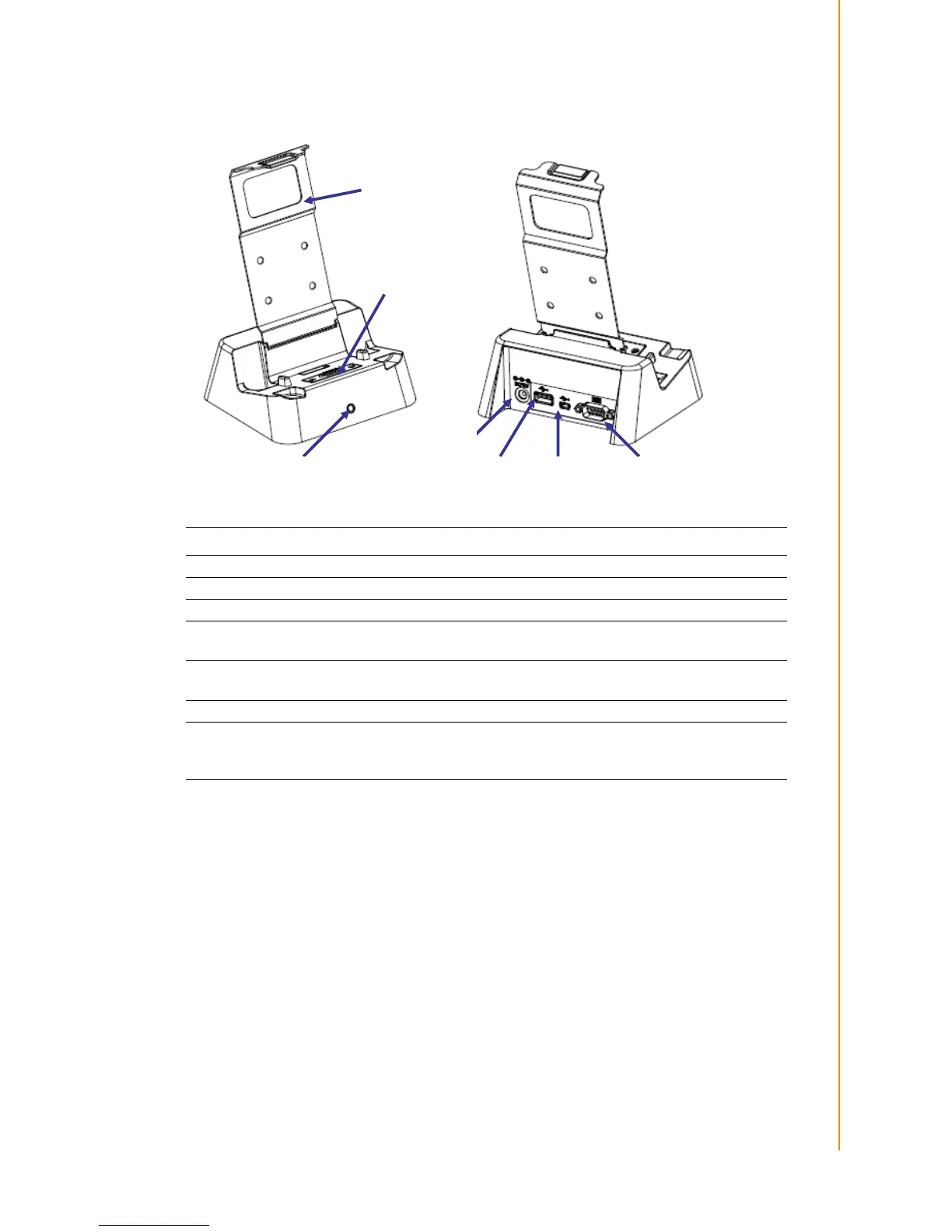
1.4 Cradle (Optional)
Item Description
Back Plate Supports the PWS-440 into charging position
RS 232 Serial Port Connects a serial cable.
USB type A port (host) Connects a USB type A (host) cable.
Cradle connector
Connects the PWS-440 to the cradle, Provides connections for
RS232, USB type A and mini USB type B.
USB mini type B port
(client)
Connects a USB mini type B (client) cable.
DC IN Jack Connects the AC adapter to provide power for the cradle*
Status LED
Indicates that power and the PWS-440 is charged.
Green light - PWS-440 is charging, and connected.
No Light - No PWS-440 fitted for charging.



 To Next Page