PWS-440 User Manual 44
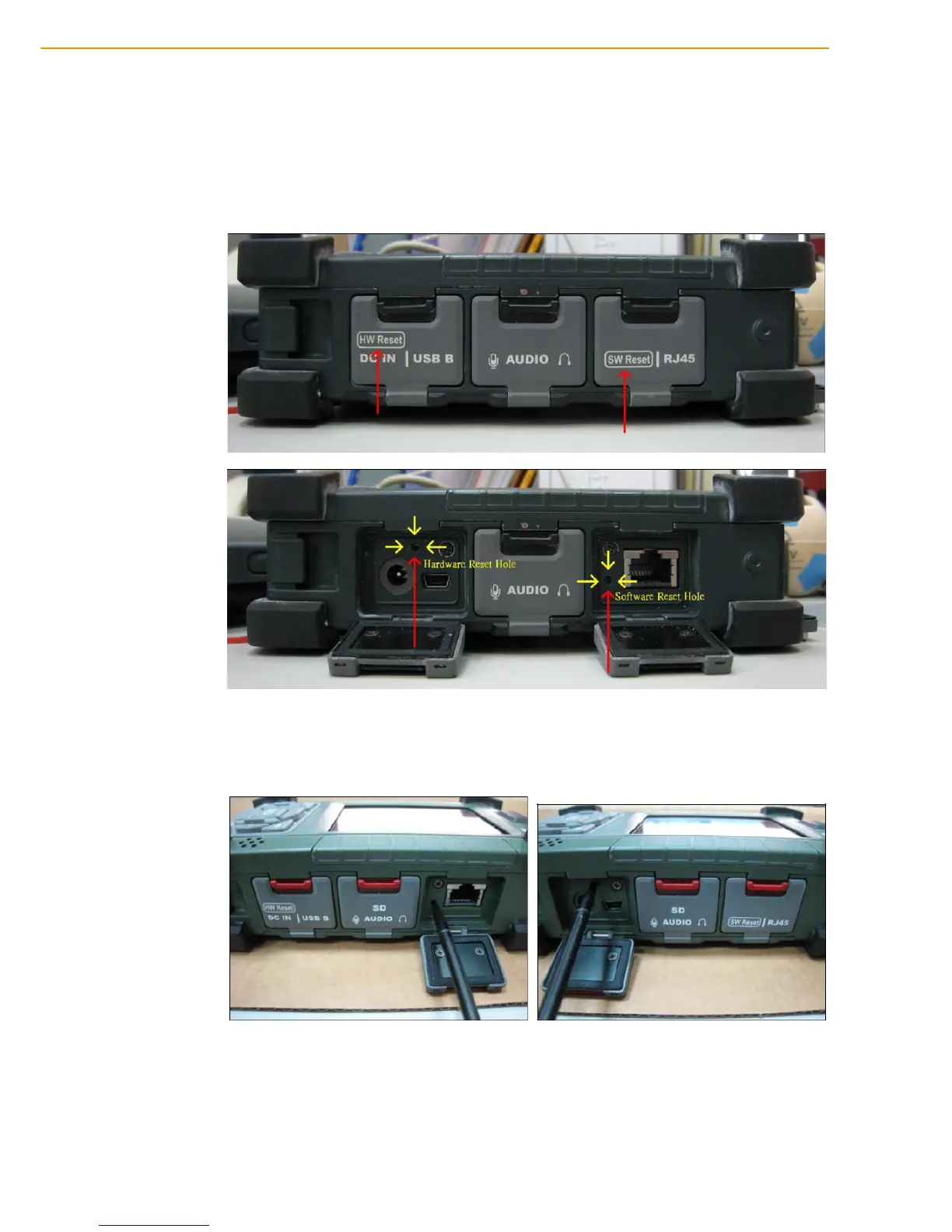
5.3 Performing a System Reset
You may need to perform a reset if the device freezes (i.e., device no longer
responds to the buttons on the screen). A reset allows your device to get a fresh
start, similar to rebooting a computer. This will restart your device and adjust memory
allocation. All records and entries are retained after a reset. Unsaved data in open
programs may in some cases be lost.
Performing a Hardware reset
1. Remove the stylus from its holder.
2. Lightly press the tip of the stylus to the reset button located on the PWS-440.



 To Next Page