PWS-440 User Manual 40
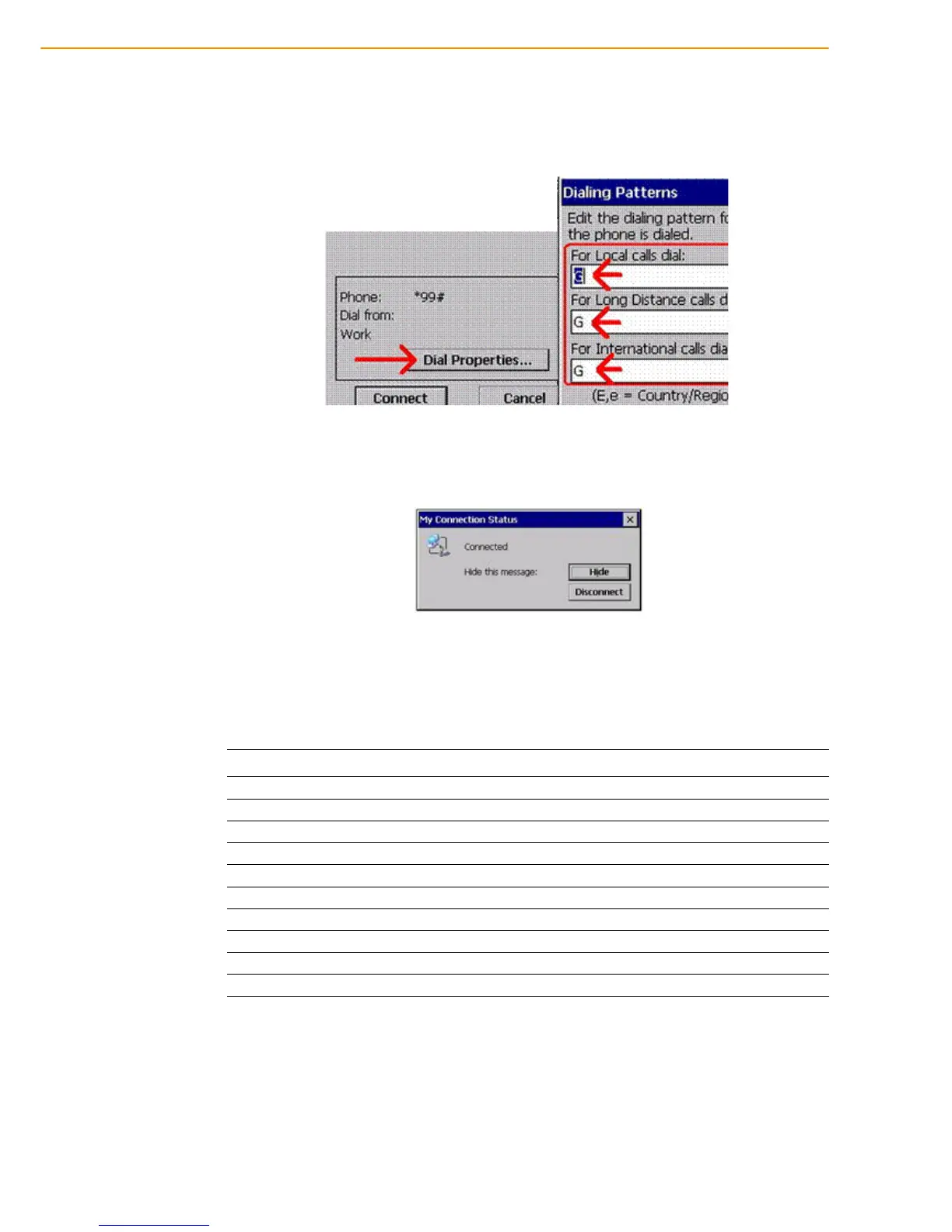
6. Click Control Panel then Network and Dial-up Connections. Click My Con-
nection 2.
7. Click Dial Properties... and Dialing Patterns. Then, place “G” into each blank
as follow:
8. Connection is successful when the Status screen displays Connected.
4.6 COM Port list
Below is reference for COM Port list.
COM No. Indicate
0 Cradle
1 RS232
2 RS232 / 422(Optional) /485 (Optional)
3 Virtual COM port
4 Virtual COM port
5 GPS (baud:9600)
6 BT (baud:921600)
7 ActiveSync
8 Visual COM port
9 Visual COM port



 To Next Page