43 PWS-440 User Manual
Chapter 5 Advance Settings
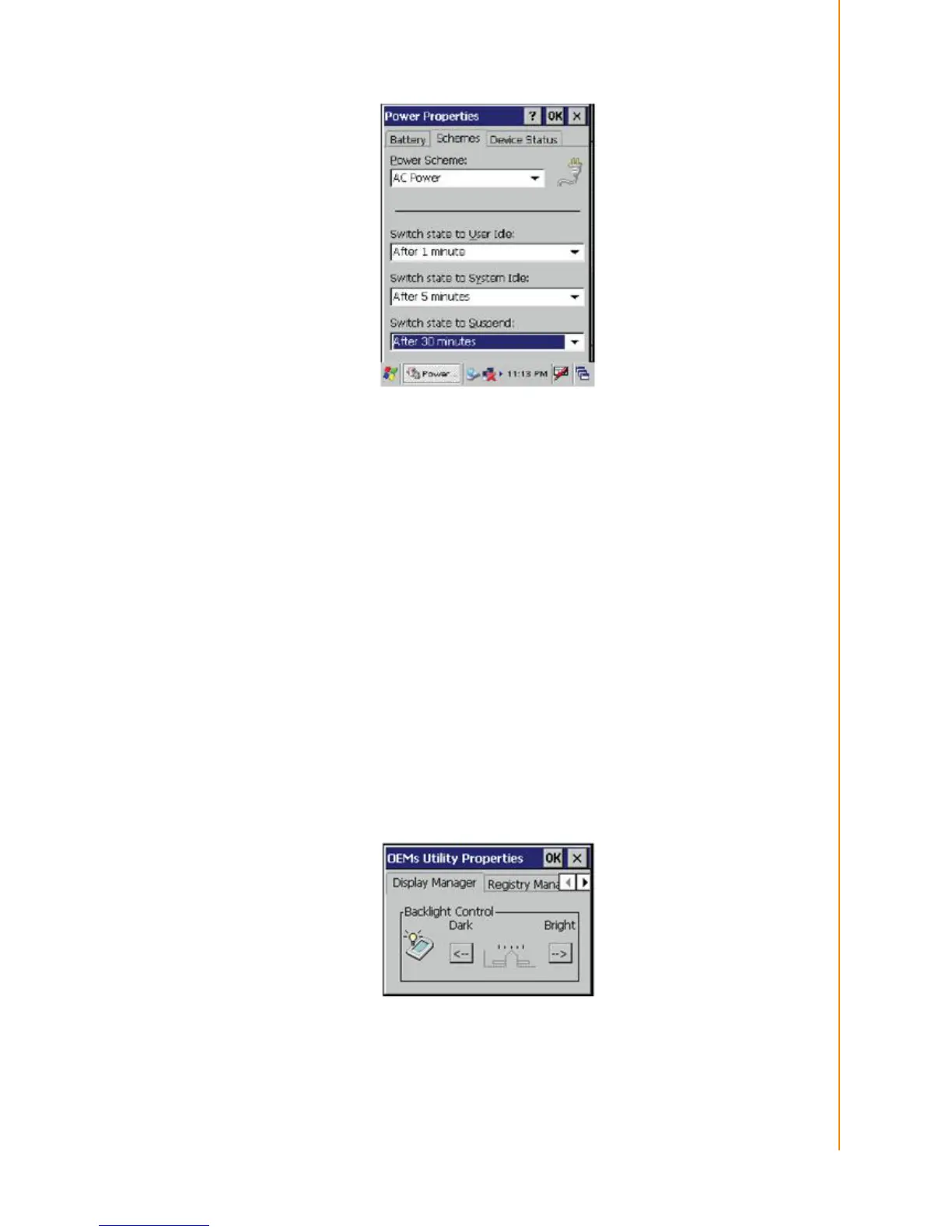
- Switch state to User Idle: PWS-440 enters power saving mode when there is no
user input after the selected time-out. The backlight brightness is reduced. The back-
light resumes normal brightness when the LCD is Touched.
- Switch state to System Idle: PWS-440 enters power saving mode when there is
no system activity after the selected time-out. The backlight is turned off. The back-
light turns on when the LCD is touched.
- Switch state to Suspend: PWS-440 enters suspend mode when there is no user
input or system activity after the selected time-out.
Time out values range from Never, and 4/5/10/30 minutes.
5.2.2 Adjusting Backlight Settings
The power consumption of the LCD backlight may be high, turn off the backlight func-
tion if it is not necessary. If a backlight is required, set “automatically turn off the back-
light” function.
To change backlight settings:
1. Tap Start -> Settings -> Control Panel.
2. Tap OEMs Utility.
3. Select Display Manager, and tap the arrow next to Dark or drag the slider to the
left to reduce the screen brightness.



 To Next Page