PWS-440 User Manual 42
5.1 Checking the Battery Status
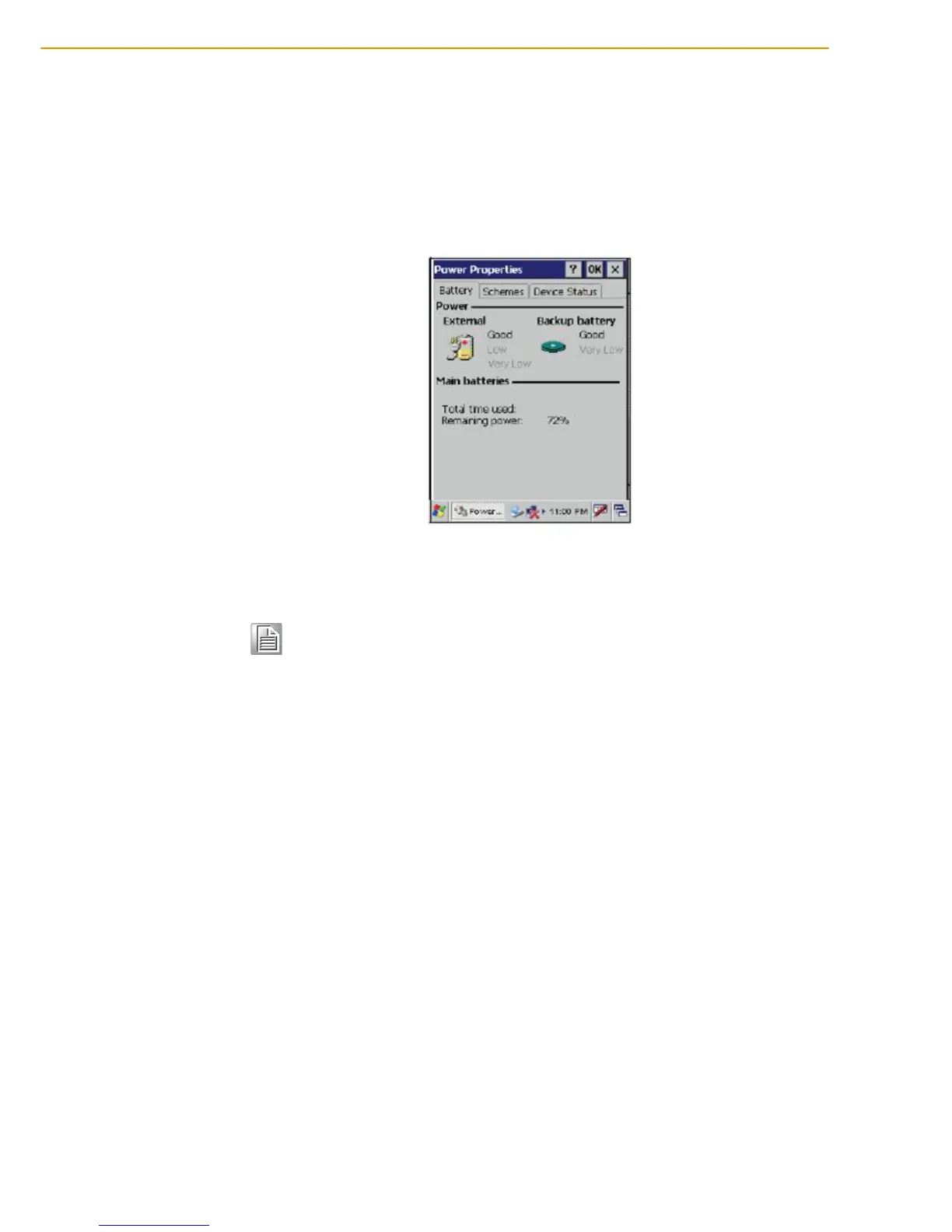
This section describes how to view the power level for both the main and backup bat-
tery and how to set power saving options. To check the main and backup battery sta-
tus:
1. Open Power Properties. Tap Start -> Settings -> Control Panel. Then double-
tap Power.
The Power screen appears.
2. The battery menu item displays the status of the main and backup batteries.
5.2 Optimizing Battery Life
You can extend the PWS-440 battery life by doing either of the following:
Change the automatic power settings
Minimize the use of the backlight
5.2.1 Changing the Automatic Power Settings
To change the automatic power settings:
1. In the Power Properties screen tap the Schemes tab.
2. Tap the arrow next to the Power Scheme and select Battery Power.
3. Tap the arrows next to the following three power saving scenarios and select the
desired time out for each item.
Note! It is necessary to charge the battery when the battery charge reaches
below 13%. If the battery does not accept a charge, contact Technical
Support.



 To Next Page