PWS-440 User Manual 22
3.3 Inserting an Micro SD Memory Card
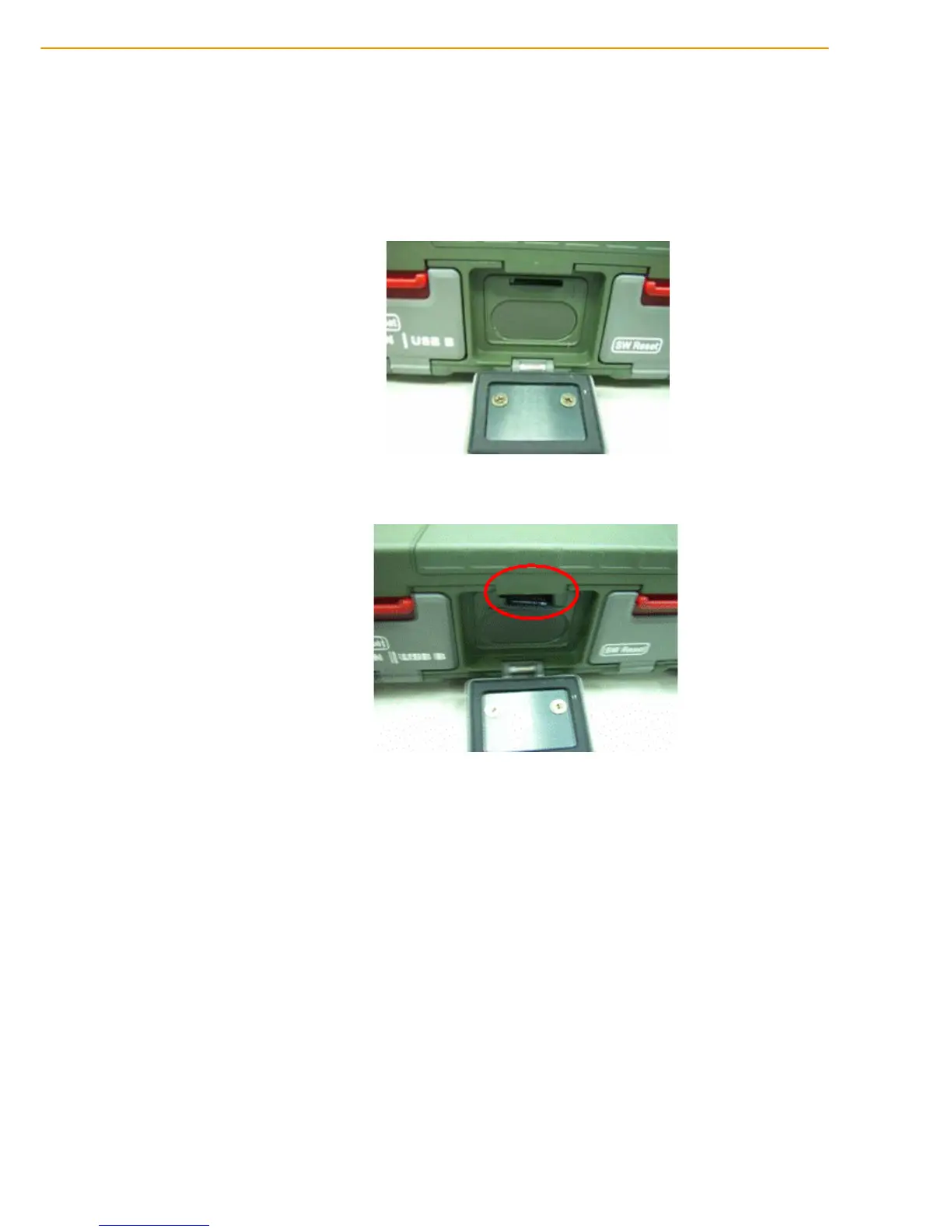
The PWS-440 has a SD card slot compatible with a wide range of Micro SD cards,
which are primarily used to back up or transfer files and data. The slot also supports
SDHC cards.
To insert a Micro SD card into the Micro SD slot.
1. Open the right centre door.
2. Insert the Micro SD card with the notched corner as oriented as shown below.
3. Press the card into the slot. The card is secure when it is flush with the slot.
4. Close and lock the door.
3.4 Removing a Storage Card
1. Open the right centre door.
2. Press the card in and release. The card pops out.
3. Remove the card from the slot.
4. Close and lock the door.



 To Next Page