PWS-440 User Manual 34
4.3 Connecting to a WLAN (WiFi)
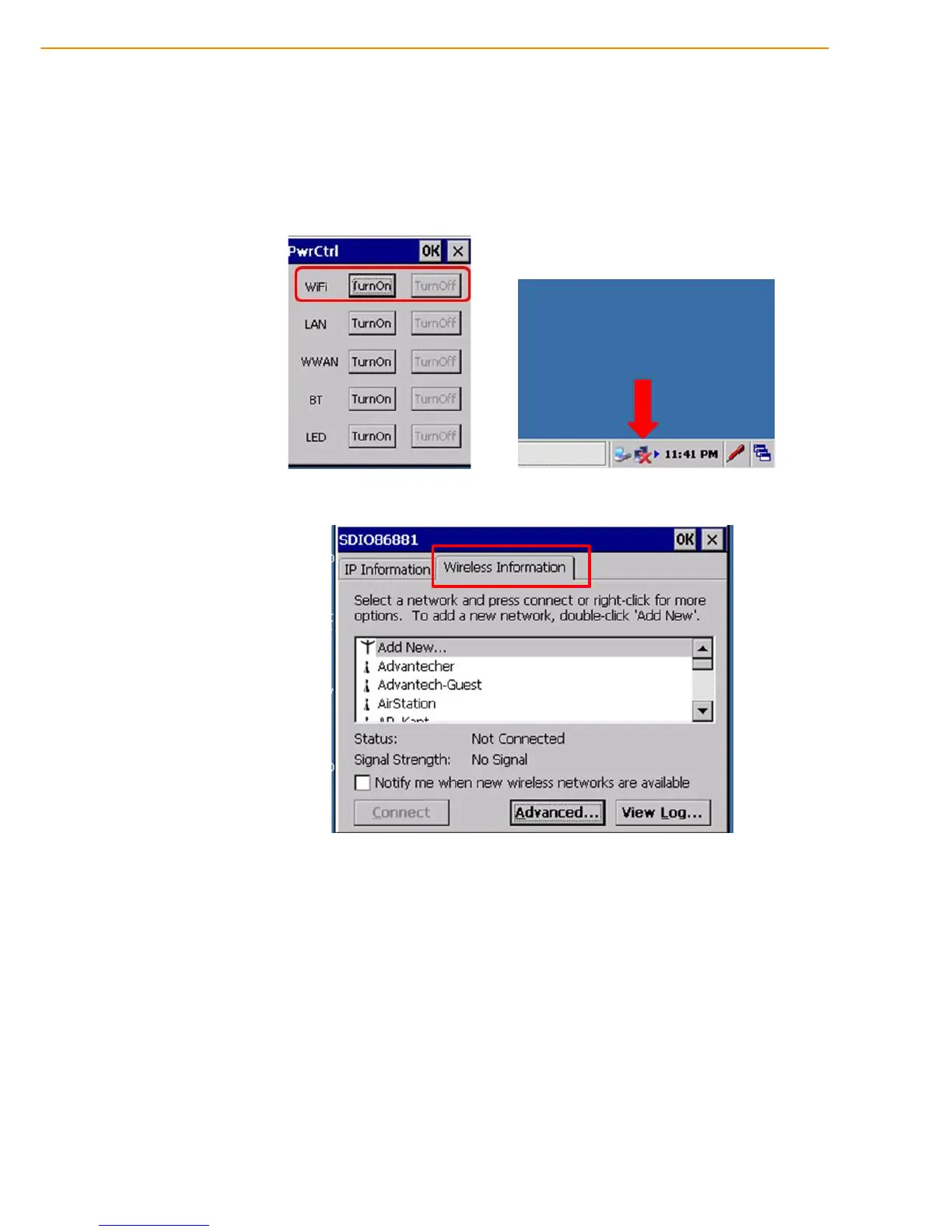
Through a WiFi (wireless) connection you can add a new network, connect to an
existing network, change the advanced wireless settings and view wireless network-
ing log information. To establish a WiFi connection, follow the steps below:
1. From START -> PROGRAM -> Utility -> “PwrCtrl”, and choose WLAN “ON” .
Then, click on the WIFI icon.
2. Select the Wireless Information tab to display the available options.



 To Next Page