Search online devices manually
You can also click to refresh the online device list manually. The newly
searched devices will be added to the list.
*Note: You can click or on each column heading to order the
information; you can click to expand the device table and hide the network
parameter panel on the right side, or click to show the network parameter
panel.
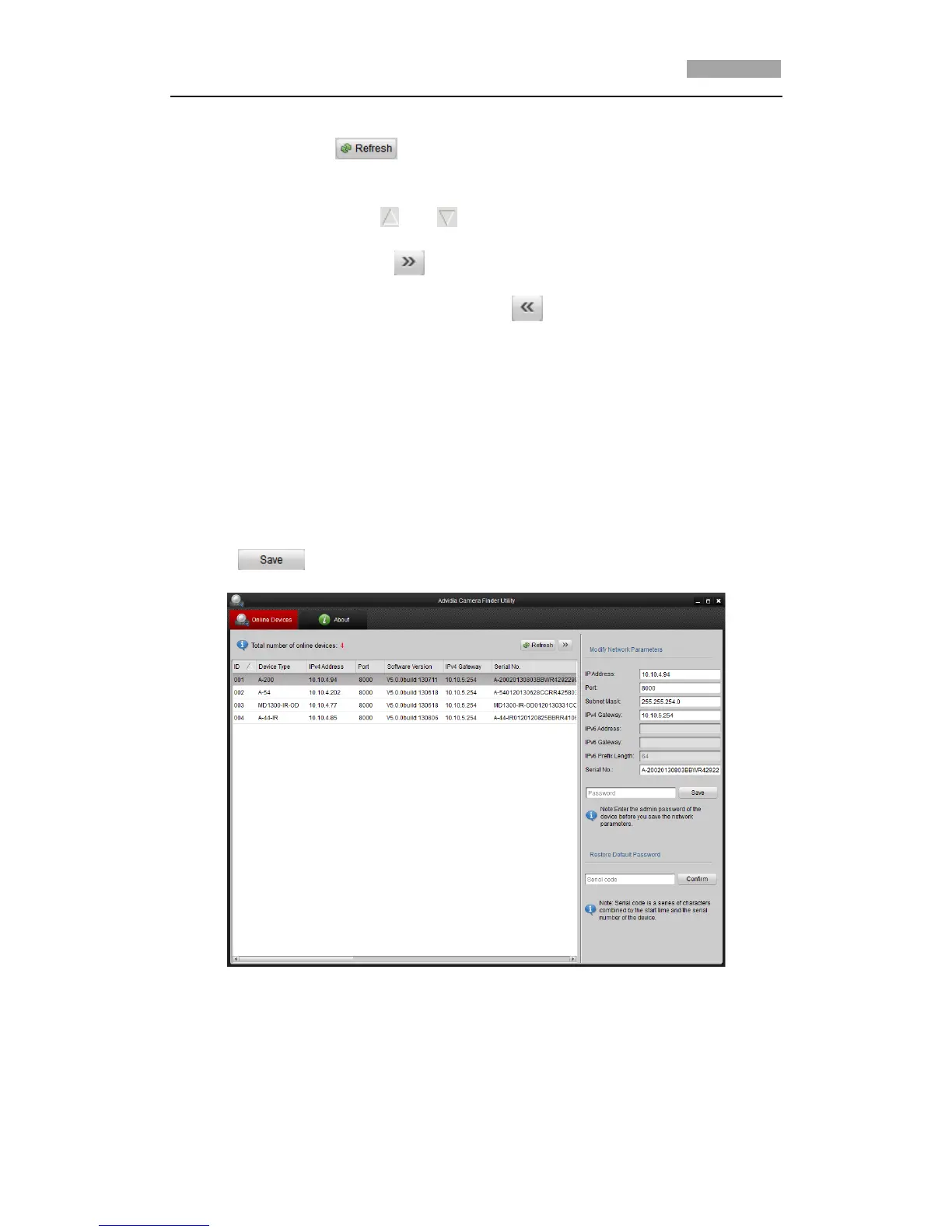
Modify network parameters
Steps:
1. Select the device to be modified in the device list and the network parameters of
the device will be displayed in the Modify Network Parameters panel on the
right side.
2. Edit the modifiable network parameters, e.g. IP address and port number.
3. Enter the password of the admin account of the device in the Password field and
click to save the changes.
Figure A.1.2 Modify Network Parameters
Restore default password
Steps:
1. Contact technical support to get the serial code.



 To Next Page