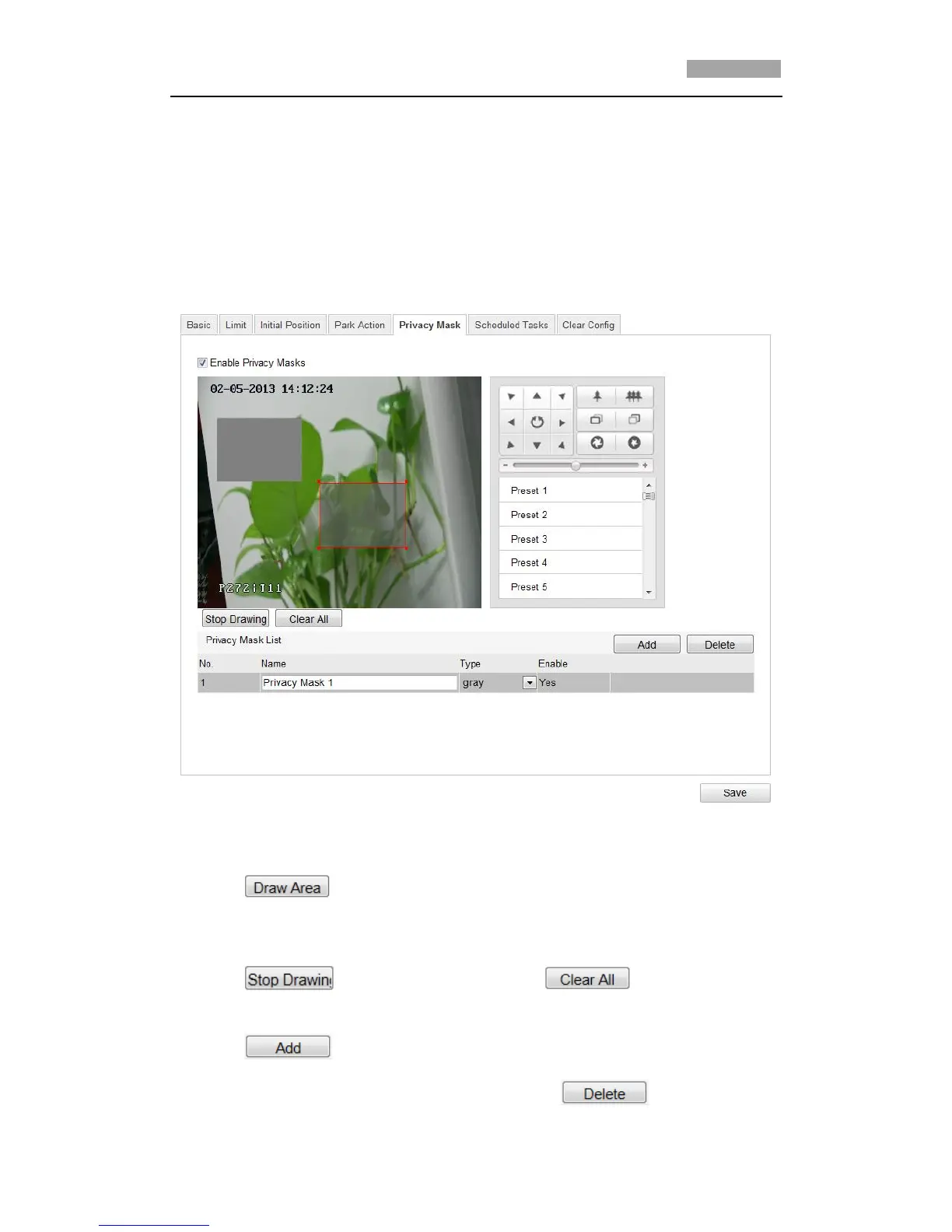
5.6 Configuring Privacy Mask
Purpose:
Privacy mask enables you to cover certain areas on the live video to prevent certain
spots in the surveillance area from being live viewed and recorded.
Steps:
1. Enter the Privacy Mask Settings interface:
Configuration > Advanced Configuration> PTZ > Privacy Mask
Figure 5-9 Draw the Privacy Mask
2. Click the PTZ control buttons to find the area you want to set the privacy mask.
3. Click ; click and drag the mouse in the live video window to draw
the area.
4. You can drag the corners of the red rectangle area to draw a polygon mask.
5. Click to finish drawing or click to clear all of the
areas you set without saving them.
6. Click to save the privacy mask, and it will be listed in the Privacy
Mask List area; you can select a mask and click to delete it from



 To Next Page