4.5.4 Setting / Calling a Pattern
Purpose:
A pattern is a memorized series of pan, tilt, zoom, and preset functions. It can be
called on the pattern settings interface. There are up to 4 patterns for customizing.
Setting a Pattern:
Steps:
1. In the PTZ control panel, click to enter the pattern settings interface.
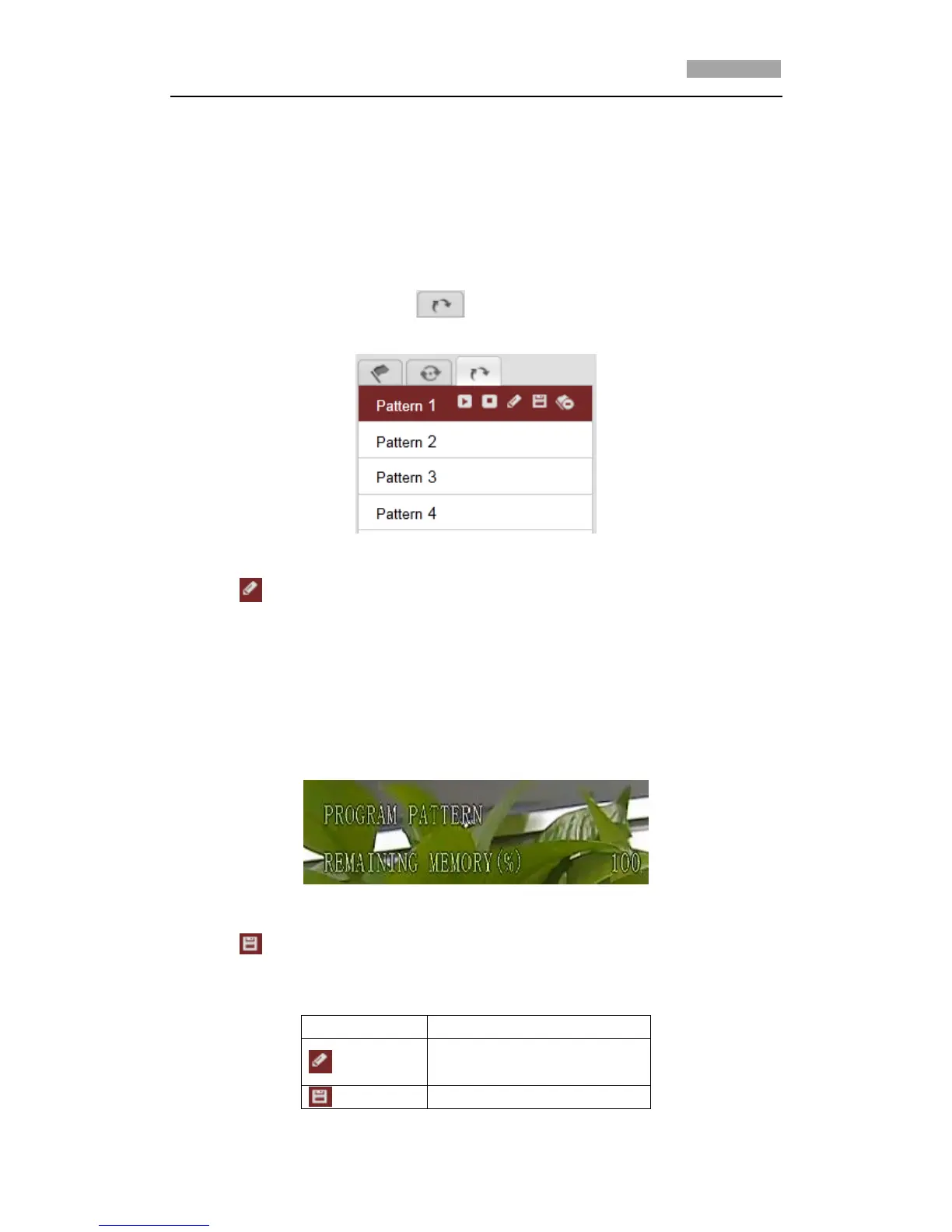
2. Select a pattern number from the list as shown in Figure 4-9.
Figure 4-9 Patterns Settings Interface
3. Click to enable recording the panning, tilting and zooming actions.
4. Use the PTZ control buttons to move the lens to the desired position after the
information of PROGRAM PATTERN REMAINNING MEMORY(%) shown in Figure
4-10 is displayed on the screen.
• Pan the speed dome to the right or left.
• Tilt the speed dome up or down.
• Zoom in or out.
• Refocus the lens.
Figure 4-10 Remaining Memory
5. Click to save all the pattern settings.
Buttons on the Patterns interface:



 To Next Page