5.2 Configuring Basic PTZ Parameters
Purpose:
You can configure the basic PTZ parameters, including proportional pan, preset
freezing, preset speed, etc.
1. Enter the Basic PTZ Parameter Configuration interface:
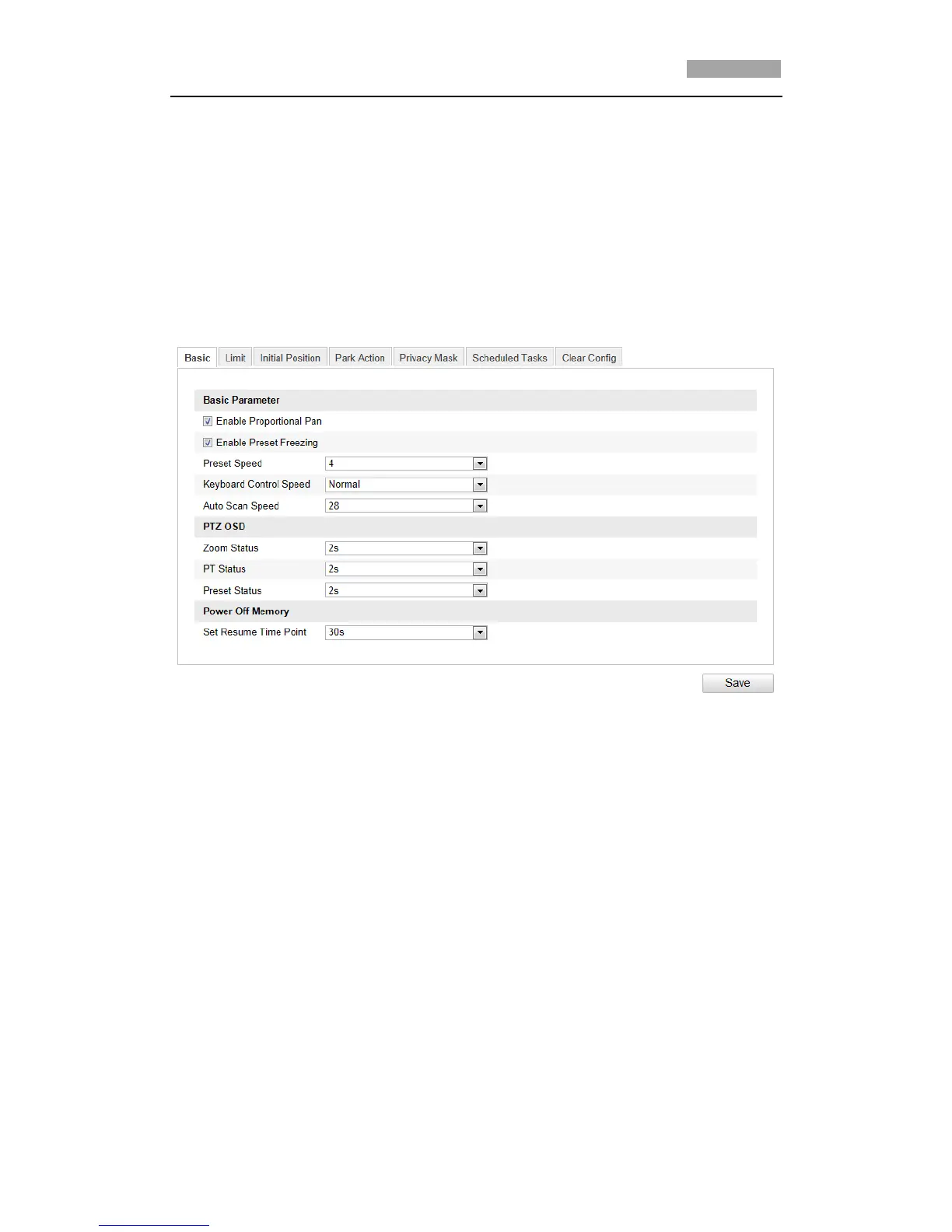
Configuration > Advanced Configuration > PTZ > Basic
Figure 5-2 Basic PTZ Configuration Interface
2. Configure the following settings:
Basic Parameters: Enable/disable proportional pan and preset freezing, set
the preset speed, keyboard control speed, and auto scan speed.
Proportional Pan: If you enable this function, the pan/tilt speeds change
according to the amount of zoom. When there is a large amount of zoom,
the pan/tilt speed will be slower. Preset Freezing: This function enables
the live view to switch directly from one scene defined by a preset to
another, without showing the middle areas between these two, ensuring
efficiency. It can also reduce the use of bandwidth in a digital network
system.
*Note: Preset freezing function is invalid when you calling a pattern.
Preset Speed: You can set the speed of a defined preset from 1 to 8.
Keyboard Control Speed: Define the speed of PTZ control by a keyboard as
Low, Normal or High.
Auto Scan Speed: The dome provides 5 scan modes: auto scan, tilt scan,
frame scan, random scan and panorama scan. The scan speed can be set
from level 1 to 40.



 To Next Page