Chapter 6 Speed Dome
Configuration
6.1 Configuring Local Parameters
Note: The local configuration refers to the parameters of the live view and other
operations using the web browser.
Steps:
1. Enter the Local Configuration interface:
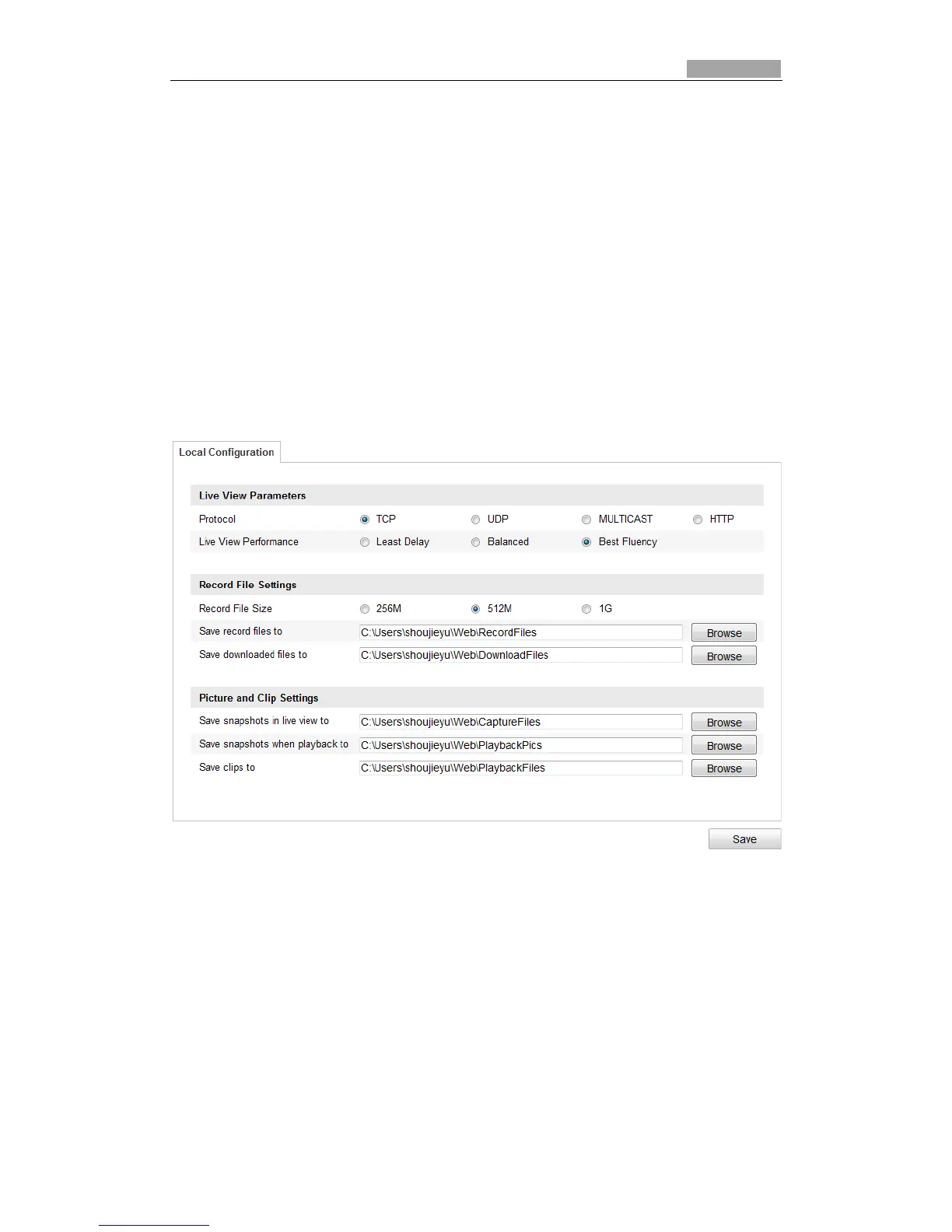
Configuration > Local Configuration
Figure 6-1 Local Configuration Interface
2. Configure the following settings:
Live View Parameters: Set the protocol type, stream type, image size and live view
performance.
Protocol Type: TCP, UDP, MULTICAST and HTTP are selectable.
TCP: Ensures complete delivery of streaming data and better video quality,
yet the real-time transmission will be affected.
UDP: Provides real-time audio and video streams.
HTTP: Allows the same quality as of TCP without setting specific ports for
streaming under some network environments.



 To Next Page