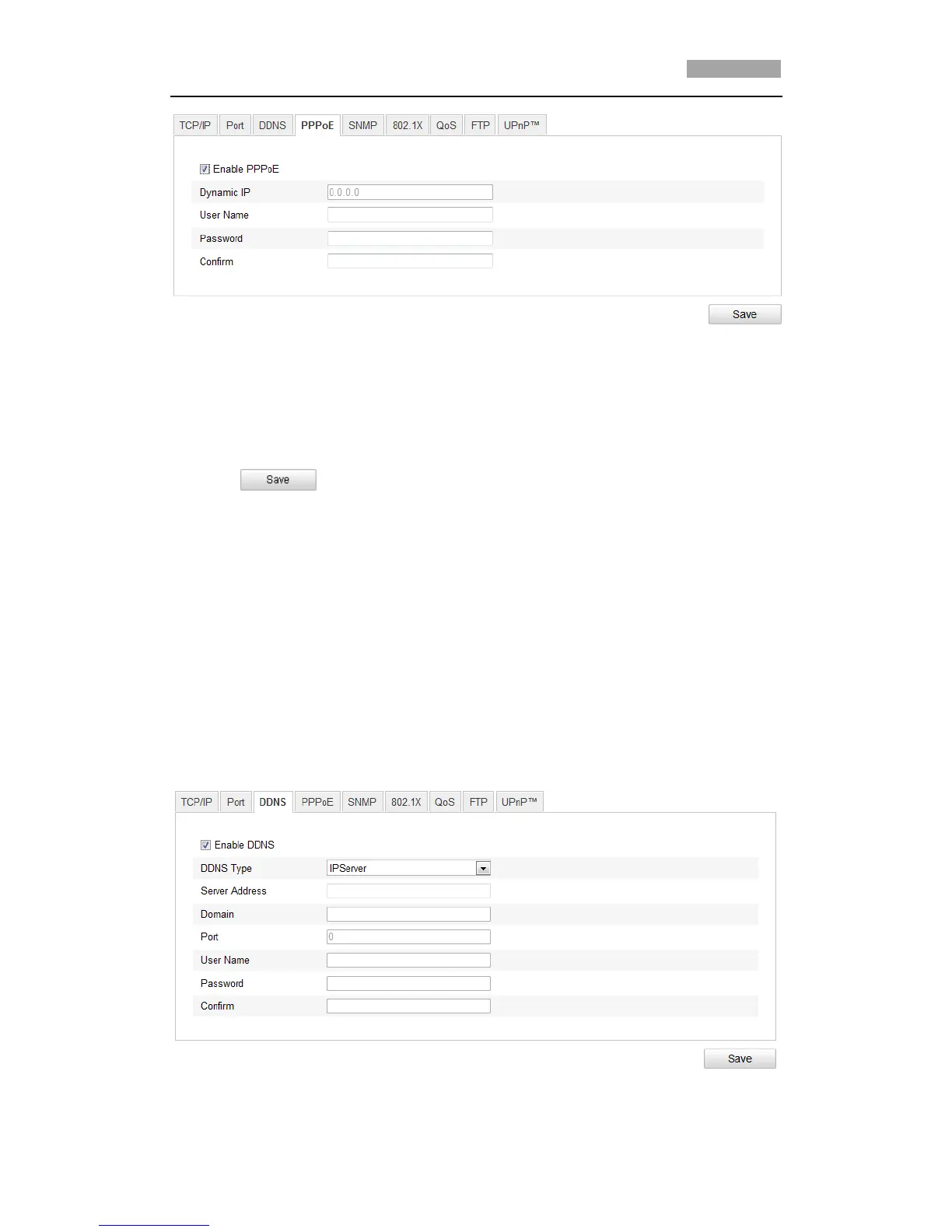
Figure 6-10 PPPoE Settings
2. Check the Enable PPPoE checkbox to enable this feature.
3. Enter User Name, Password, and Confirm password for PPPoE access.
*Note: The User Name and Password should be assigned by your ISP.
4. Click to save and exit the interface.
6.3.4 Configuring DDNS Settings
Purpose:
If your speed dome is set to use PPPoE as its default network connection, you can
use the Dynamic DNS (DDNS) for network access.
Before you start:
Registration on the DDNS server is required before configuring the DDNS settings of
the speed dome.
Steps:
1. Enter the DDNS Settings interface:
Configuration > Advanced Configuration > Network > DDNS
Figure 6-11 DDNS Settings



 To Next Page