3. Click to save the settings.
*Notes:
Make sure that you enable the QoS function of your network device (such as
a router).
It will ask for a reboot for the settings to take effect.
6.3.8 Configuring FTP Settings
Purpose:
You can set a FTP server and configure the following parameters for uploading
captured pictures.
Steps:
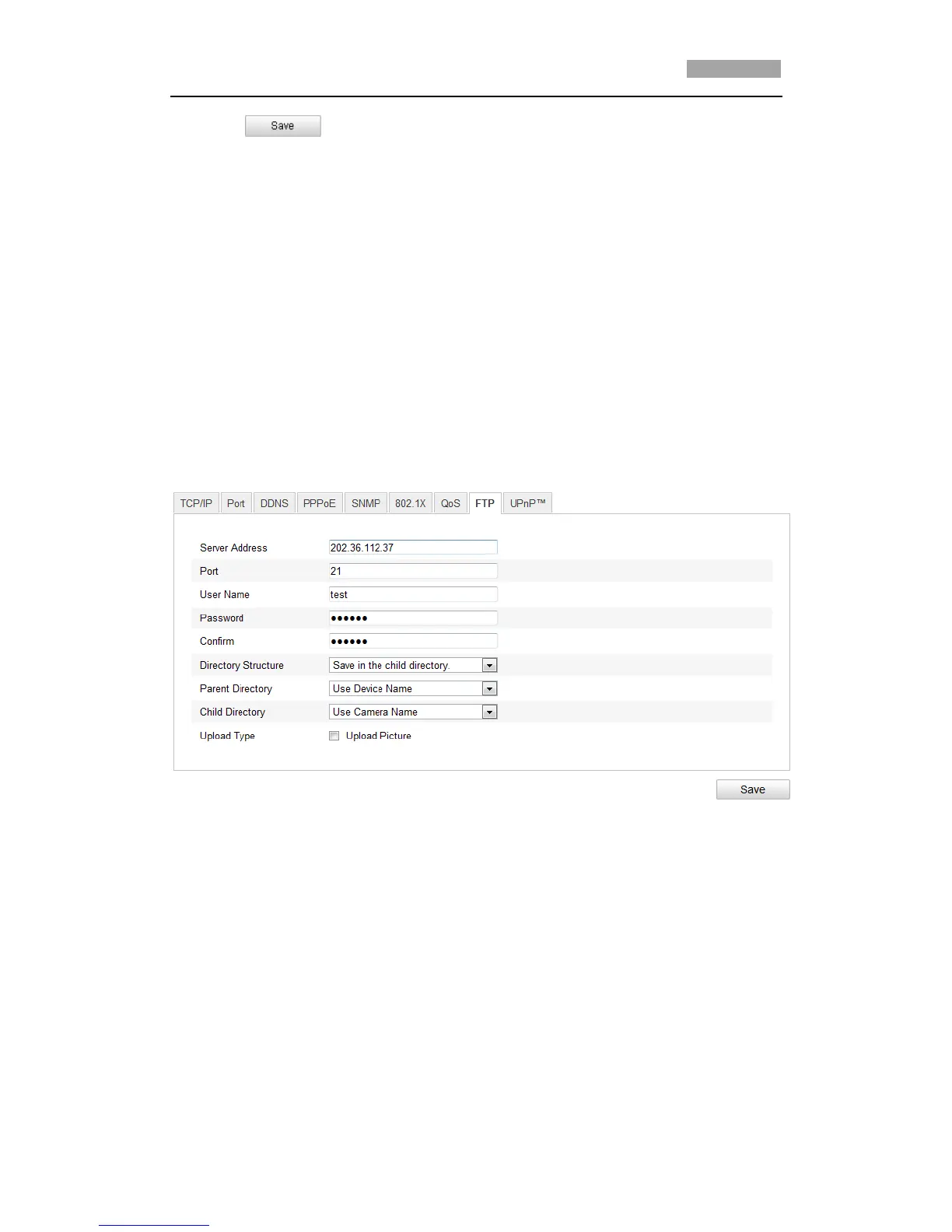
1. Enter the FTP Settings interface:
Configuration >Advanced Configuration > Network > FTP
Figure 6-19 FTP Settings
2. Configure the FTP settings, including server address, port, user name, password,
directory and upload type.
Setting the directory in FTP server for saving files:
In the Directory Structure field, you can select the root directory, parent
directory and child directory.
Root directory: The files will be saved in the root of FTP server.
Parent directory: The files will be saved in a folder in FTP server. The name of
folder can be defined as shown in following Figure 6-20.



 To Next Page