Chapter 9 Log Searching
Purpose:
The operation, alarm, exception and information of the speed dome can be stored in
log files. You can also export the log files on your demand.
Before you start:
Please configure network storage for the speed dome or insert a SD card in the speed
dome.
Steps:
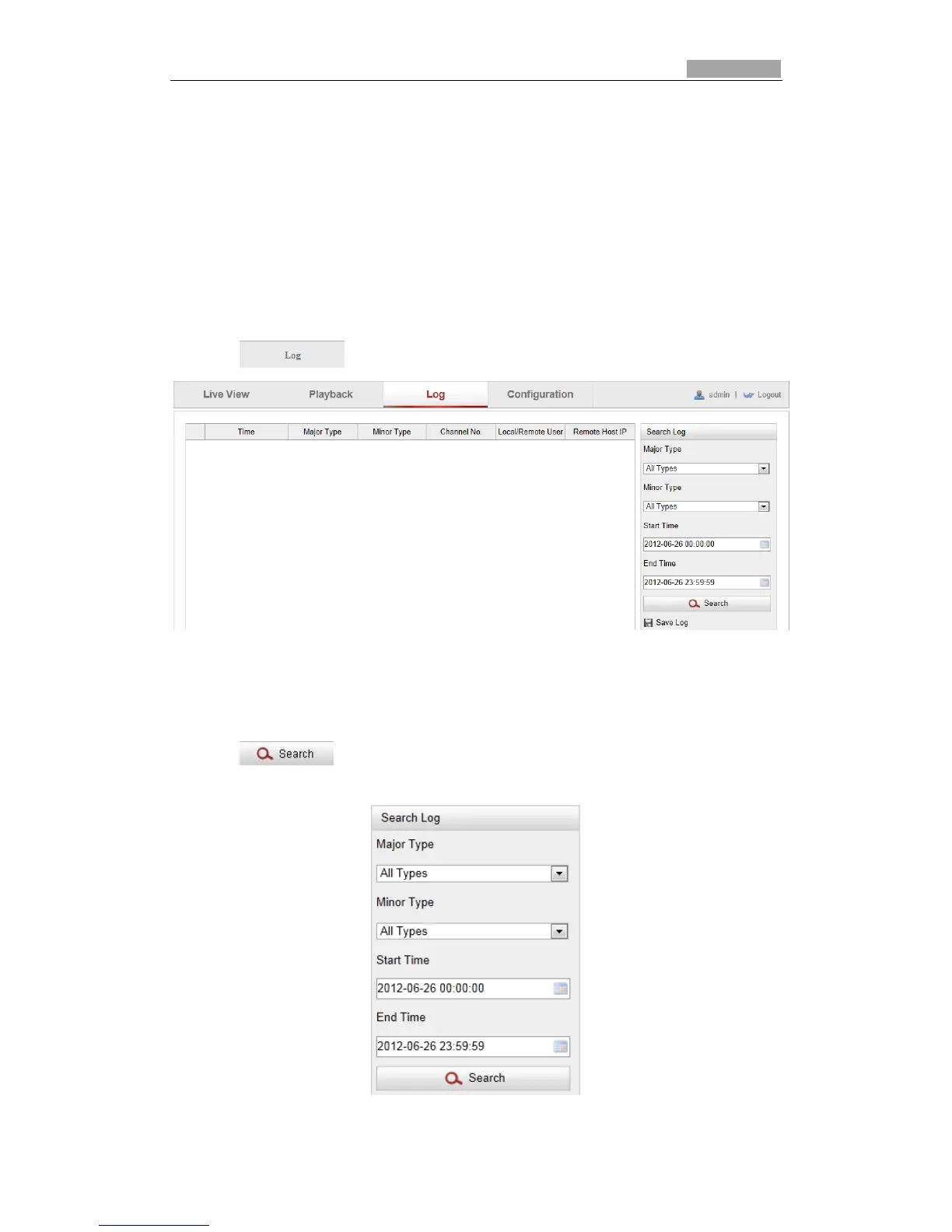
1. Click on the menu bar to enter log searching interface.
Figure 9-1 Log Searching Interface
2. Set the log search conditions to specify the search, including the Major Type,
Minor Type, Start Time and End Time as shown in Figure 9-2.
3. Click to search log files. The matched log files will be displayed on
the Log interface.
Figure 9-2 Log Searching



 To Next Page