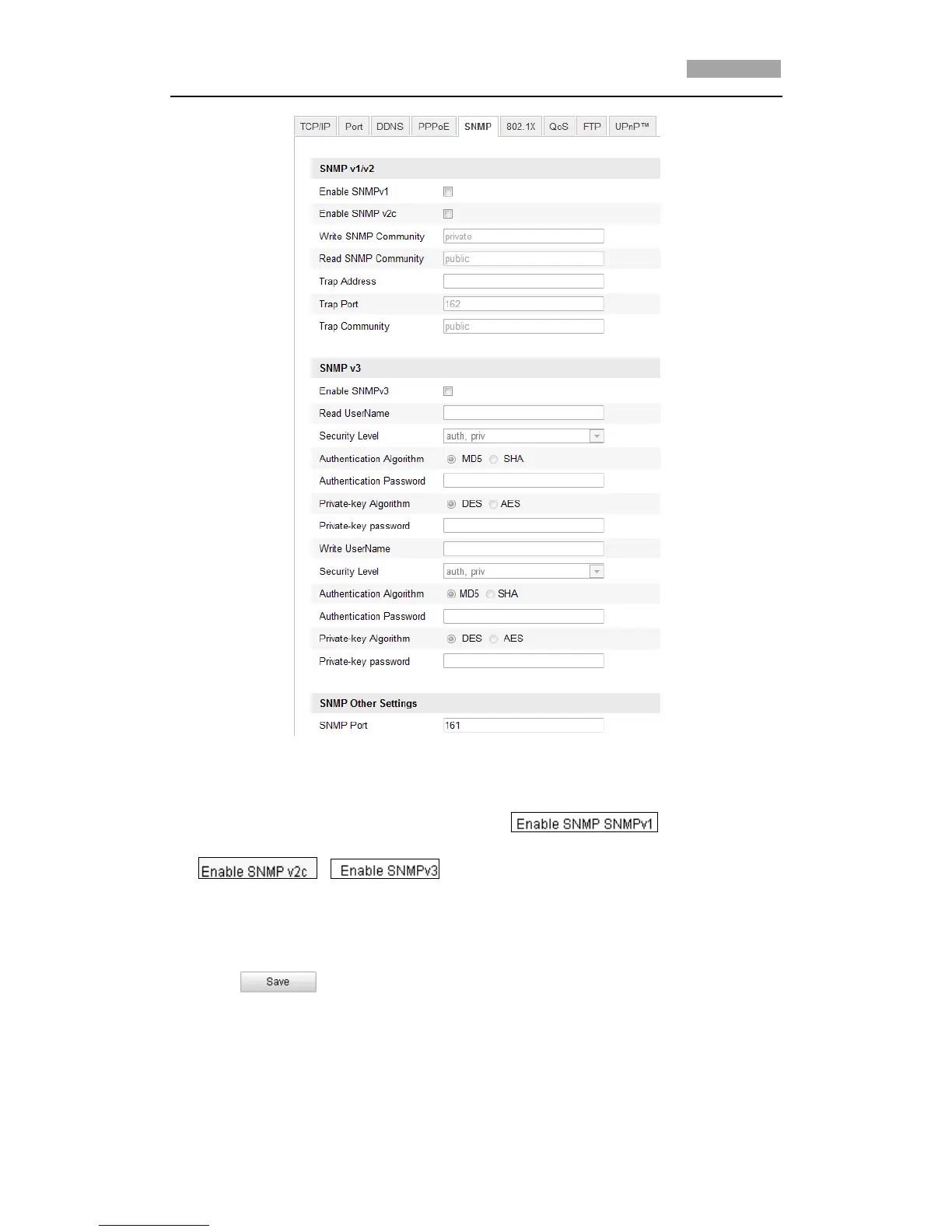
Figure 6-15 SNMP Settings
2. Check the corresponding version checkbox ( ,
, ) to enable the feature.
3. Configure the SNMP settings.
*Note: The configuration of the SNMP software should be the same as the
settings you configure here.
4. Click to save and finish the settings.



 To Next Page