Hardware Reference Guide 115
CONFIGURING ANTENNAS
cable. Connect one end of the cable to the console port on the HiveManager and the other end to the
serial (or COM) port on your management system. The management system must have a VT100 terminal
emulation program, such as Tera Term Pro
©
(a free terminal emulator) or Hilgraeve Hyperterminal
®
(provided
with Windows
®
operating systems).
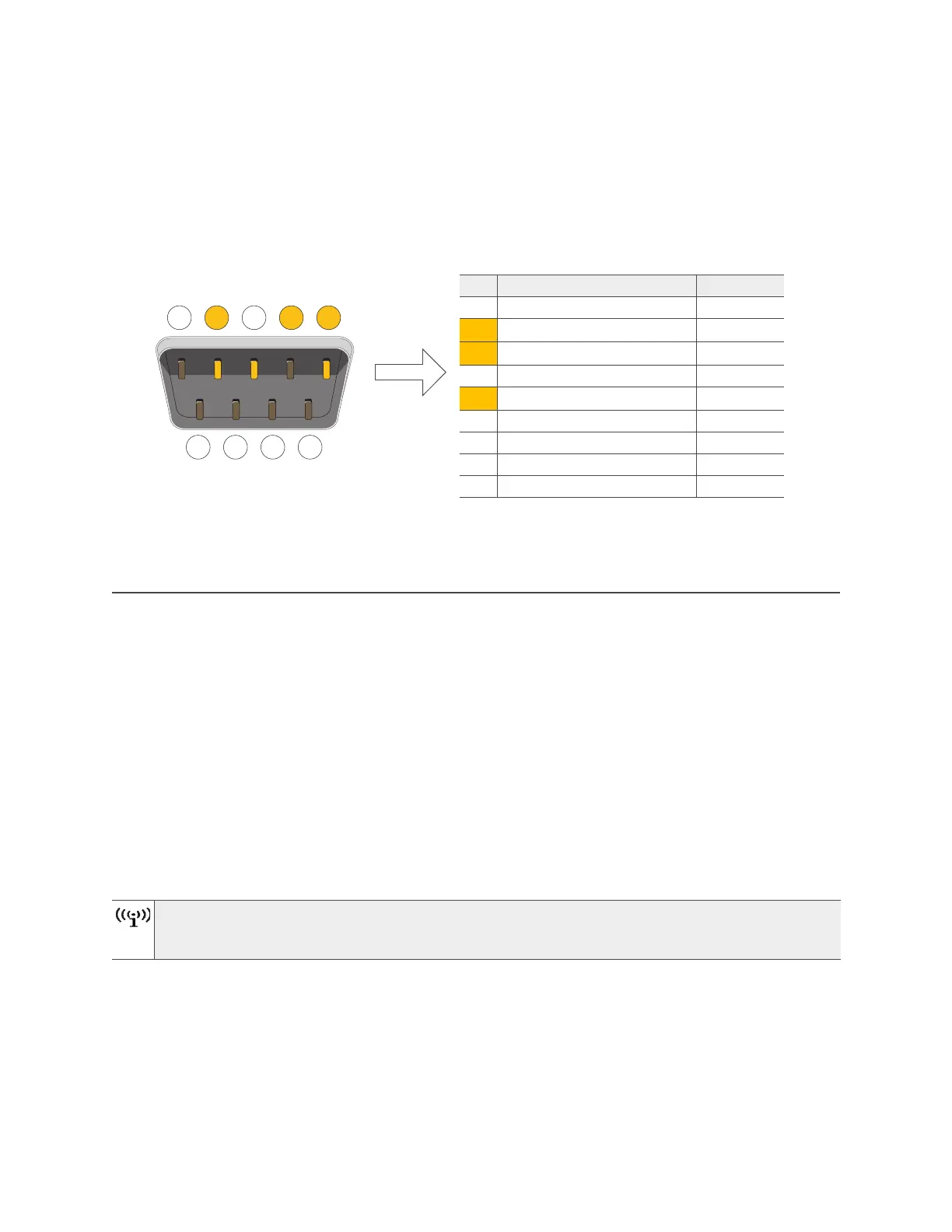
Figure 5 DB9 Console port pin assignments
These pin assignments show a DTE configuration for a DB9 connector complying with the RS-232 standard.
Because this is a console port, only pins 2, 3, and 5 need be used.
CONFIGURING ANTENNAS
As anyone who has administered a WLAN system knows, configuring the antennas correctly at the outset
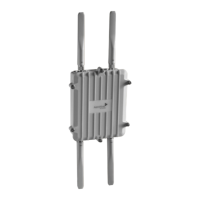
can save you lots of trouble. The external antennas on many Aerohive devices are adjustable, and can be
patch, directional (single-direction), and omnidirectional antennas. The type of antenna you use determines
the coverage pattern.
Single-direction Antennas
The most common external antennas are directional patch antennas that provide coverage in a single
direction. Most commonly they have a transmission pattern similar to that shown in Figure 6 on page 116.
Based on the gain, the signal will be wide (like the low gain antenna shown on top) or narrow and long (like
the high gain antenna shown on the bottom).
Aerohive devices accommodate external antennas via coaxial jacks on the chassis . These jacks are
standard male RP-SMA connectors.
Coverage patterns are not perfect for these antennas and they often broadcast slightly in
directions other than the primary one. These extra "lobes" can be seen in both of the patterns
shown below.
1 2 3 4 5
6 7 8 9
Male DB9 Console port
View of the console
port on HiveManager
Pin Signal Direction
1 DCD (Data Carrier Detect) (unused)
2 RXD (Received Data) Input
3 TXD (Transmitted Data) Output
4 DTR (Data Terminal Ready) (unused)
5 Ground Ground
6 DSR (Data Set Ready) (unused)
7 RTS (Request to Send) (unused)
8 CTS (Clear to Send) (unused)
9 RI (Ring Indicator) (unused)
RS-232 Standard Pin Assignments



 To Next Page