Chapter 5 The AP340 Platform
56 Aerohive
Locking the AP340
To lock the AP340 to the mounting plate, use either a Kensington lock or the lock adapter that is included
with the mounting kit and a small padlock (not included).
To use a Kensington lock, loop the cable attached to the lock around a secure object, insert the T-bar
component of the lock into the device lock slot on the AP, and then turn the key to engage the lock
mechanism.
To use the lock adapter:
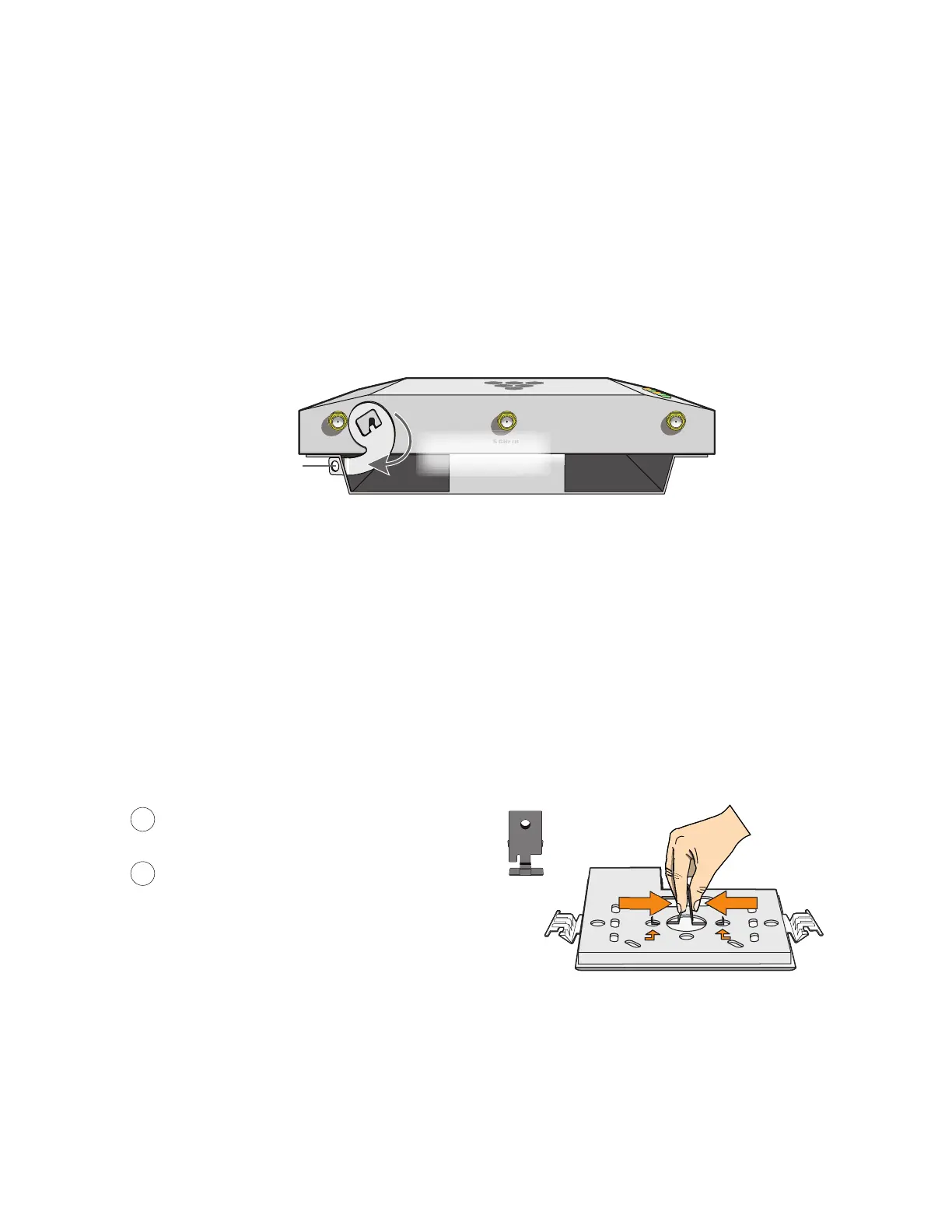
1. Insert the T-shaped extension on the adapter into the device lock slot, and rotate it clockwise so that the
curved section extends through the slot in the mounting plate (see Figure 6).
Figure 6 Locking the AP340 to the mounting plate
2. Link a padlock through the opening in the adapter and engage the lock to secure the AP340 to the
mounting plate. The opening is 1/8" (0.3 cm) in diameter at its narrowest.
Plenum Mount
To mount the AP340 in the plenum space above a dropped ceiling grid, you need the mounting plate,
hanger clip, and a standard 24"-wide hanger frame, which can be ordered separately (SKU#
AH-ACC-BKT-PLENUM).
1. With the recessed side of the mounting plate facing downward, insert the hanger clip through the large
hole in the center of the plate.
2. Squeeze the clip until the projecting tabs at the ends of its two feet snap into the smaller holes on both
sides of the larger hole (see Figure 7).
Figure 7 Fitting the hanger clip to the mounting plate
3. Attach the AP340 to the mounting plate, and then attach the antennas to the connectors (see Figure 8
on page 57).
5 GHz (A)
5 GHz (B5 GHz (C)
Insert a lock through
the opening
AP
Mounting plate
Rotate the lock
adapter clockwise
Insert the hanger clip through the large hole in
the mounting plate.
Squeeze the hanger clip to pull the tabs on the
feet inward until they snap upward into the two
holes on either side of the larger hole.
1
2
Hanger clip



 To Next Page