Chapter 9 BR200 and BR200-WP Routers
92 Aerohive
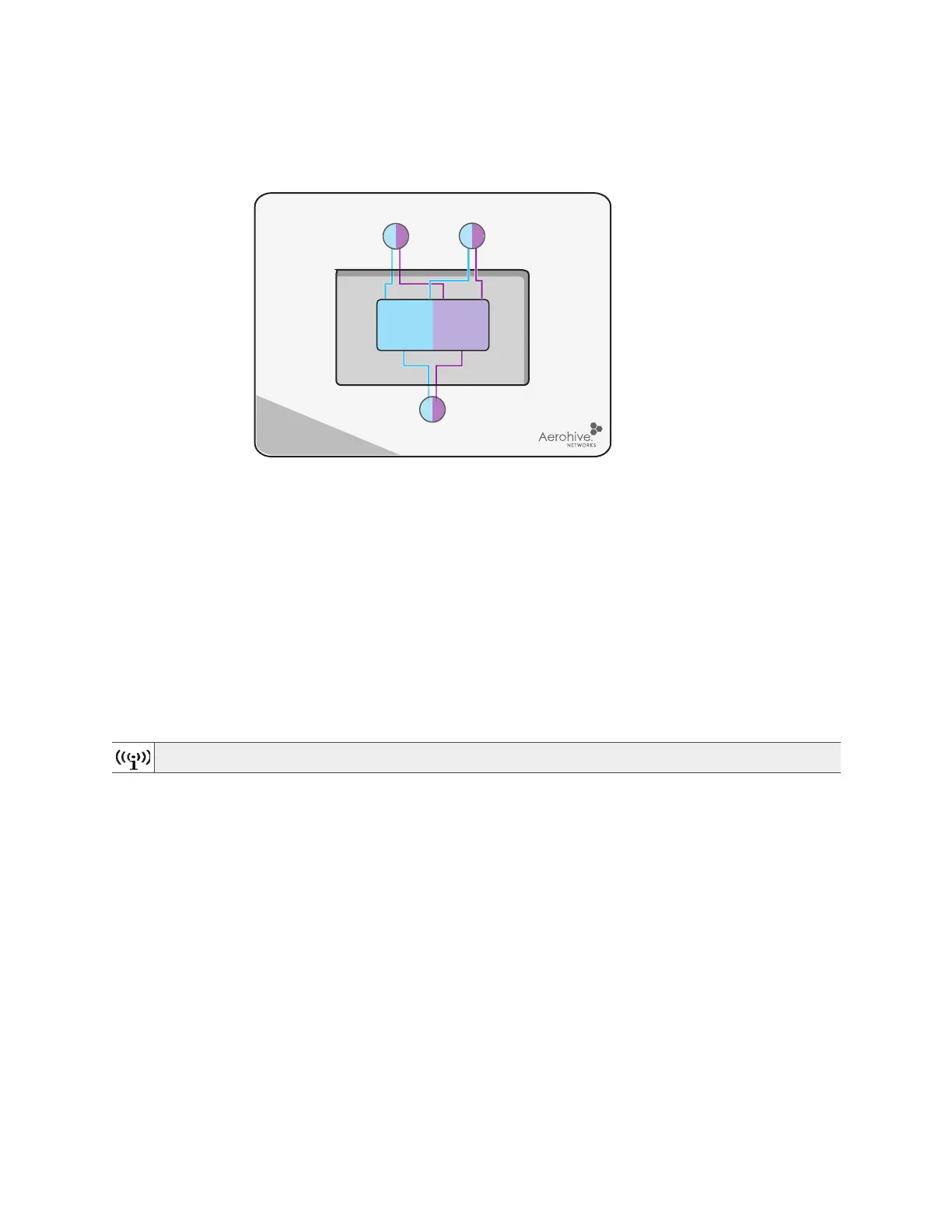
Figure 2 BR200-WP radio and antennas
Ethernet Ports
There are four 10/100/1000-Mbps Ethernet RJ45 LAN ports (ETH 1 through ETH 4). These ports are compatible
with 10/100/100Base-T/TX and automatically negotiate half- and full-duplex connections with the
connecting device. These ports are auto-sensing and adjust to straight-through and crossover Ethernet
cables automatically.
To provide Ethernet connections to devices on the LAN side, connect the ETH 1 – ETH 4 interfaces on the
router to a switch or host.
The pin assignments in the Ethernet ports follow the TIA/EIA-568-B standard (see "Ethernet Port Pin
Assignments" on page 109). The ports accept standard cat3, cat5, cat5e, or cat6 Ethernet cable. Because
the ports have autosensing capabilities, the wiring termination in the Ethernet cable can be either
straight-through or crossover.
On BR200 series routers, each of these ports represent a separate logical interface. For this reason, you can
apply multiple LAN profiles (one for each of the four ports). In HiveManager, a LAN profile consists of a name,
description, the ports to which it applies, and optional security and filtering rules. For information about how
to configure a LAN profile, refer to HiveManager Help.
Console Port
Use the RJ45 Console port to make a serial connection between your management system and the router.
The management station from which you connect to the device must have a VT100 emulation program,
such as Tera Term Pro
©
(a free terminal emulator) or Hilgraeve Hyperterminal
®
(provided with Windows
®
operating systems from Windows 95 to Windows XP). The serial connection settings are:
• Bits per second: 9600
• Data bits: 8
•Parity: none
• Stop bits: 1
• Flow control: none.
For information about RJ45 pin assignments, see "RJ45 Console Port Pin Assignments" on page 113.
For PoE ports, especially with 803.2at, Aerohive recommends using cat5 or cat 6 Ethernet cable.
2.4/5 GHz dual-band antennas
2.4/5 GHz dual-band antenna
Radio
RF 802.11a/b/g/n
2.4 GHz / 5 GHz
(Cut-away view of the BR200-WP showing the relationship of the internal antennas and radio)



 To Next Page