Chapter 1 AP110 and AP120 Platforms
10 Aerohive
AP110 AND AP120 PRODUCT OVERVIEW
The AP110 and AP120 are both multi-channel wireless access points. The AP110 contains a dual-band radio
that can operate at either 2.4 GHz or 5 GHz—but not in both bands simultaneously. The AP120 contains a 2.4
GHz radio and a 5 GHz radio that can operate concurrently through four internal antennas. These devices
support a variety of Wi-Fi security protocols, including WPA (Wi-Fi Protected Access) and WPA2.
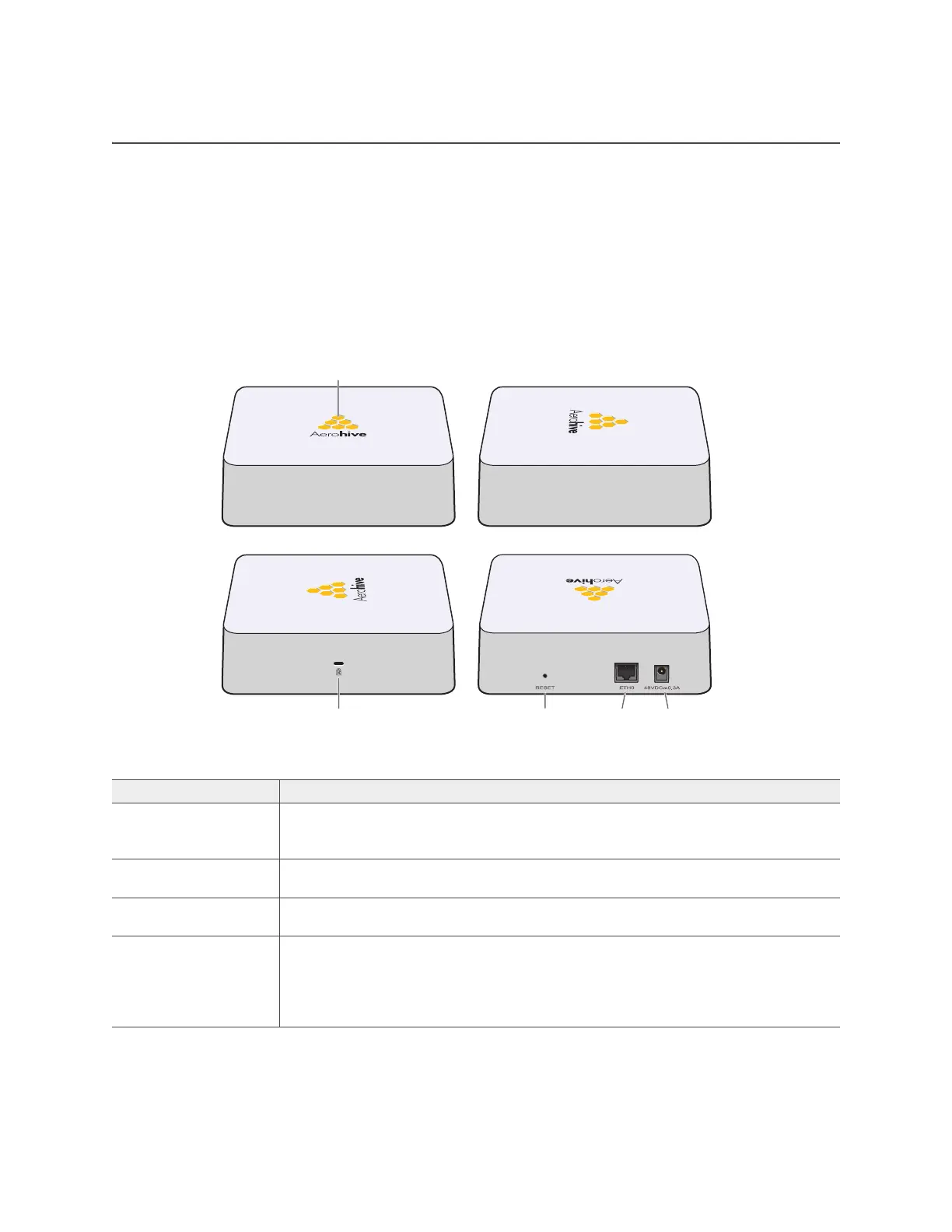
You can see the hardware components on the AP in Figure 1. Each component is described in Table 1
"AP110 and AP120 component descriptions".
Figure 1 AP110 and AP120 hardware components
Table 1 AP110 and AP120 component descriptions
Component Description
Status indicator The status indicator conveys operational states for system power, firmware
updates, Ethernet and wireless interface activity, and major alarms. For details,
see "Status Indicator" on page 11.
Device lock slot You can physically secure the AP by attaching a Kensington lock and cable to
the device lock slot. For more information, see "Locking the AP" on page 14.
Reset button The reset button allows you to reboot the device or reset the AP to its factory
default settings. See "Reset Button" on page 11.
ETH0 PoE port The 10/100/1000-Mbps RJ45 Ethernet PoE (power over Ethernet) port—ETH0— is
compatible with 10/100/1000Base-T/TX and automatically negotiates half- and
full-duplex connections with the connecting device. It is autosensing and adjusts
to straight-through and crossover Ethernet cables automatically. See "Ethernet
Port" on page 11.
Reset pinDevice lock slot ETH0
PoE port
48 VDC
Status indicator



 To Next Page