1 2 3 4 5 6 7 8 9 10
O
Link
Speed
Duplex
PoE
LEDs
Power
Stack
Reset
PoE
1 2 3 4 5 6
7 8
9 10
Link
Speed
Duplex
PoE
LEDs
Power
Stack
Reset
PoE
1 2 3 4 5 6
7 8
9 10
Link
Speed
Duplex
PoE
LEDs
Power
Stack
Reset
PoE
1 2 3 4 5 6
7 8
9 10
Link
Speed
Duplex
PoE
LEDs
Power
Stack
Reset
PoE
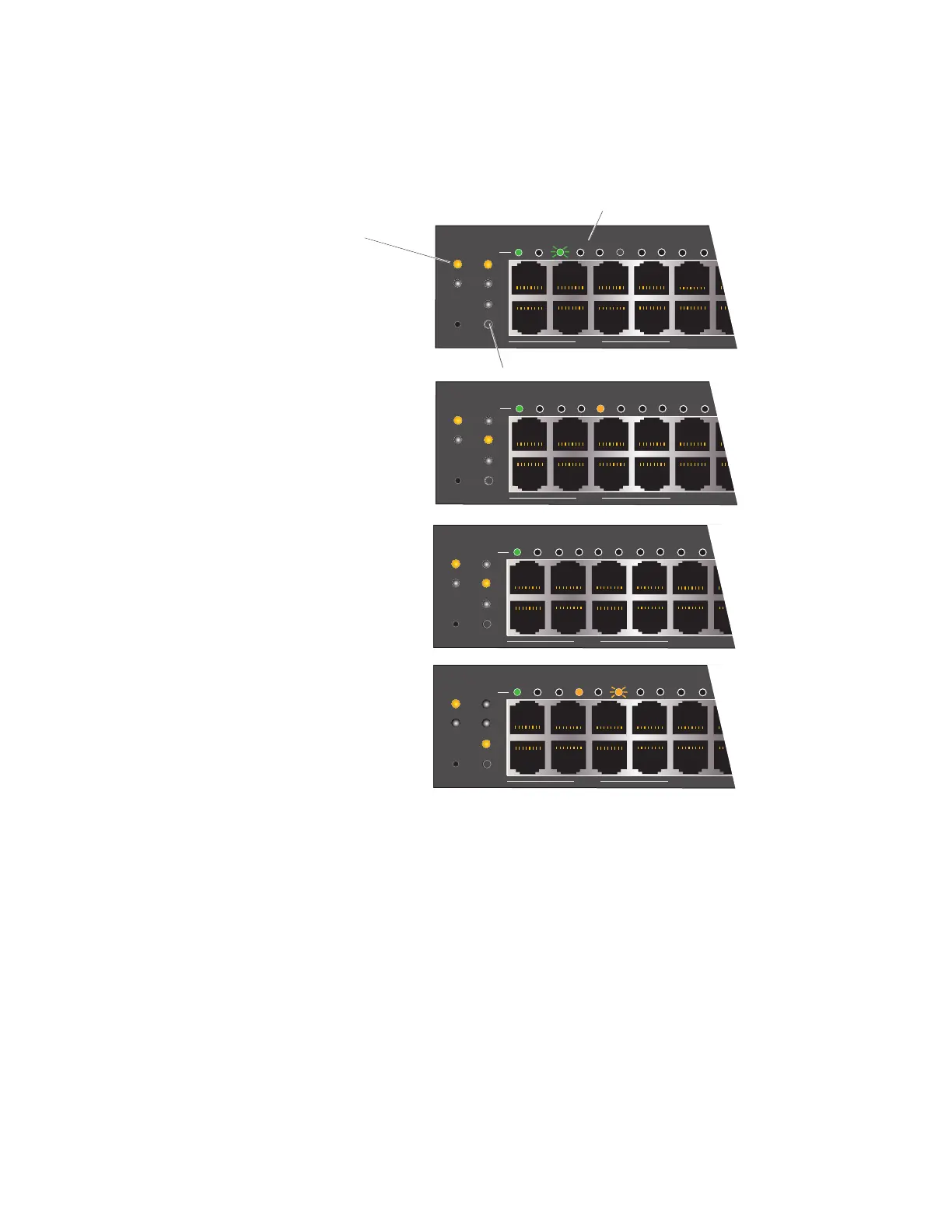
LED Mode selection button
With Link mode selected:
Dark: No power to link
Green (solid): Port is active but there is
no traffic
Green (flashing): Port is actively passing
traffic
With Speed mode selected:
Dark: No power to port
Green: Port is operating at 1000 Mbps
Amber: Port is operating at 100 Mbps
With Duplex mode selected:
Dark: Port is operating in half duplex mode
Green: Port is operating in duplex mode
With PoE mode selected:
Dark: PoE power is not active on this port
Amber: Port is providing 802.3at-rated PoE
Green: Port is providing 802.3af-rated PoE
Amber (flashing): There is a PoE error on
this port
Power LED display:
Dark: No power
Amber: Device is booting
White: Device is fully operational
Ethernet port LEDs



 To Next Page