Page 11
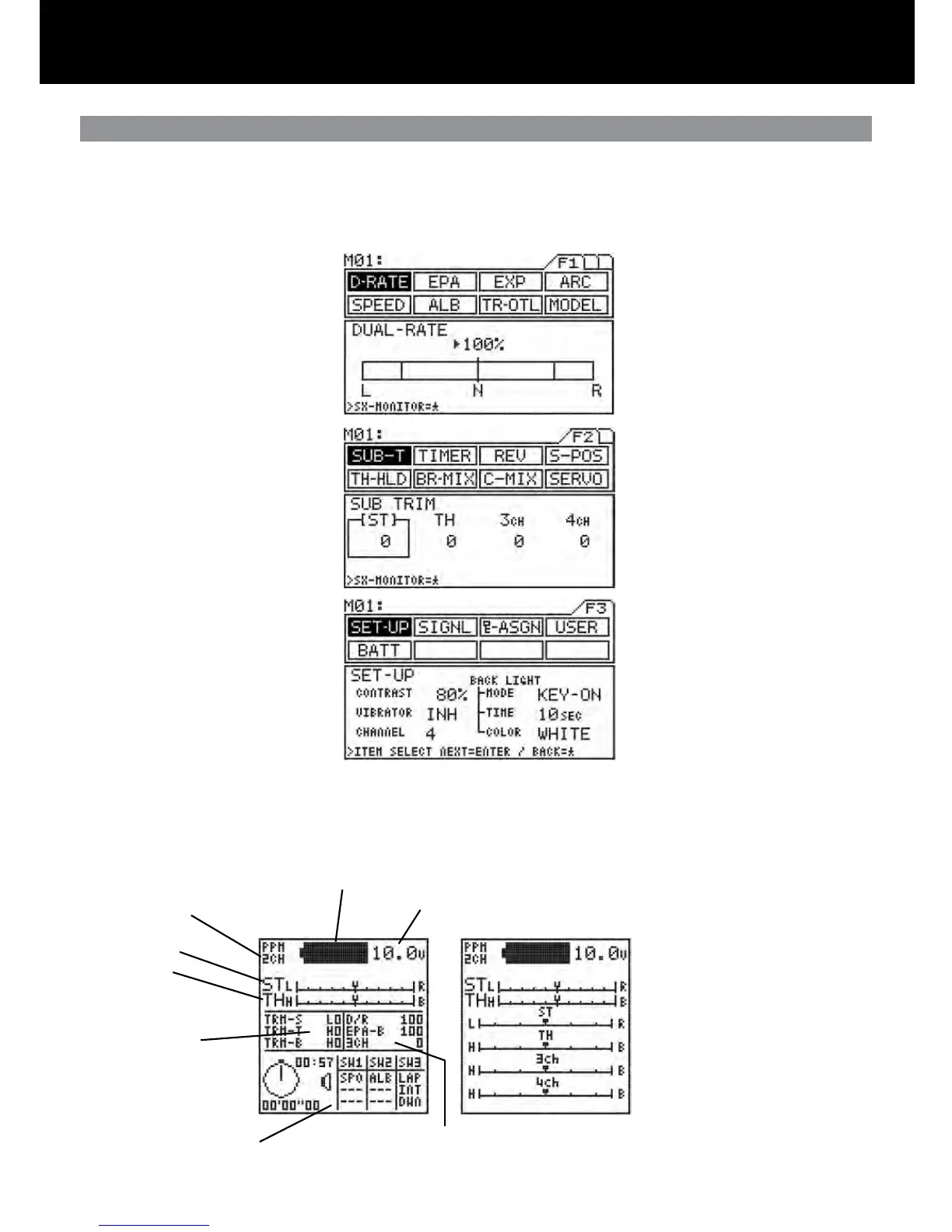
Menu Function Pages / Information Area
Number of Channels (2 or 4)
Steering Trim
Throttle Trim
Timer and Switch Status
Battery Remaining
Battery Voltage
Trm 1, Trm 2, Trm 3
Feature display and set-
tings
Steering Dual Rate, Brake EPA and 3CH settings
Optional information screen can be
changed using the key.
Note: can only be changed when the
help screen shows SX-MONITOR=*
é
Function Pages
Function Menu Page 1
Function Menu Page 2
Function Menu Page 3
The functions of the M11 span three pages, F1 to F3, and can be selected directly using just the < and > keys. The rst function on
successive pages can be easily displayed in the sequence F1 > F2 > F3 > F1 . . . by pressing the < and > keys at the same time.
A constant display area is provided on the right side of the screen. This makes it possible to determine, at a glance, the current set-
ting status of various functions from any menu screen. Further, you can display the servo monitor screen by pressing the star key.



 To Next Page