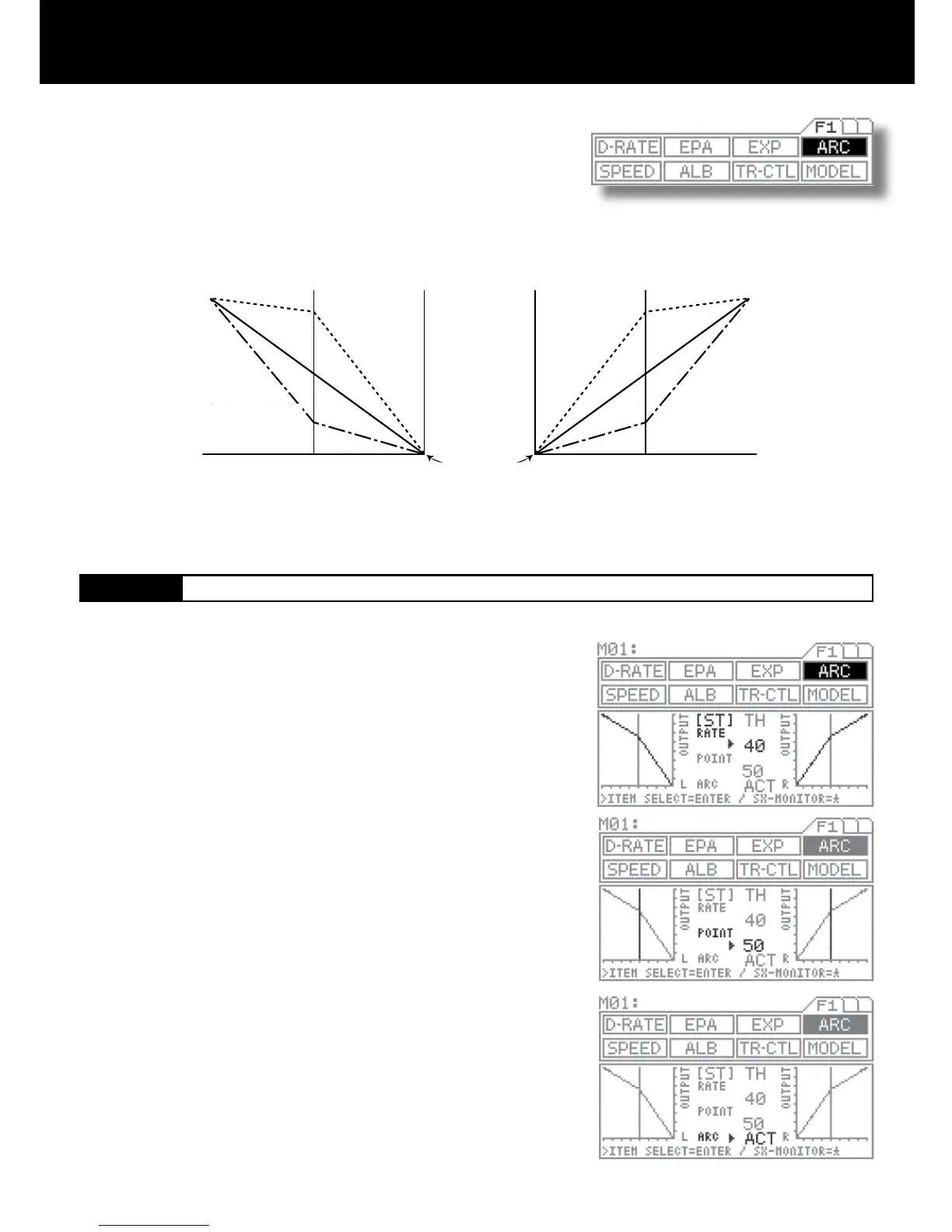
Quick
(1% to 100%)
Quick
(1% to 100%)
Mild
(-1% to 100%)
Mild
(-1% to 100%)
Normal
0%
Normal
0%
Neutral position
Amount of servo operation
Amount of servo operation
Amount of steering operation on the L
side (amount of operation on the
throttle H side)
Amount of steering operation on the
R side (amount of operation on the
throttle B side)
This function varies the amount of servo action with respect to manipulation of
the steering wheel or throttle trigger.
Increasing the rate setting makes action quicker, while reducing it makes ac-
tion milder.
The changeability of the variable point on the ARC enables to adjust delicate
steering and throttle work during the operation.
(-1% to -100%)
(-1% to -100%)
Steering response can be variably adjusted from mild through liner or to
quick. In general, if the model vehicle tends to have over-steers, reduce the
numeric value, and if the vehicle tends to have under-steers, increase the
numeric value.
RATE SETTING
Press the function select key and move the cursor to [ST] in ARC.
Be sure that arrow points to the RATE, and then set the RATE for ARC by
pressing the Inc.+ or Dec.- key.
Setting range -100% to 100% (Default setting 0)
POINT setting
Move arrow to POINT with the ENTER key, and then set the POINT value by
pressing the Inc.+ or Dec.- key.
Setting range 5 to 95 (Default setting 50)
INH/ACT setting for ARC
In order to activate the ARC function, select ACT, and to deactivate, select
INH.
Using the ENTER key, move the arrow to the left side of ARC.
Select INH or ACT by pressing the Inc.+ or Dec.- key.
1.
2.
3.
4.



 To Next Page